About Cursor AI Mobile
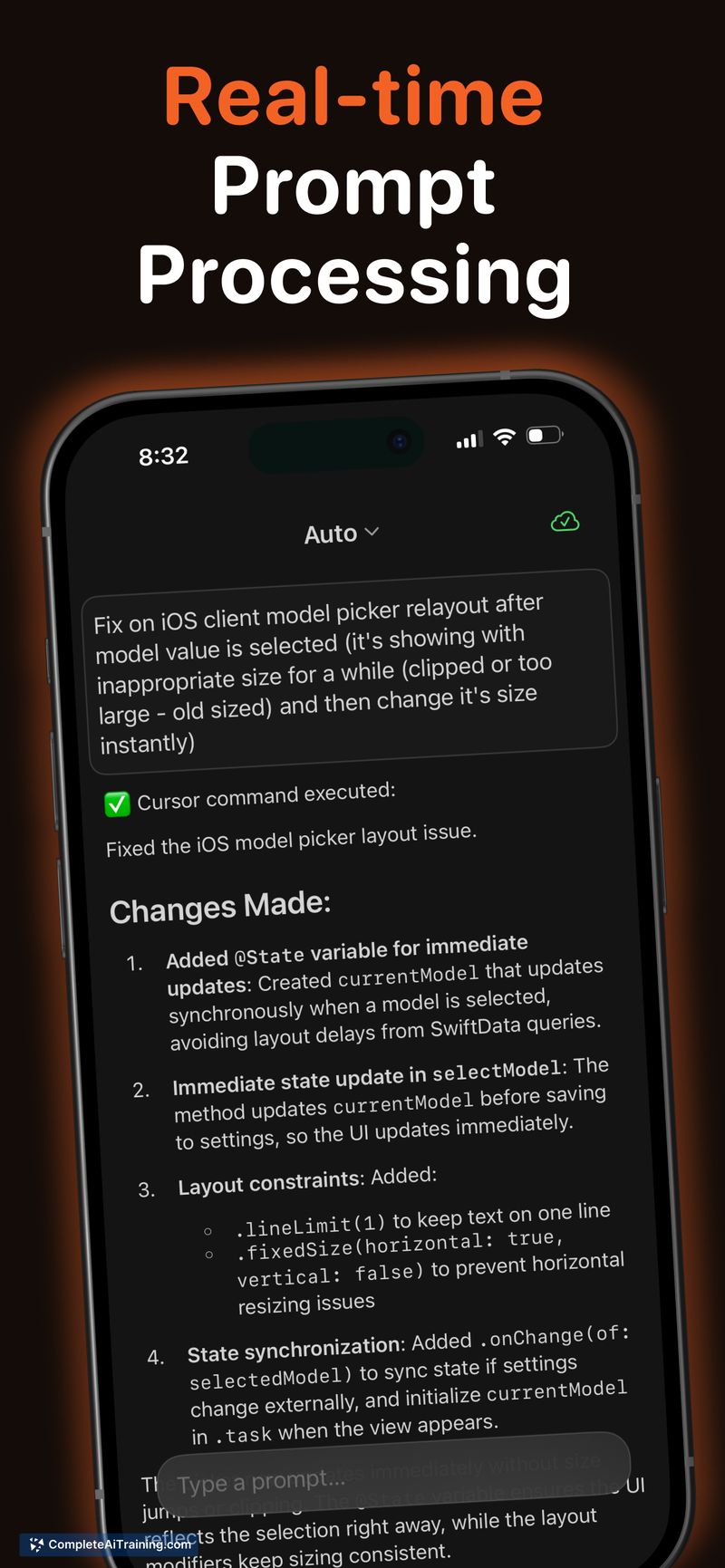
Cursor AI Mobile is a companion app that extends the Cursor desktop IDE to mobile devices, letting developers access their AI coding assistant from a phone or tablet. Prompts are sent from the mobile device and executed on the developer's desktop via the Cursor command-line interface, with results and chat history syncing back in real time.
Review
Cursor AI Mobile focuses on providing quick, context-aware access to an AI-assisted coding workflow when you are away from your main workstation. The app preserves continuity with the desktop environment, making it suitable for short reviews, follow-ups on suggestions, and lightweight debugging without firing up the full IDE.
Key Features
- Send prompts from a mobile device that run on your desktop through the Cursor CLI for consistent execution context.
- Real-time sync of results and chat history so conversations and outputs remain available across devices.
- Mobile interface optimized for reviewing AI responses, inspecting snippets, and tracking past prompts.
- Local execution model keeps code and prompts on the user's machine rather than routing everything through an external cloud agent.
Pricing and Value
The launch information lists a free option for the mobile companion. Value depends largely on whether you already use the desktop Cursor IDE: for existing users the app adds useful remote access at little to no extra cost, while new users should factor in the need to set up the desktop component to get full functionality.
Pros
- Seamless sync with the desktop IDE preserves context and chat history across devices.
- Runs prompts on the user's desktop, which can help with privacy and environment fidelity.
- Lightweight mobile UI makes it easy to inspect results and follow up on suggestions quickly.
- Useful for quick reviews, triaging issues, and continuing conversations with an AI assistant away from the main workstation.
Cons
- Requires a running desktop instance and CLI setup, so it's not a standalone coding environment.
- Mobile screens limit deep editing or large-scale refactors compared with the full desktop IDE.
- Functionality depends on network connectivity between mobile and desktop devices.
Overall, Cursor AI Mobile is best suited for developers who already use the Cursor desktop IDE and want to maintain momentum on small tasks while away from their main machine. It is a practical tool for on-call checks, quick code reviews, and following up on AI suggestions without interrupting a desktop session.
Open 'Cursor AI Mobile' Website
Your membership also unlocks: