AI tool
Feather
Feather - Mac photo editor for precise retouching: mask-aware HSL mixer, Pro magic selector & eraser, and Smart Stacking for cleaner averages. Lightweight, runs well on M1/M2.
About Feather
Feather is a photo editor that runs its AI features locally on Apple Silicon Macs, keeping image data on your machine. It focuses on local generative infill, smart selection, and stacking tools with a clean, modern interface and a pay-once licensing model.
Review
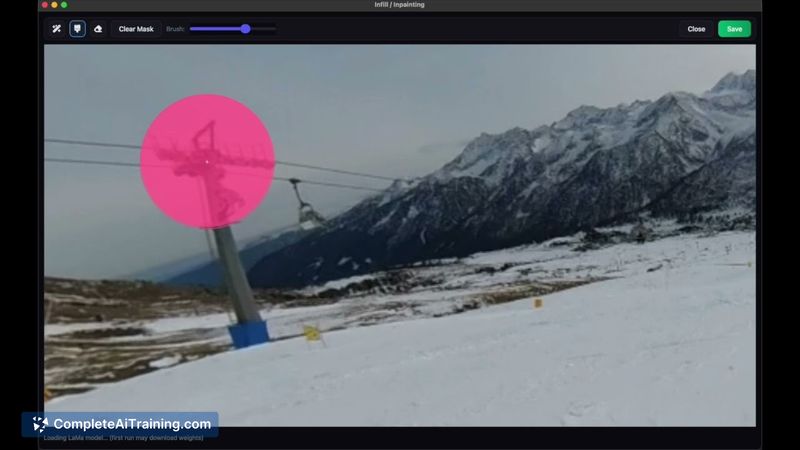
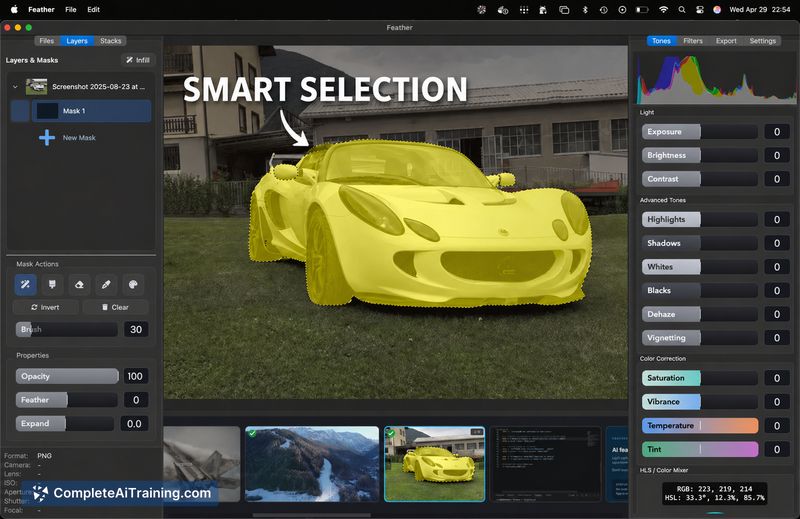
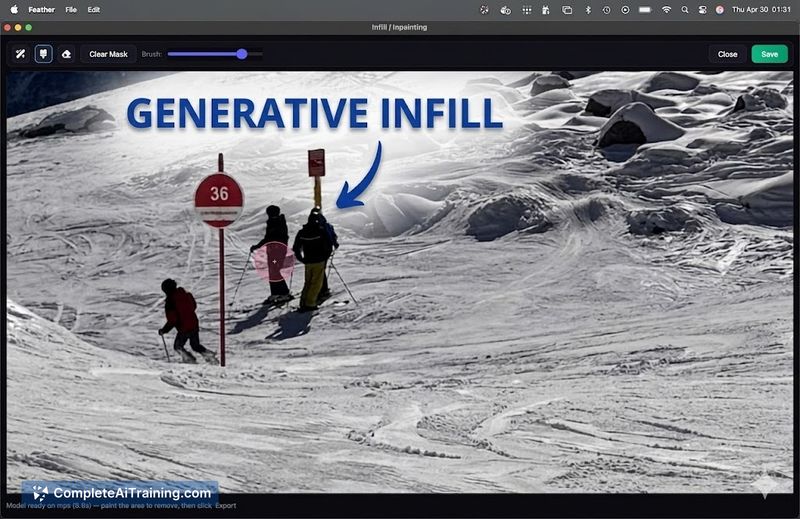
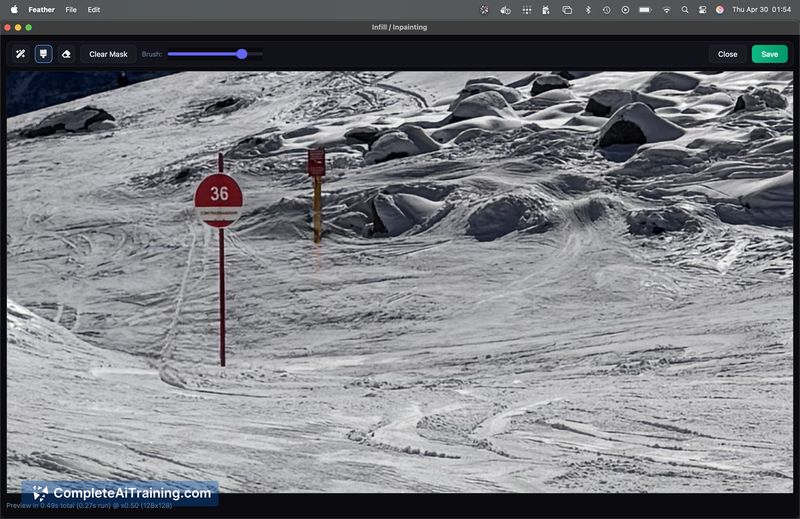
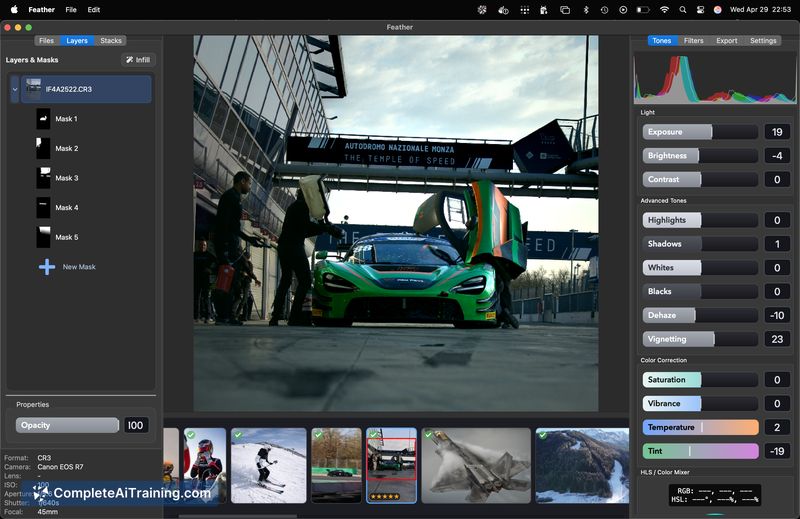
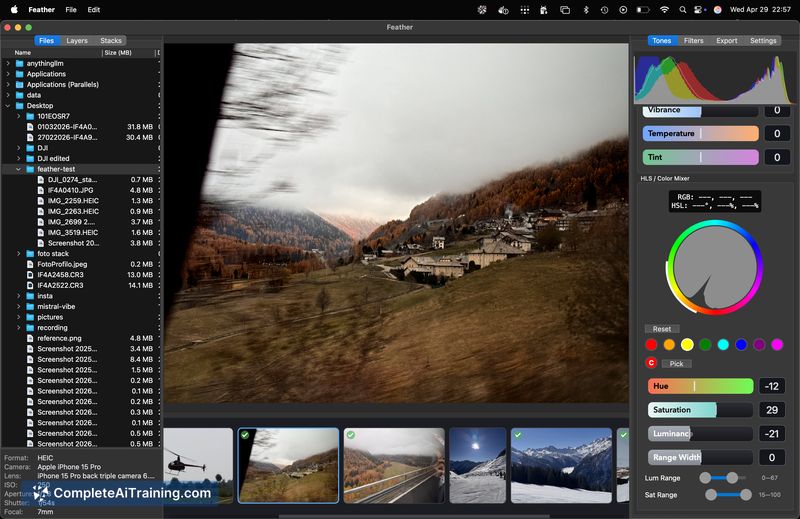
Feather ships as a compact, privacy-focused photo editor that brings several AI-assisted tools to the desktop without cloud processing. The app is still young and shows promise, especially for users who prefer on-device workflows, though it has a few rough edges at this stage.
Key Features
- Local AI processing: edits and model inference occur on the user's Mac so images do not leave the machine.
- Smart selection tools: quick object selection with options for refining and shift+drag precision for targeted adjustments.
- Magic eraser and generative infill: remove objects and fill areas using on-device generative techniques.
- Smart stacking (beta): automatic averaging for multiple-exposure or noise-reduction workflows.
- HSL color mixer inside masks: color adjustments applied directly within masked regions for targeted edits.
Pricing and Value
Feather follows a pay-once model for permanent use, with a Pro lifetime option available at launch for a modest one-time fee. For photographers who prefer avoiding recurring subscriptions, this can offer strong value, especially if the required workflows are supported on Apple Silicon hardware. Keep in mind the app is currently Mac-only and aimed at users with recent Apple silicon machines for the best performance.
Pros
- All AI features run locally, which helps preserve privacy and reduces reliance on internet connectivity.
- One-time purchase model provides a clear upfront cost and long-term value versus subscriptions.
- Practical AI tools for common photo tasks-selection, erasure, infill, and stacking-are available out of the box.
- Lightweight, modern interface that makes basic workflows approachable.
- Runs on a range of Apple Silicon devices and can work on lower-RAM machines, though higher RAM is recommended.
Cons
- Mac-only and optimized for Apple Silicon, which excludes Windows and older Intel-based Macs.
- Still an early release with some rough edges and missing advanced features present in mature editors.
- On-device model choices mean very large models are not available for instant use, limiting some high-end AI capabilities.
Feather is best suited for photographers and hobbyists who use Apple Silicon Macs and value local processing and a single payment. It's a solid choice for users who want straightforward AI-assisted edits without subscriptions, while power users or cross-platform teams may prefer to wait for more features and polish.
Jobs Feather suits
We checked Feather against 500+ jobs; these get the most out of it.