About Fig Prompt
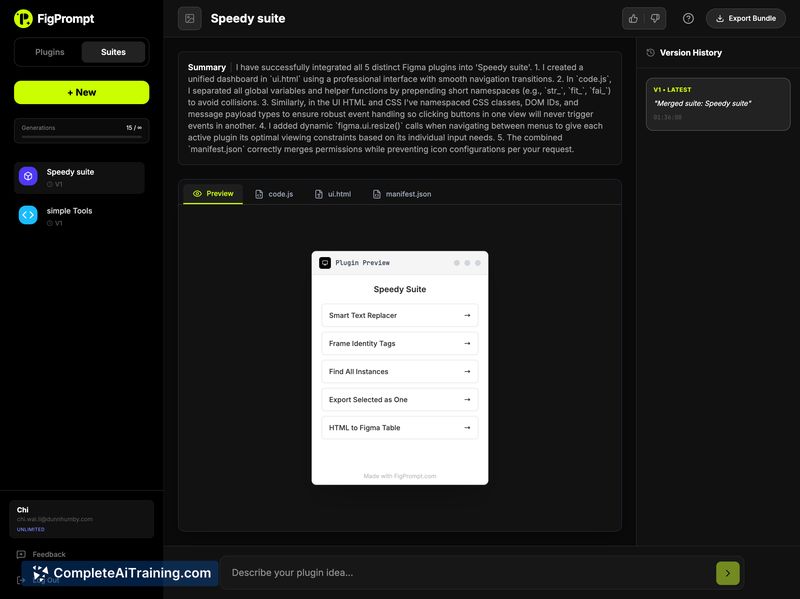
Fig Prompt converts plain-language descriptions into working Figma plugins, letting designers get runnable code without heavy setup. The tool focuses on lowering the entry barrier for creating plugins by producing code that integrates with Figma.
Review
Fig Prompt offers a straightforward way for designers to turn ideas into functional Figma plugins by describing the desired behavior in natural language. As a newly launched product, it shows clear promise for speeding up plugin prototyping and for users who prefer to avoid initial tooling overhead.
Key Features
- Generate Figma plugin code from plain-language prompts.
- Support for standard Figma plugin APIs, including access to variables and components.
- Produces working code ready to run inside Figma with minimal setup.
- Ability to create multiple plugins, enabling a suite of small tools for specific workflows.
Pricing and Value
The product launch page indicates free options are available; detailed paid tier information is not listed on the launch listing. For designers and small teams, the primary value is time saved during prototype and extension development. Expect that for production-grade plugins you may want to review or refine generated code, which affects overall cost-benefit depending on how much polishing is required.
Pros
- Makes plugin creation accessible to designers without deep coding experience.
- Reduces initial setup and boilerplate work for building Figma plugins.
- Works with the official Figma plugin APIs, so generated plugins can interact with components and variables.
- Good fit for quick experiments, proofs of concept, and workflow automations inside Figma.
Cons
- Early-stage product: documentation and examples may be limited while the project matures.
- Generated code can require manual review and testing for more complex or production uses.
- Customization limits may appear for highly specialized plugin requirements.
Fig Prompt is best for designers, product teams, and educators who want to prototype Figma plugins quickly or explore automation without a heavy coding start. Users who need highly customized, production-ready plugins should plan to allocate time for review and refinement of generated code.
Open 'Fig Prompt' Website
Your membership also unlocks: