AI tool
GitHub Copilot Fusion
GitHub Copilot Fusion automatically selects and combines AI models for coding tasks instead of requiring manual model choice. It is for developers who want the system to route work to the best model, using multiple models together for harder probl...
About GitHub Copilot Fusion
GitHub Copilot Fusion is an AI coding agent that routes development tasks to different models automatically. Rather than requiring a user to select a single model, Fusion can assign one model to write code while another reviews or improves that output. It runs across VS Code, Copilot CLI, the Copilot app, and JetBrains IDEs for users on GitHub Copilot plans.
Review
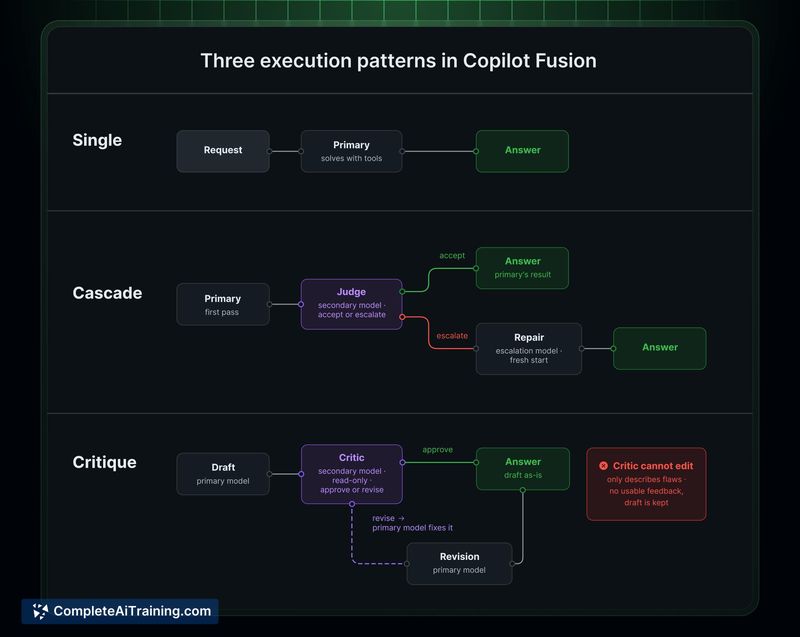
Copilot Fusion addresses a specific friction point: the manual selection of AI models for varying coding tasks. The tool makes the choice itself and, for harder tasks, can combine multiple models in sequence. Its availability spans several editors, though actual day-to-day reliability of the automatic routing remains to be seen in broader use.
Key Features
- Automatic model routing that assigns a coding task to what Fusion determines is a suitable model
- Multi-model collaboration where one model generates code and a second model reviews or refines it
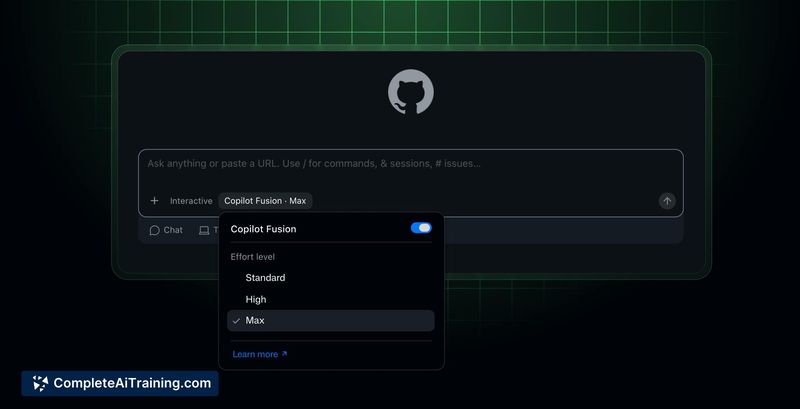
- Three effort levels-Standard, High, and Max-that let users balance speed, output quality, and cost per task
- Integration across VS Code, Copilot CLI, the Copilot app, and JetBrains IDEs under existing Copilot plans
Pricing and Value
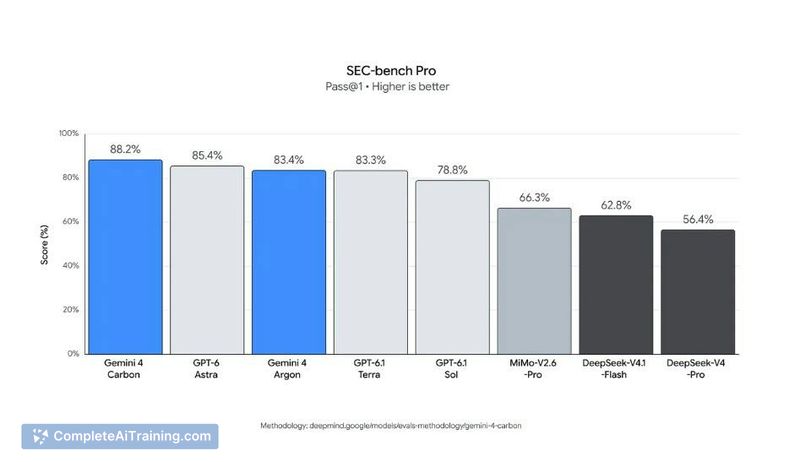
Fusion is included with GitHub Copilot plans; no separate subscription is required. GitHub states that Fusion Max achieves benchmark results close to Claude Code with Opus 5.5 Max on Artificial Analysis benchmarks at roughly half the average API cost per task. Actual per-task costs will vary depending on the effort level selected and the models Fusion invokes behind the scenes.
Pros
- Removes the need to manually pick a model for each coding session
- Multi-model setup lets a second model catch issues in code that the first model produced
- Effort levels give users direct control over the speed-cost-quality tradeoff
- Works inside the editors many developers already use without extra tooling
Cons
- Transparency into which model handles which part of a task is limited, making debugging unexpected output harder
- When two models work in sequence, it's unclear how much full context the reviewing model receives versus a summarized version
- Not well suited for developers who need deterministic, repeatable model behavior or who want to pin a specific model for compliance reasons
Fusion fits teams that regularly switch between AI models and want to offload that decision. It's less practical when a workflow demands a fixed, known model or full auditability of every model interaction. Developers who spend most of their time in VS Code or JetBrains IDEs and already hold a Copilot plan can try it without additional procurement steps.