AI tool
Intelligent Terminal
Open-source Windows Terminal fork with native agent integration: agent status bar, context-aware agent pane, automatic error detection, session management, and command palette prompts for ACP-compatible agent CLIs.
About Intelligent Terminal
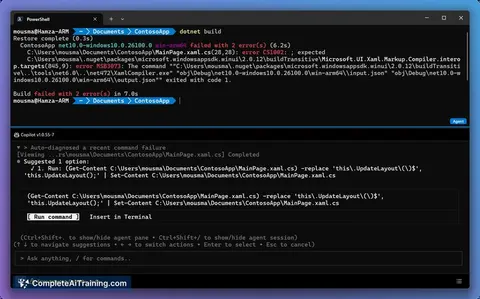
Intelligent Terminal is an open-source, experimental fork of a popular terminal emulator that integrates native agents directly into the terminal interface. It adds an agent status bar, a context-aware agent pane, automatic error detection, and session management to streamline command-line workflows.
Review
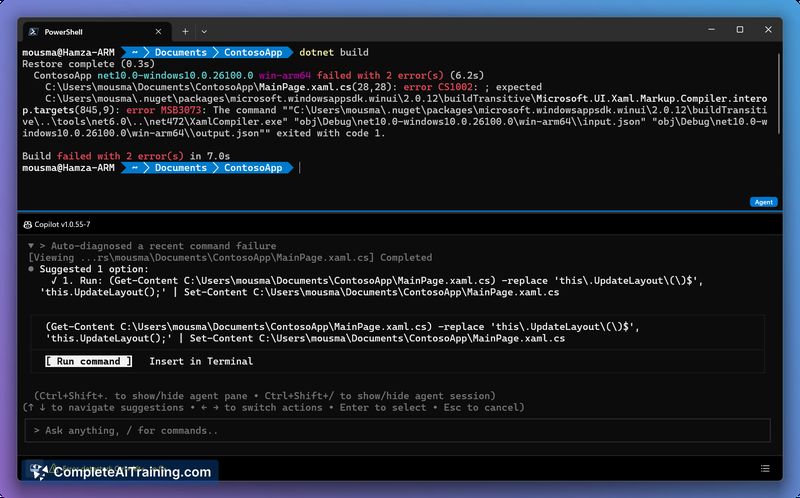
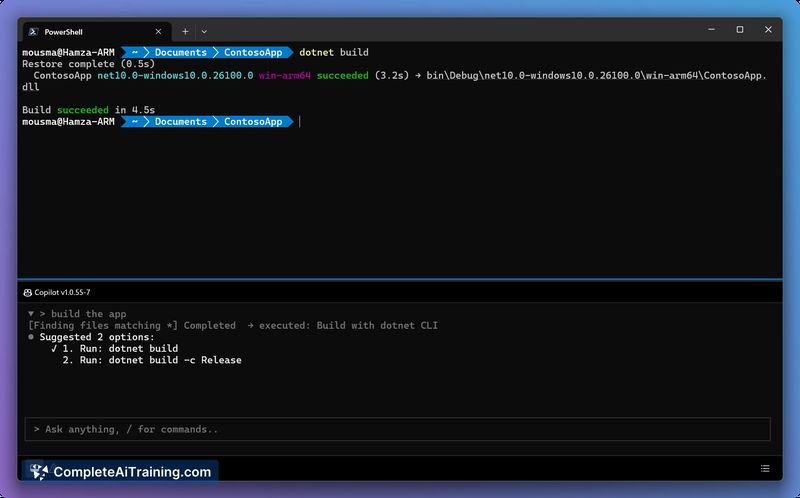
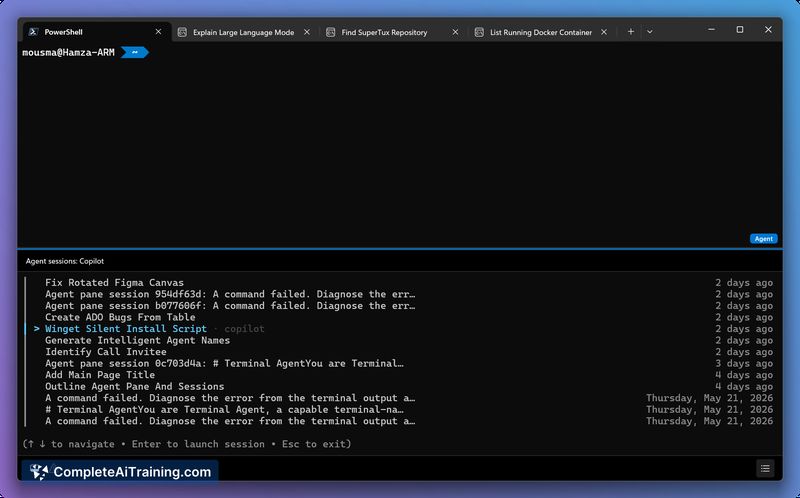
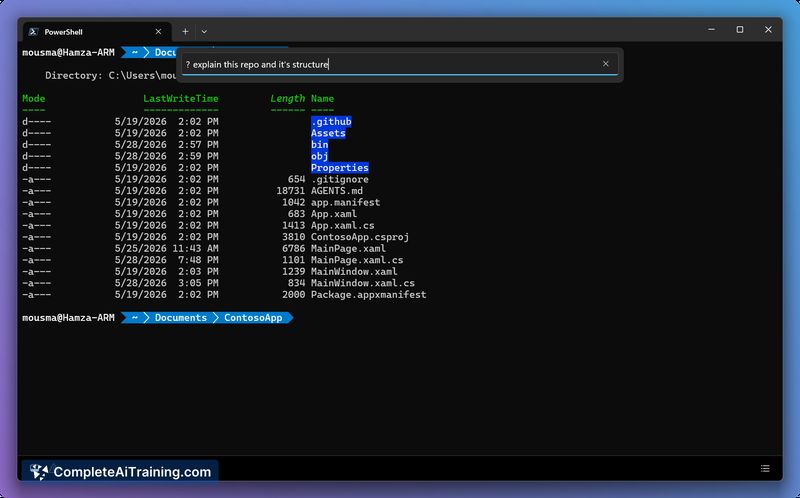
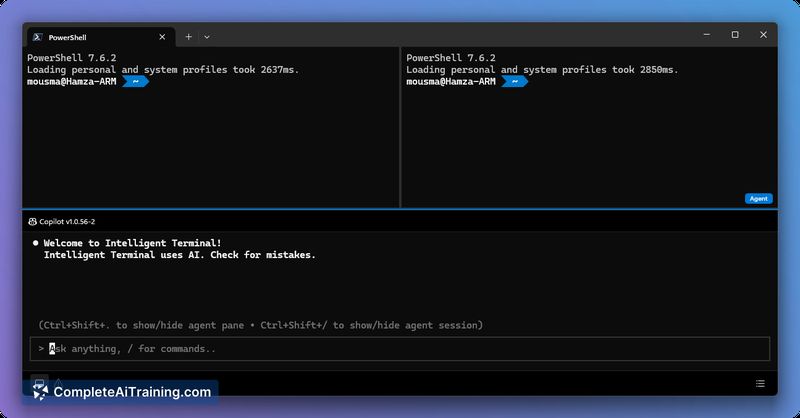
Intelligent Terminal takes a familiar terminal experience and augments it with built-in agent features intended to reduce friction when working with command-line tools. As an experimental project, it focuses on bringing agent-driven context and prompts directly into the terminal environment so users can act on feedback without switching to separate helper tools.
Key Features
- Native agent integration with a docked agent status bar that reflects agent activity and session state.
- Context-aware agent pane that can read recent shell output and provide suggestions or detect issues.
- Automatic error detection that surfaces likely command failures and relevant guidance inline.
- Session management for running and switching between multiple agent sessions tied to terminal tabs.
- Command palette prompts that support ACP-compatible agent CLIs for faster interactions.
Pricing and Value
Intelligent Terminal is offered free and as open-source software. Its value proposition stems from integrating agent feedback into the terminal so developers and operators can iterate faster without copying output into separate tools. For users comfortable with experimental software, it delivers useful time savings and a convenient workflow enhancement at no licensing cost.
Pros
- Direct agent feedback in the terminal reduces the need to switch contexts when diagnosing errors.
- Session and agent management features make it easier to run and organize multiple agent interactions.
- Open-source and free, allowing inspection, customization, and community contributions.
- Command palette prompts and ACP compatibility make it flexible with a variety of agent CLIs.
Cons
- Marked experimental: users may encounter stability or usability gaps compared with mature terminals.
- Shipping as a separate application raises questions about window state persistence and integration with existing terminal setups.
- Agent support is initially limited to ACP-compatible CLIs and may require extra configuration for some workflows.
Overall, Intelligent Terminal is best suited for developers and power users who frequently interact with CLI agents and are willing to try an experimental tool to streamline feedback loops. Early adopters and those who value an integrated agent pane for error detection and session handling will get the most benefit, while conservative users may prefer to wait for broader stability and integration.
Jobs Intelligent Terminal suits
We checked Intelligent Terminal against 500+ jobs; these get the most out of it.
Alternatives to Intelligent Terminal
Other tools that do the same main job. Our AI compared Intelligent Terminal with similar tools and kept the ones you could use instead.