
AI tool
iphone-use
iphone-use is a tool that lets coding agents operate everyday iOS apps that lack an API, using a real iPhone connected to a Mac. It provides structured agent responses, timed actions, and replayable routines for developers building mobile automation.
About iphone-use
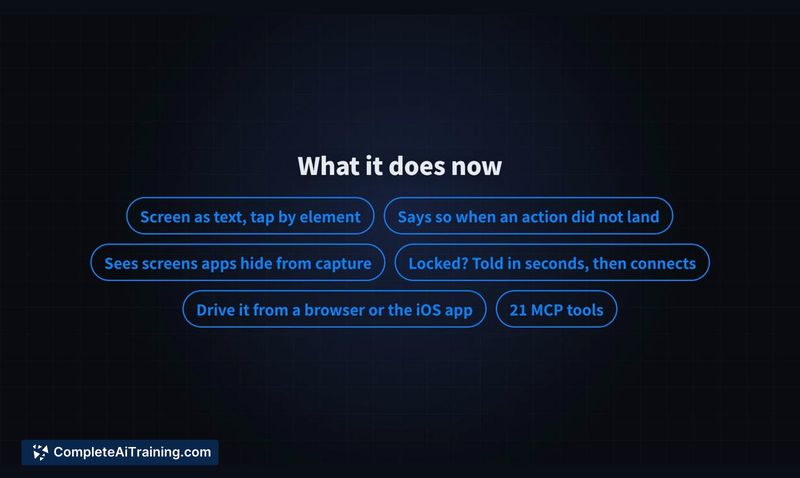
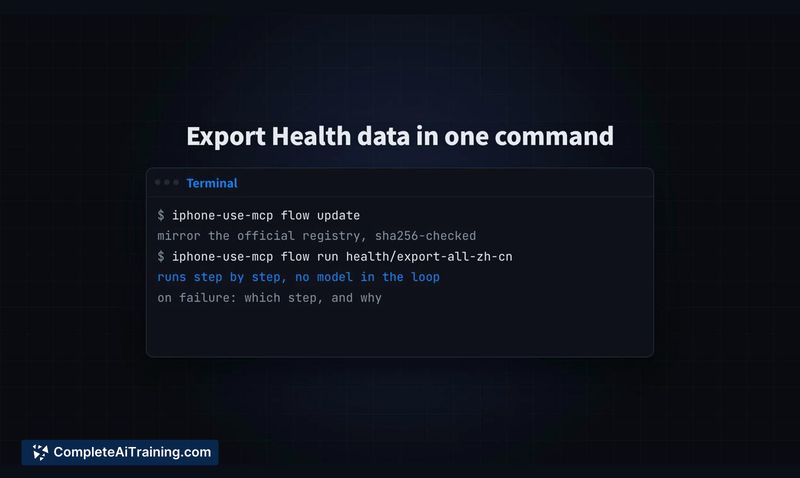
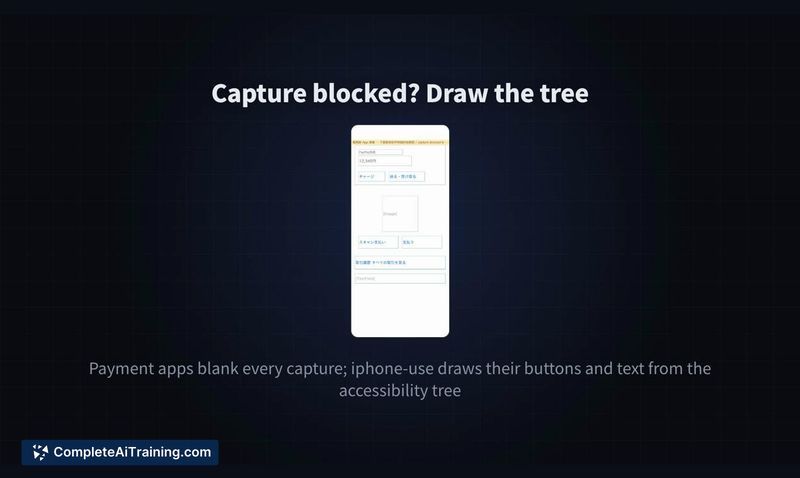
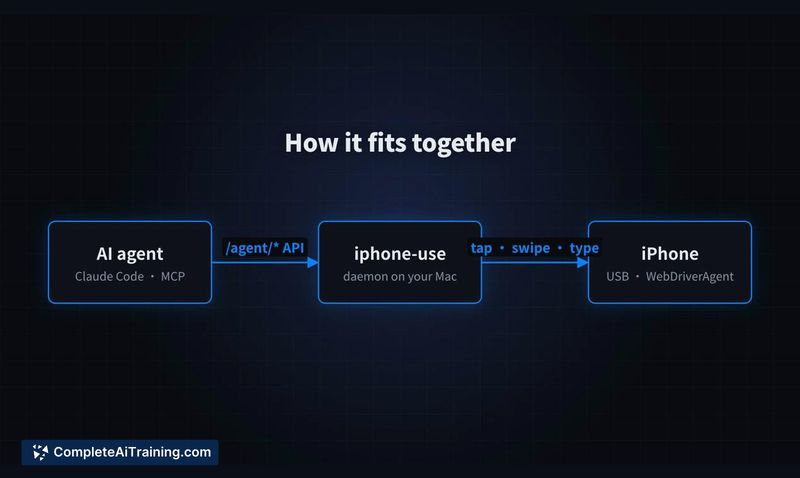
iphone-use is an open-source tool that lets AI agents control a physical iPhone through WebDriverAgent. It converts the screen into plain text the agent can read, then executes taps, typing, and scrolling. The tool handles apps that block screenshots by returning a wireframe instead, and it records completed tasks as replayable flows that don't require a model to run again.
Review

iphone-use addresses a specific gap: apps without APIs that AI agents still need to interact with. Banking, payment, health, and messaging apps fall into this category. The tool runs on a Mac with Xcode and requires the iPhone connected via USB.
Key Features
- Screen-as-text output that an agent reads, rather than interpreting screenshots
- Wireframe fallback for apps that block screenshots, such as payment applications
- Action responses that return one of three states: applied, not sent, or unknown, with retry-safe semantics
- Flow recording that replays a completed task without consuming model tokens
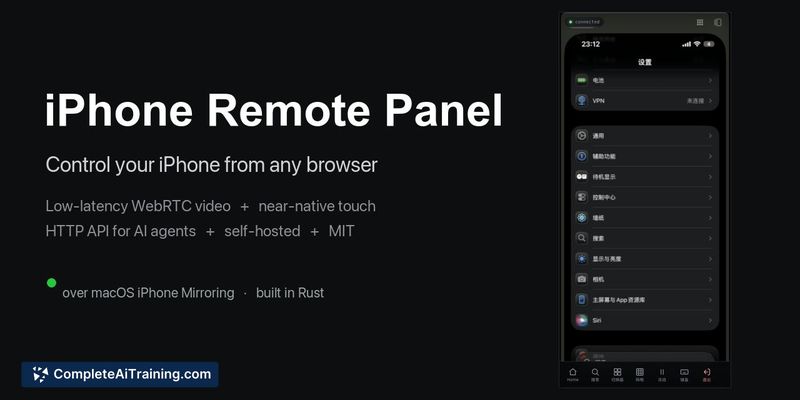
- HTTP API, a 21-tool MCP server for Claude Code, and remote control from a browser or iOS app
Pricing and Value
iphone-use is free and released under the MIT license. The source code is available on GitHub. No paid tiers or subscription models are mentioned. The tool requires a Mac with Xcode and a physical iPhone connected over USB, which means hardware costs are the main practical consideration.
Pros
- Works with apps that have no API, including banking and payment apps
- Deterministic action feedback lets an agent branch logic on what actually happened
- Replayable flows avoid repeated model inference costs for recurring tasks
- Multiple access methods: HTTP API, MCP server, browser panel, and iOS app
- Open source under MIT license, so the code can be inspected and modified
Cons
- Requires a dedicated Mac with Xcode and a USB-connected iPhone; it won't run on other platforms
- The remote control channel raises a security question: if the HTTP API or browser panel is exposed beyond localhost, anyone who reaches that endpoint can control the phone, including banking apps
- Not well suited for users who need a cloud-based or headless solution without maintaining local hardware
iphone-use fits developers and teams who already run Mac-based automation and need their coding agents to operate iOS apps that lack APIs. The replay feature makes it practical for chores that repeat daily or weekly. Anyone considering the remote browser panel should review how the HTTP endpoint is exposed, since the tool itself doesn't describe built-in authentication or access controls beyond the local USB requirement.



