AI tool
IQ
IQ is a dashboard that tracks your team's AI usage, costs, and latency by letting you connect provider keys through a single IQ key. It is built for teams and developers who need per-app limits, routing controls, and an AI watchdog that flags wast...
About IQ
IQ is a dashboard that centralizes visibility into a team's AI usage. Users connect their own provider keys and route requests through a single IQ key, which then logs model, token, cost, and latency data. The tool also handles key management with per-app or per-teammate limits, and includes a Claude Code plugin called IQ Code.
Review
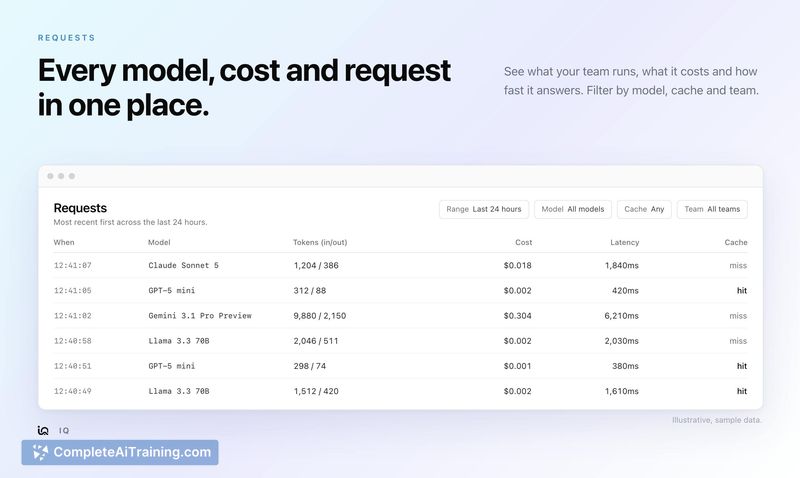
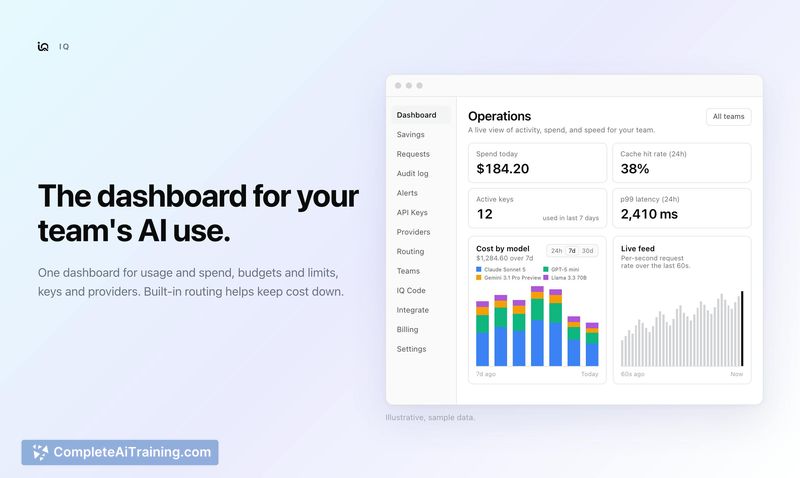
IQ addresses a specific operational gap: tracking AI spend and request patterns across multiple team members and applications. Rather than adding another model provider, it sits in front of the ones you already use and reports on what's happening. The launch ships with a set of monitoring, routing, and governance features that target teams moving beyond casual AI experimentation.
Key Features
- Request visibility: Logs every request with model, tokens, cost, latency, and whether the cache was hit.
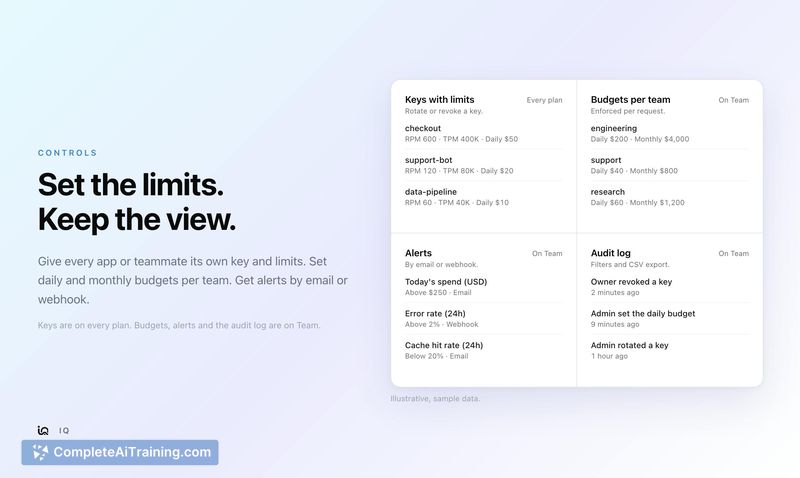
- Key management: Issue distinct keys per app or teammate, each with request, token, and daily dollar limits. Keys can be rotated or revoked on any plan.
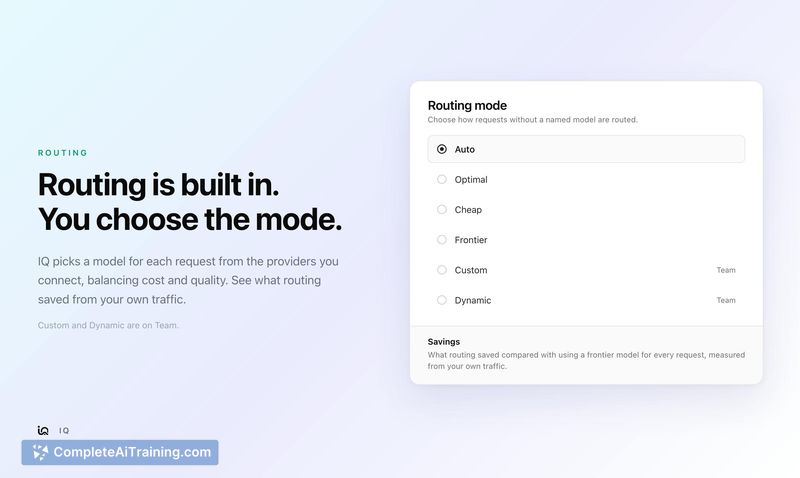
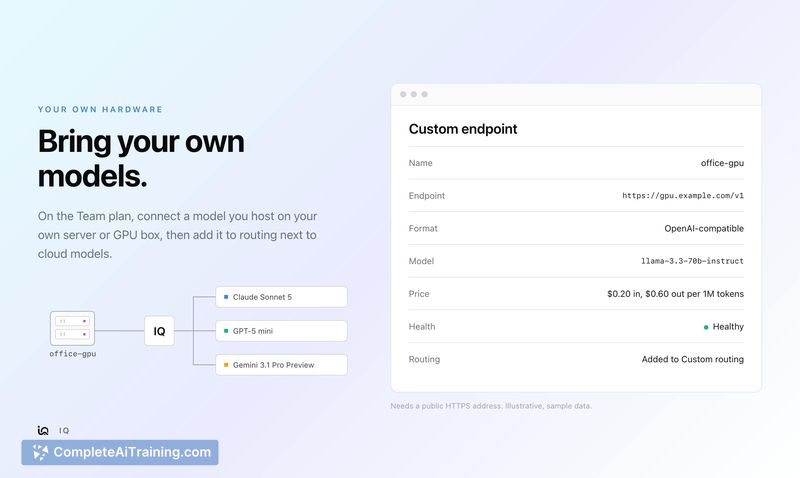
- Cost-saving routing: Choose from Auto, Optimal, Cheap, or Frontier routing modes. Custom and Dynamic modes are available on the Team plan. A Savings page calculates what routing saved versus using a frontier model for every request, based on actual traffic.
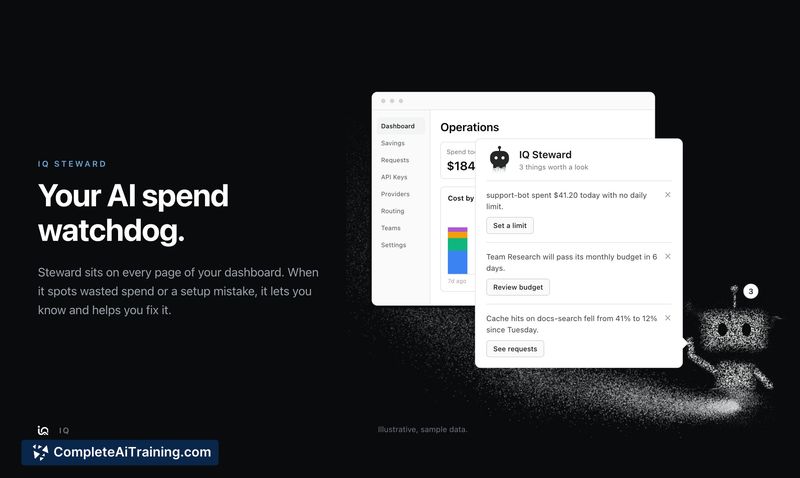
- IQ Steward: A spend watchdog that flags wasted spend and setup mistakes across keys and teams, then lists what to fix.
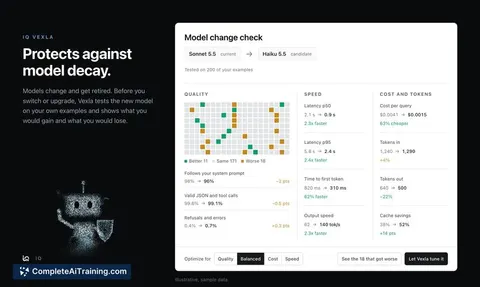
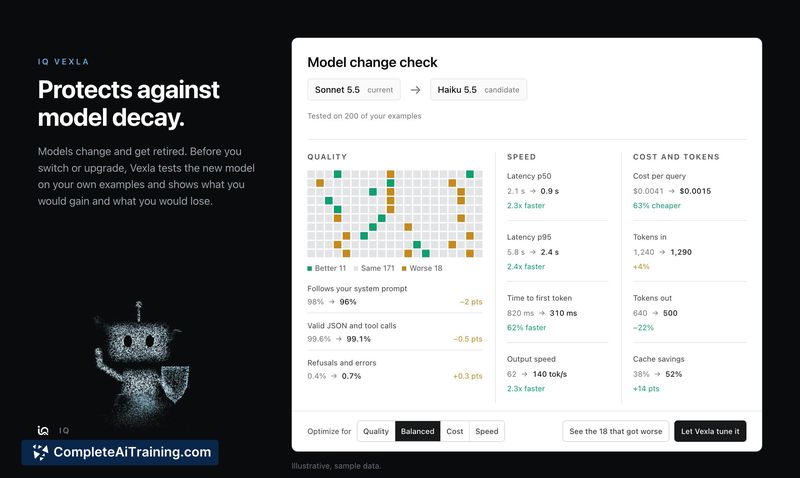
- IQ Vexla: Tests a model change against your own examples before you switch, showing what improved and what degraded.
Pricing and Value
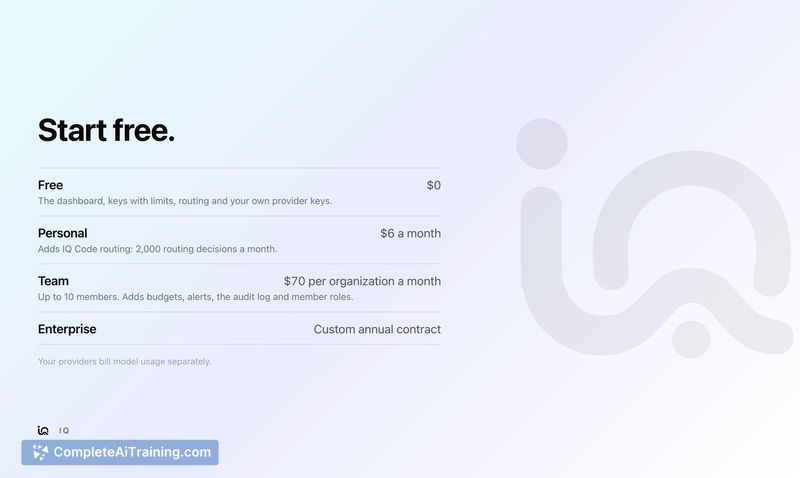
IQ uses three plan tiers. The Free plan costs $0. The Personal plan is $6 per month and adds IQ Code routing. The Team plan is $70 per organization per month, covering up to 10 members. All plans require separate payment to your model providers for usage; IQ does not bundle model access. The Free plan includes key management with limits, while Team adds budgets, alerts, an audit log, and the full set of routing modes.
Pros
- Works with your existing provider keys rather than forcing a new billing relationship.
- Key-level limits and revocation are available even on the free tier.
- Routing modes let teams trade off cost and capability without changing application code.
- IQ Steward and IQ Vexla move beyond passive monitoring into active spend correction and model change testing.
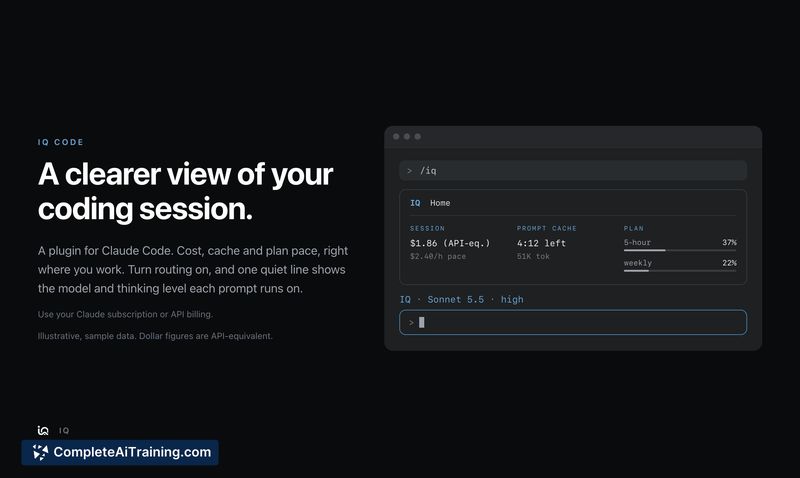
- The Claude Code plugin surfaces session cost and prompt cache timing directly in the editor.
Cons
- The tool is not well suited for individual users who work alone and don't need team-level key management or budgets.
- Model usage costs remain separate and can still fluctuate independently of IQ's routing logic.
- As a recently launched product, long-term reliability and support responsiveness have no track record yet.
IQ fits teams that already use multiple AI models and need to understand who is spending what, without changing their underlying provider setup. It's a practical addition for a small engineering team that wants guardrails on spend and a single pane for request logs. Solo developers who rarely exceed their provider's built-in usage limits won't find much here that a spreadsheet and provider dashboard can't already do.