AI tool
One Roof
One Roof is a desktop tool for developers who run multiple coding agents simultaneously. It consolidates questions, overnight results, and resource usage into a single inbox and dashboard for faster decision-making.
About One Roof
One Roof is a free, open-source (MIT) desktop application for macOS 14+ on Apple silicon. It runs multiple coding agents-Claude Code, Codex, Gemini CLI, Kimi, and Antigravity-in real terminal sessions, with a shared Inbox and a Home view that summarizes overnight activity. The creator describes this approach as "chorus coding," where several agents work on the same project, each handling different tasks and checking one another's output.
Review
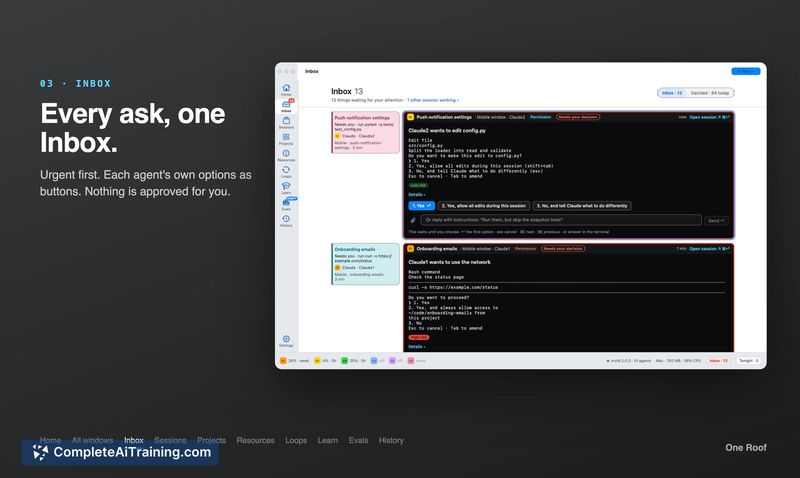
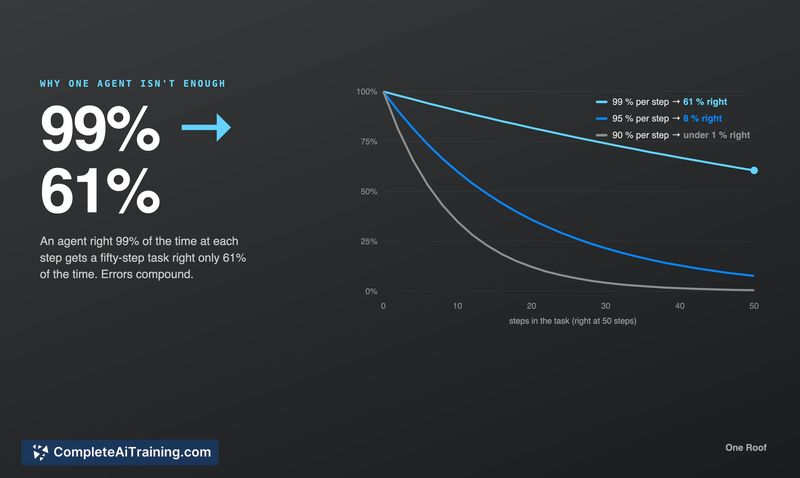
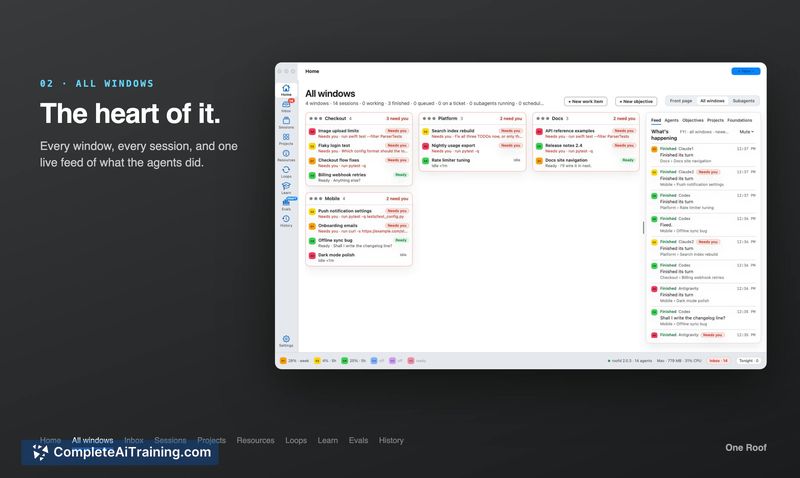
One Roof addresses a specific coordination problem: when you run several AI coding agents simultaneously, questions and failures scatter across terminal tabs, and you can miss critical issues that occur while you're away. The tool consolidates agent questions into one Inbox and surfaces overnight results on a morning page. It's built by a single developer who uses it daily, and the project is in its earliest stage-launched this week with no external user testing yet.
Key Features
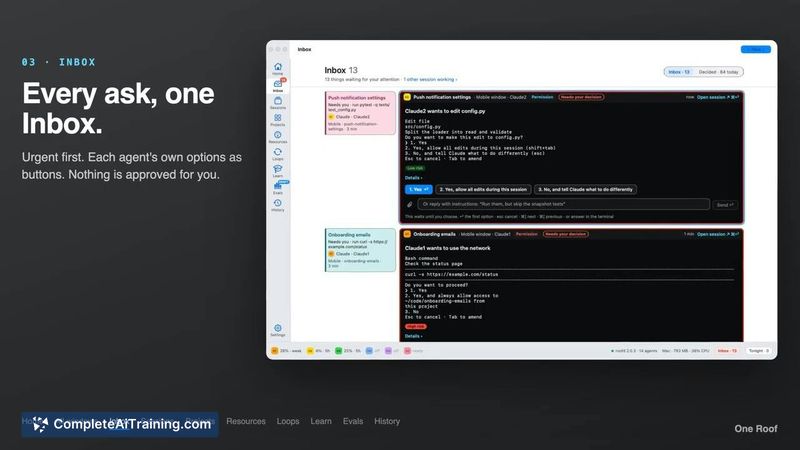
- Inbox collects every question from every agent session in one place. Agent-provided options appear as buttons, but nothing gets auto-approved.
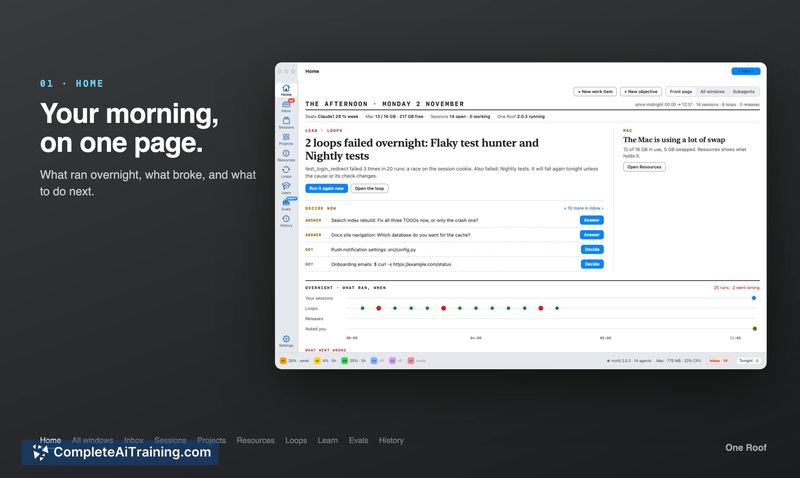
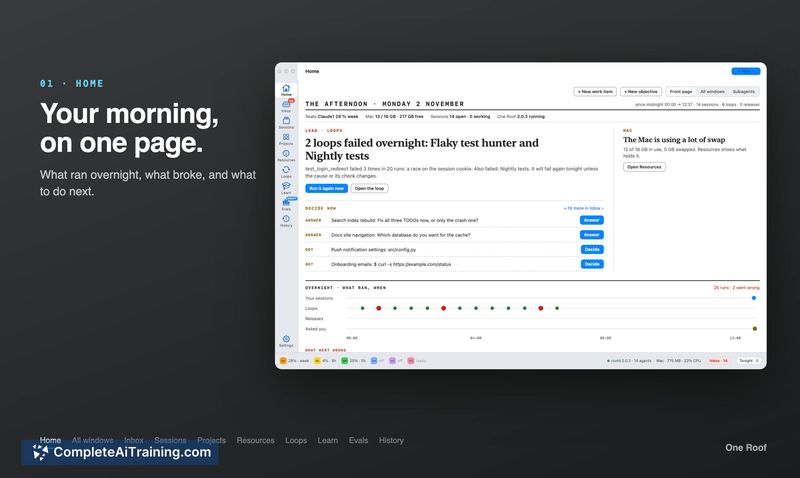
- Home shows what ran overnight, what broke, and what needs attention next. It aims to flag silent failures that leave no error messages.
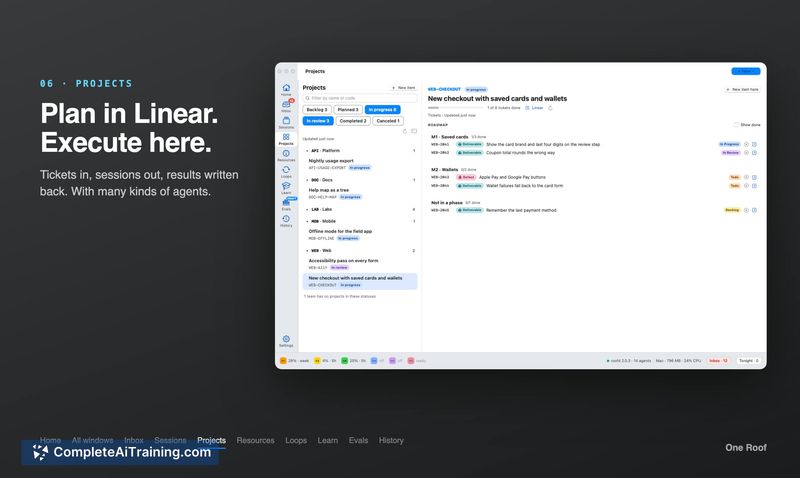
- Projects integrates with Linear: you plan work in Linear, run it through multiple agents in One Roof, and results get written back to Linear.
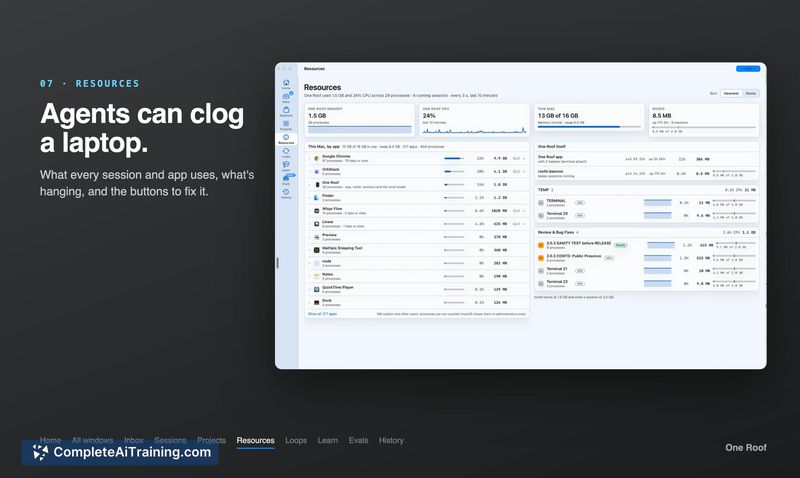
- Resources displays what each session and application is using, with action buttons to manage those resources.
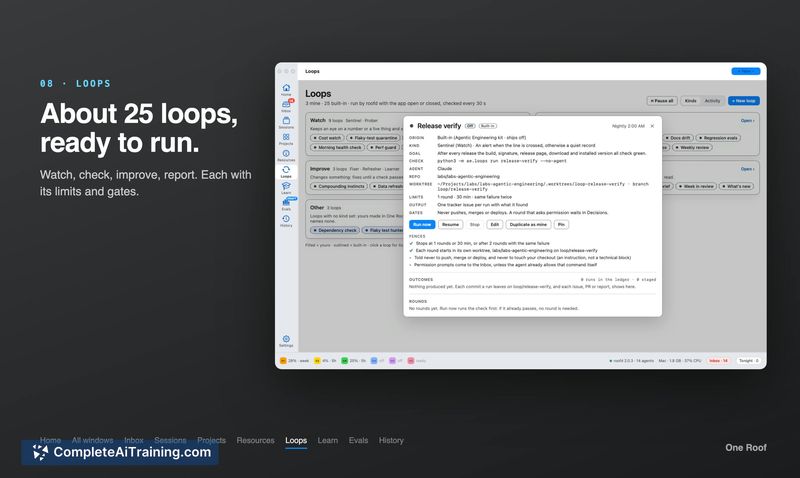
- Loops includes roughly 25 pre-built loops that watch, check, and report, with configurable limits and gates.
Pricing and Value
One Roof is free and open source under the MIT license. There is no paid tier, subscription, or usage-based pricing. Keep in mind that the coding agents it orchestrates-Claude Code, Codex, Kimi, and others-have their own separate costs and subscription requirements.
Pros
- Consolidates questions from multiple agent sessions into a single Inbox instead of forcing you to hunt through tabs.
- Morning page surfaces overnight failures, including silent ones where an agent runs but produces nothing.
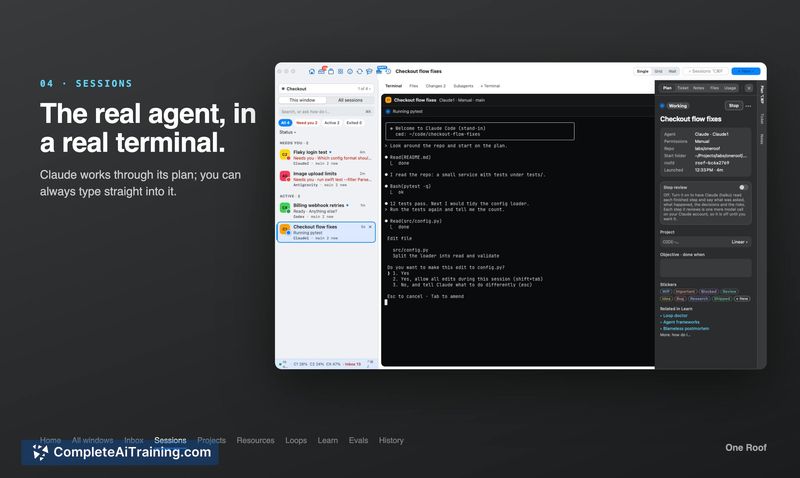
- Each agent runs in a real terminal, so you can type commands directly into any session when needed.
- MIT license means you can inspect, modify, or fork the code without restriction.
- Linear integration writes agent results back to tickets, keeping project tracking in sync with agent activity.
Cons
- Only one person has used it day-to-day; there are no external user reports, so stability and workflow fit are unverified outside the creator's setup.
- Runs exclusively on macOS 14+ with Apple silicon, which excludes Windows, Linux, and older Mac hardware.
- Not well suited for developers who work with a single coding agent-the coordination features add overhead that a one-agent workflow doesn't need.
One Roof fits developers who already run multiple AI coding agents and want a single interface to manage their questions, failures, and resource usage. The Linear integration makes it particularly relevant for teams that track work in Linear and want agent outputs flowing back into their tickets. For solo developers using just one agent, or teams on Windows and Linux, the tool doesn't currently address their environment.