
AI tool
Lancetta
Lancetta is a CLI quota monitor for developers running Claude Code and Codex that shows when to slow down or push with remaining rate limits, using pace projections and reset timers.
About Lancetta
Lancetta is a native macOS menu-bar application that monitors Claude Code and Codex usage quotas. It reads quota data without consuming tokens and displays suggestions on when to push forward with an agent, slow down before a limit hits, or switch to the other agent while it has capacity. The app also surfaces background processes left behind by coding agents, checks what gets loaded at session start, and collects every session onto a single wall organized by status.
Review
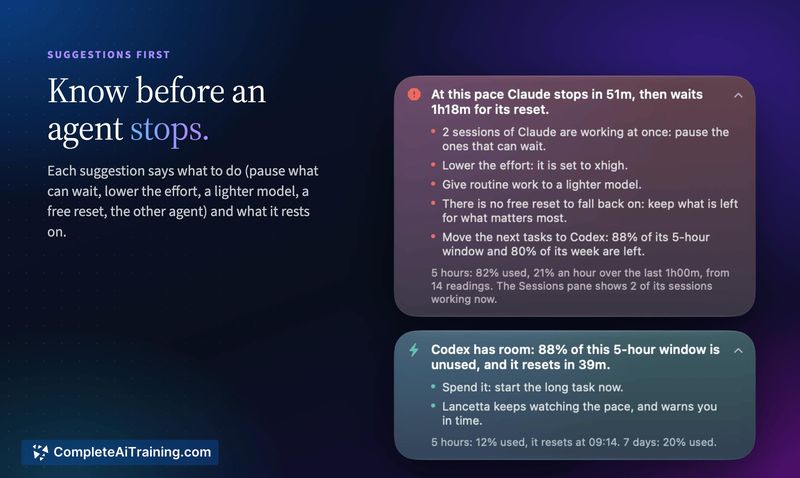
Lancetta addresses a specific friction point for developers who run up against the 5-hour or weekly windows of Claude Code and Codex. Rather than just showing a percentage, it projects where the current pace will land against the reset clock and flags unused quota that's about to expire. The tool installs nothing into the agents themselves unless the user explicitly adds the optional command or Agent Skill through Settings.
Key Features
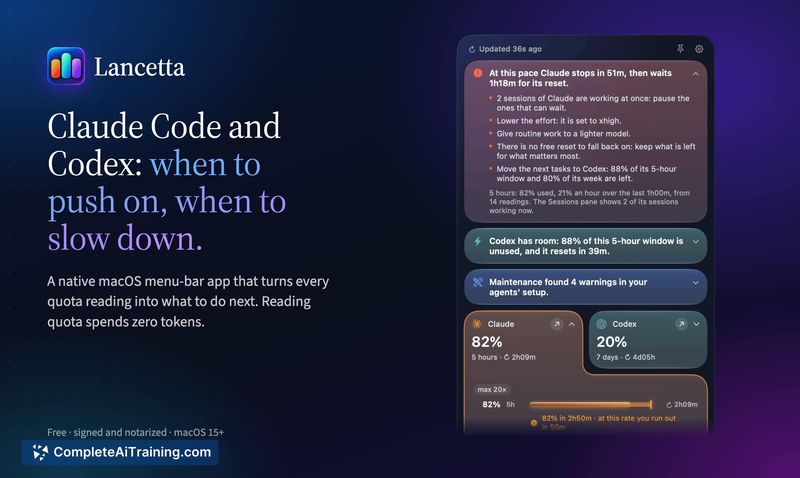
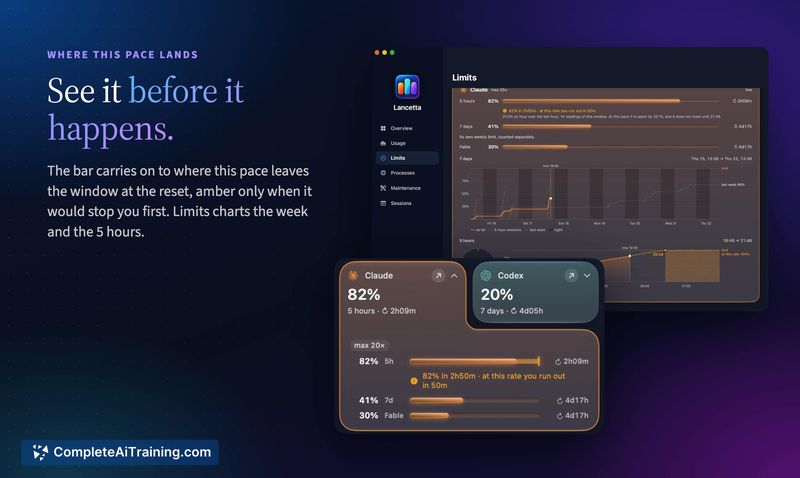
- Pace projection with contextual suggestions. The app draws a ghost marker on the usage bar showing where the current rate will end the window. It surfaces specific banners - "At this pace Claude stops in 51m, then waits 1h18m for its reset" - and only when the recommendation changes what you should do next.
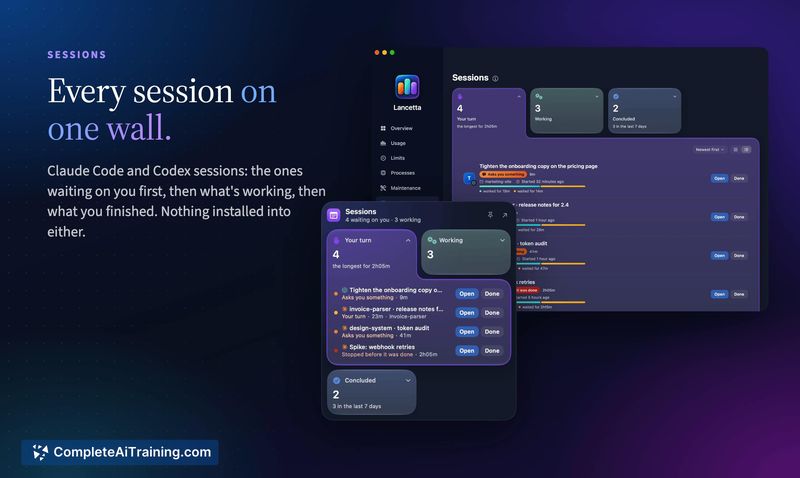
- Session wall. Every Claude Code and Codex session appears on one screen, read from what the agents themselves report. Sessions are grouped into those waiting on user input, those actively working, and those that have concluded, with a timer on the longest-waiting session.
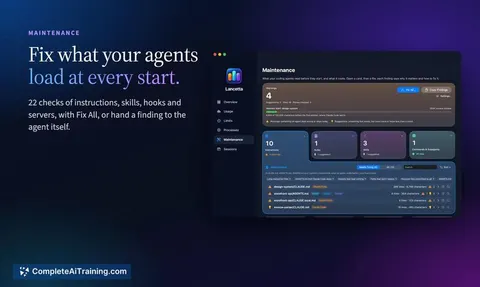
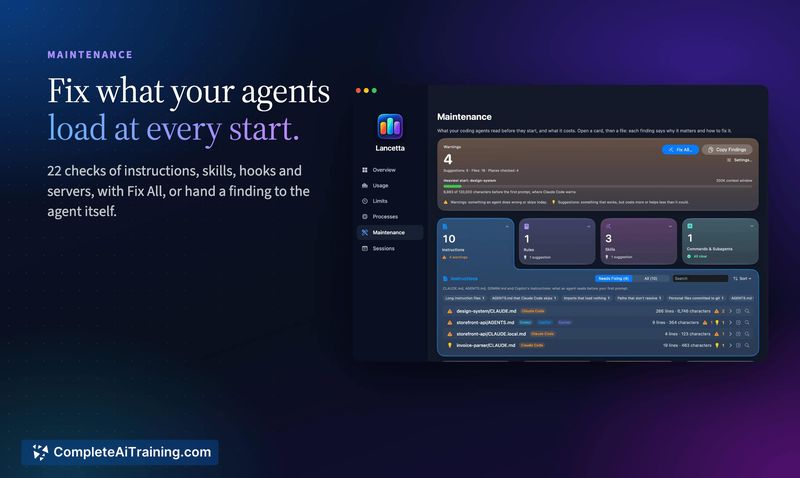
- Setup checks and cleanup. On each start, Lancetta runs 22 checks on what the agents load - oversized instructions, skills past their budget, hooks and servers that can't start. It also identifies orphaned background process trees from deleted project folders, which nothing else will close, and offers a Fix All option or the ability to hand a finding directly to the agent.
- Zero-token quota reading. The app reads quota data without calling any model. According to the developer, twelve account reads moved the lifetime token counter by exactly zero, while a typical workday moved it by 29 million.
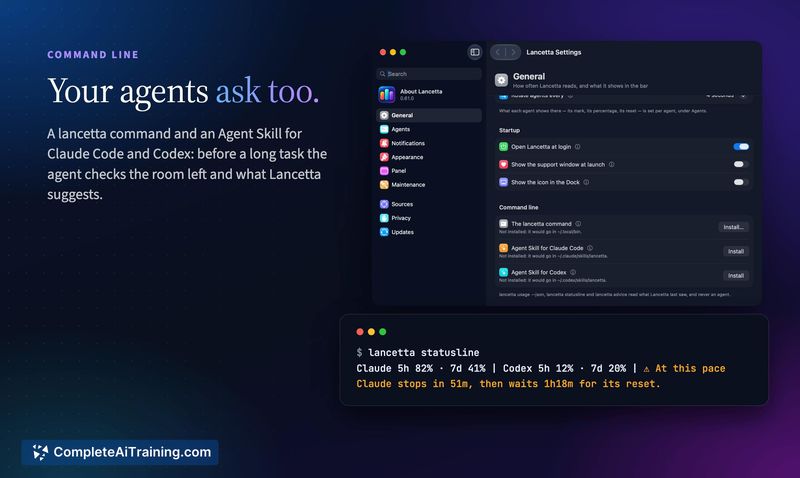
- Optional agent-side access. A
lancettacommand and an Agent Skill can be installed from Settings. Before a long task, the agent checks remaining room and what Lancetta suggests, returning a single sentence. Alancetta statuslinecommand places the same information in the prompt.
Pricing and Value
Lancetta is free. It ships as a native macOS universal binary, signed and notarized, and requires macOS 15 or later. The app is available in seven languages. There are no paid tiers, subscriptions, or in-app purchases mentioned in the current release.
Pros
- Quota readings don't consume tokens, so the monitoring itself won't eat into the limits it tracks.
- Sessions from multiple projects are gathered in one place, with the ones waiting on you pushed to the top.
- Pace projections make it possible to see a limit coming before it actually stops work, which shifts decision-making from reactive to anticipatory.
- Orphaned agent processes get identified and can be cleaned up in bulk, reclaiming memory that would otherwise sit occupied.
- The optional agent command lets Claude Code or Codex check remaining room before starting a long task without leaving the terminal.
Cons
- The tool is macOS-only and requires version 15 or later, which excludes developers on earlier macOS releases, Windows, or Linux.
- It's not suited for teams that don't use Claude Code or Codex - Lancetta watches only those two agents and offers no value for other coding tools or AI assistants.
- As a recently launched menu-bar app, it doesn't yet have a track record across diverse setups, so edge cases with certain configurations may still surface.
Lancetta fits developers who regularly bump against Claude Code or Codex quota windows and want to know before it happens rather than after. It's also useful for anyone juggling multiple agent sessions across projects who tends to lose track of which session is waiting on input. The cleanup and setup-check features add practical housekeeping value beyond the quota monitoring itself.



