About: MacGPT
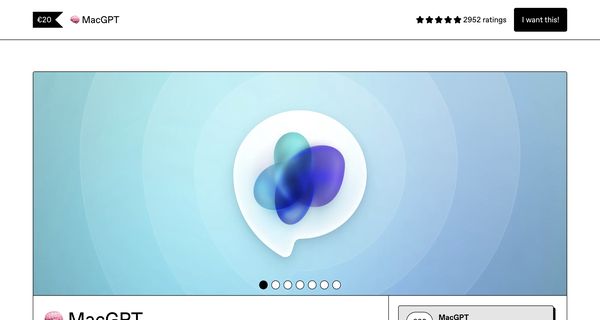
MacGPT is an innovative macOS application designed to provide seamless access to the chatGPT language model directly from your menu bar. This native app streamlines your workflow by allowing you to initiate conversations with the advanced AI Assistant in just a few clicks. Users can set a custom keyboard shortcut for even faster access, enhancing productivity and convenience.
One of the standout features of MacGPT is its ability to operate discreetly; you can choose to hide the dock icon and the main application window, ensuring a clutter-free workspace. This makes it particularly useful for professionals who need to maintain focus while still having the power of AI assistance at their fingertips.
Whether you’re drafting emails, brainstorming ideas, or seeking quick information, MacGPT is designed to support a variety of use cases, from creative writing to technical inquiries. Its unique integration into the macOS environment makes it a valuable tool for anyone looking to harness the capabilities of chatGPT without interrupting their workflow.

Review: MacGPT
Introduction
MacGPT is a native macOS application designed to provide users with quick access to the powerful ChatGPT language model directly from the macOS menu bar. It is ideally suited for macOS users who wish to integrate conversational AI into their workflow with minimal friction. Given its rising popularity and the demand for more streamlined, hands-free interactions with AI, MacGPT is a timely tool worthy of review.
Key Features
MacGPT offers a variety of functionalities that enhance the ChatGPT experience on macOS:
- Menu Bar Integration: Quickly access ChatGPT from the menu bar with a simple click, ensuring that conversations are just a tap away.
- Global Access: Activate a global textfield anywhere on your Mac to start interacting with ChatGPT without interrupting your workflow.
- Inline Mode: Type a trigger phrase directly into text fields, seamlessly incorporating chat interactions into your existing tasks.
- Conversation Mode: Engage in a back-and-forth dialogue with ChatGPT without the need for constant keyboard usage.
- Keyboard Shortcut Assignment: Customize and assign keyboard shortcuts for even quicker access, minimizing the need to use your mouse.
- Native App Experience: Enjoy a smooth, dedicated macOS experience that includes options to hide the dock icon and the main app window.
- Latest Updates: Support for the new GPT-4o model, promising faster responses at a lower cost.
Pricing and Value
MacGPT is offered as a one-time payment with different licensing options to cater to a variety of users:
- Personal License: €20 – Ideal for individual users who want full functionality without recurring fees.
- Family License: €62 – This license covers up to 5 devices, making it suitable for small households or shared environments.
- Team License: €102 – Designed for groups or small teams, covering up to 10 devices.
- Enterprise License: €502 – Supports up to 50 devices, perfect for larger organizations seeking enterprise-level deployment.
The one-time payment model with free updates is a strong selling point, offering excellent value compared to subscription-based alternatives. The pricing structure is clear and scalable, ensuring that both individual users and larger teams can find an appropriate option.
Pros and Cons
- Pros:
- Seamless integration with the macOS menu bar for quick access.
- Multiple access modes such as global, inline, and conversation, catering to diverse usage patterns.
- Simple one-time payment model with free updates, enhancing overall value.
- Customizable keyboard shortcuts streamline the user experience.
- Recent updates like support for the GPT-4o model improve both performance and cost-efficiency.
- Cons:
- Requires the use of your own OpenAI API key, which means additional setup and linking of a payment method.
- Some features, such as Global and Inline modes, require macOS Ventura or newer, limiting compatibility.
- Reliance on an external API can complicate the user experience for those unfamiliar with API integrations.
Final Verdict
MacGPT is an excellent tool for macOS users who value quick and efficient access to ChatGPT. Its integration into the menu bar and various advanced modes make it a versatile solution for both individual and team use. The one-time payment model enhances its appeal by removing the burden of ongoing subscription fees, although potential buyers should be comfortable managing their own OpenAI API key. Overall, if you are a macOS user seeking a streamlined, chat-centric workflow and are ready for a bit of initial setup, MacGPT is a highly recommended addition to your toolkit. Conversely, users looking for an out-of-the-box subscription service might find the API key requirement a slight hurdle.
Open 'MacGPT' Website
Your membership also unlocks: