AI tool
MeetNote
MeetNote captures live captions from online meetings in your browser and converts them into transcripts, summaries, and action items. It is for professionals who want meeting notes without adding a bot to their calls.
About MeetNote
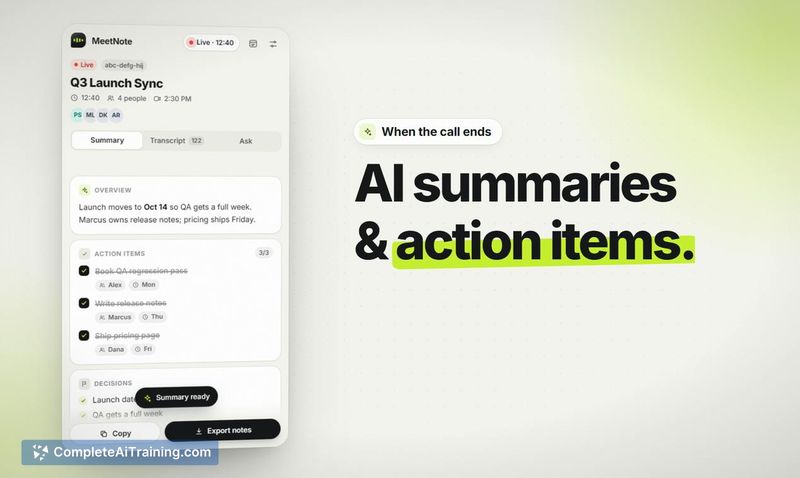
MeetNote is a Chrome extension that captures meeting transcripts directly from a call's own captions inside the browser. It works with Google Meet, Zoom, Microsoft Teams, and Webex, writing a live transcript to Chrome's side panel without a bot joining the call. When the meeting ends, the tool generates a summary, lists decisions and action items, and provides a chat interface for querying the transcript.
Review
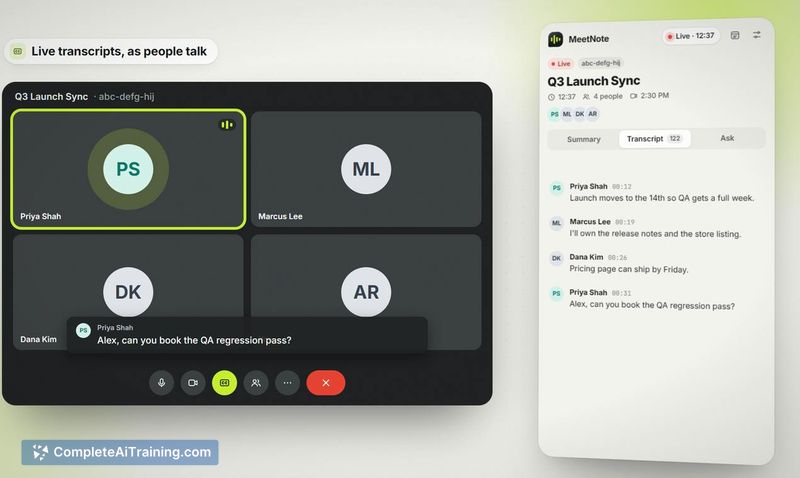
MeetNote approaches meeting transcription differently from the typical bot-based tools. Instead of an AI participant announcing its presence, the extension reads the platform's native captions and builds a transcript locally. The maker released it this week, and it's currently free with no account required.
Key Features
- Live transcription from native captions displayed in Chrome's side panel during calls
- Post-meeting output that includes a summary, decisions, and action items with owners and due dates
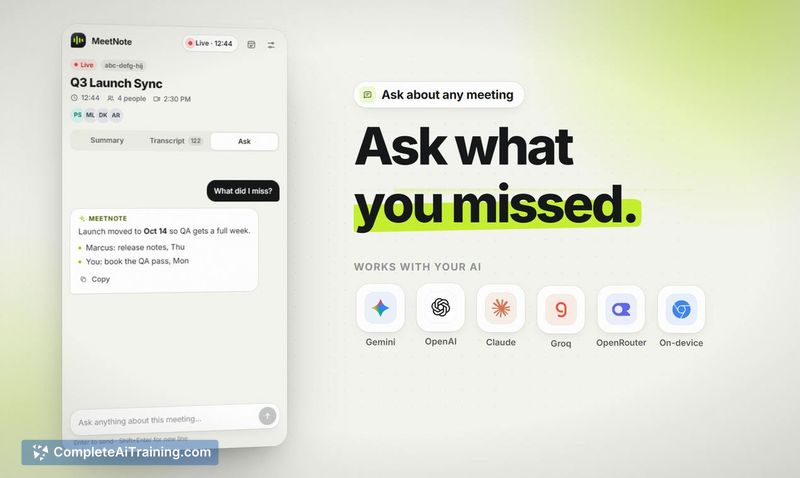
- Chat function that lets you ask questions about the transcript, such as "what did I miss?"
- Choice of AI provider: Gemini, OpenAI, Claude, Groq, or OpenRouter using your own API key, plus an on-device model that keeps all data on your computer
- No server storage - transcripts remain in the browser, and no account creation is needed
Pricing and Value
MeetNote is free. There is no paid tier, subscription, or credit system mentioned. When using third-party AI providers, you supply your own API key, so any costs from those services are separate and billed directly by the provider. The on-device model option incurs no external API charges.
Pros
- No bot joins the call, which may feel less intrusive in client or sensitive meetings
- Transcripts stay local to the browser - no data is sent to MeetNote's servers
- Works across four major meeting platforms: Google Meet, Zoom, Microsoft Teams, and Webex
- Mid-call summaries can be re-run to include newer parts of the conversation
- Flexibility to switch between cloud AI models and a fully local on-device model
Cons
- Relies on each platform's native caption accuracy, which varies and directly affects transcript quality
- Zoom, Teams, and Webex support is new and the maker has noted possible instability
- Not well suited for users who want a managed service - you need to bring your own API keys for cloud models, and there's no centralized dashboard or team admin features
MeetNote fits solo professionals and small teams who run frequent Google Meet calls and prefer keeping meeting data local. It's less practical for organizations that need server-side storage, built-in sharing, or integrations with tools like Notion or Slack - though a Slack export is on the maker's radar for potential future updates. The on-device model option also makes it usable for anyone handling confidential discussions where external API calls aren't acceptable.