
AI tool
Moli by Lexmount
Moli by Lexmount is a headless browser built for developers creating AI agents and harnesses for research, data collection, or web automation. It starts faster and uses less memory than standard browsers, reducing infrastructure overhead.
About Moli by Lexmount
Moli by Lexmount is a headless browser engine built from scratch for AI agents and web automation. It powers the Lexmount Browser cloud platform, where users can run isolated browser sessions with proxy support while the company manages the infrastructure. The engine is open source and can be used locally or through the cloud platform, with an SDK that supports Playwright, CDP, extensions, proxies, downloads, and session replay.
Review
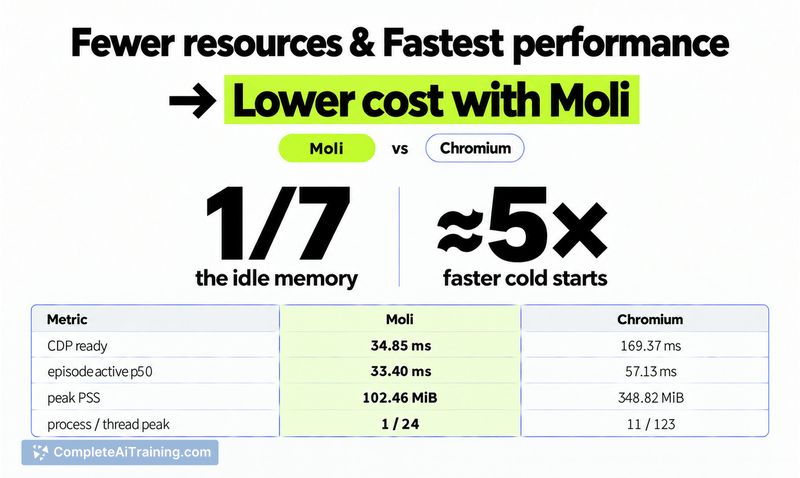


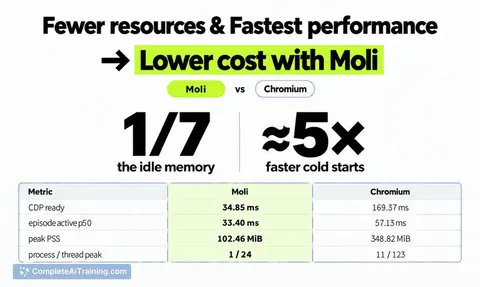
Moli enters a space where headless Chrome has long been the default, but comes with a different set of trade-offs. The team claims a roughly 5x faster cold start and about 1/7 the idle memory of Chrome in their benchmarks. Those numbers matter when you're running dozens or hundreds of concurrent sessions, though real-world results will vary by workload.
Key Features
- Custom browser engine: Moli is not a Chromium fork. It's a separate engine designed to give AI agents page structure, interaction capabilities, and on-demand rendering without the overhead of a human-oriented browser.
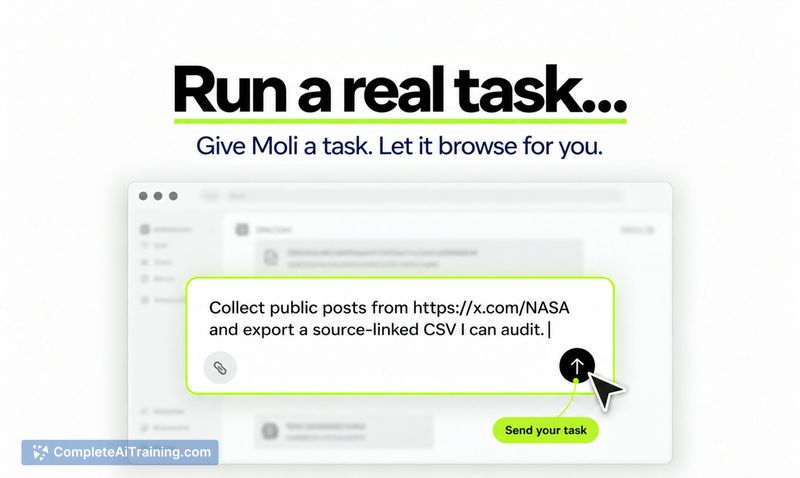
- Cloud Browser Agent with CAE protocol: The platform includes an agent that uses the CAE (Content, Action, Effect) protocol to understand and interact with web pages. It accepts a goal and optional starting URL, and for recurring tasks, users can save instructions and output formats as an Agent, then create a Run for each execution.
- Live View manual takeover: If an agent gets stuck, the online Live View lets you see the browser session and interact with it manually. This is available in the Cloud Browser Playground.
- Security enforcement: The engine implements same-origin restrictions, iframe sandbox restrictions, CSP, CORS, subresource integrity, MIME-type enforcement, and Referrer Policy. These protections apply during automated browsing, not just human sessions.
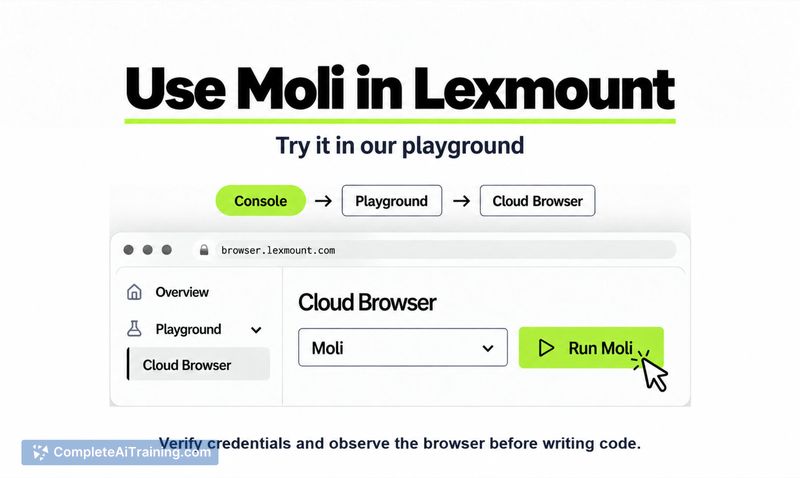
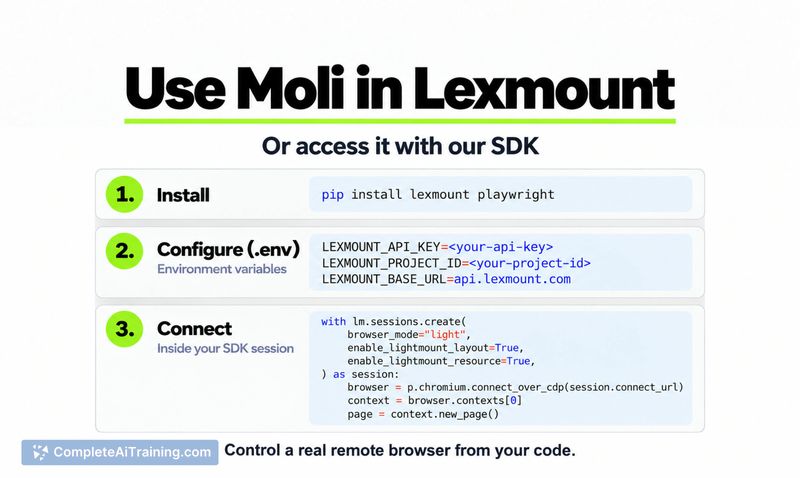
- SDK and Playground access: Developers can test behavior in the Playground before writing code, then move to the SDK with Playwright and CDP support. The SDK also handles extensions, proxies, downloads, and session replay.
Pricing and Value
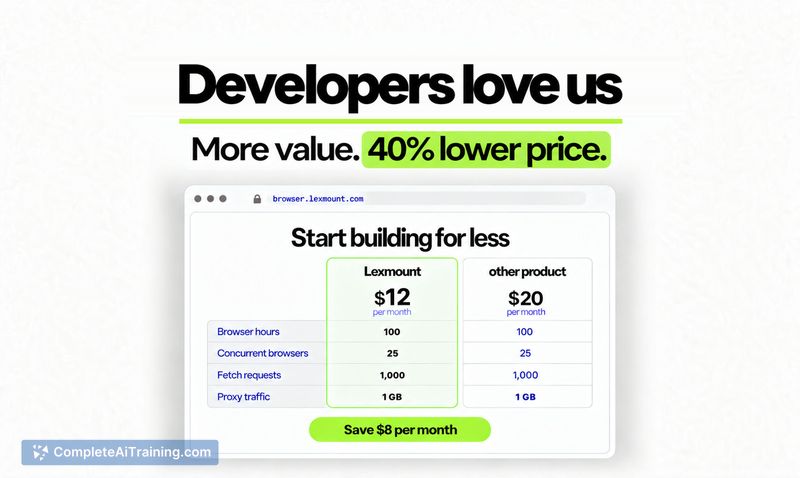
The paid tier starts at $12/month for 100 browser hours and 25 concurrent sessions. A free tier exists, though its limits aren't specified in the available material. Product Hunt users at launch received two months of the Pro plan free. The cloud platform handles browser setup and management, which the team positions as a way to reduce infrastructure work. For persistent sessions, standard Chrome instances currently support reusable Contexts that preserve cookies and login state across runs; Moli's support for persistent Contexts is listed as coming soon.
Pros
- Benchmarked cold start around 5x faster than Chrome, with roughly 1/7 the idle memory footprint.
- Open-source engine can run locally, keeping automation separate from a personal browser session.
- Cloud platform manages infrastructure, so teams don't need to handle browser setup and scaling themselves.
- Live View allows manual intervention when an agent encounters problems mid-task.
- CAE protocol uses incremental updates to reuse stable page context, which can reduce token overhead compared to full-page re-parsing.
Cons
- Persistent Contexts for Moli sessions aren't available yet - the team says support is coming "very soon," but for now it's limited to standard Chrome instances on the platform.
- As a new browser engine rather than a Chromium derivative, Moli may encounter site compatibility issues that Chrome-based alternatives have already solved through years of real-world use.
- This tool is not well suited for teams that need a browser for both human and agent use in a single interface; Moli is headless and agent-focused, without a desktop browsing experience.
Developers building agent workflows that spin up many browser sessions - particularly harnesses, data collection pipelines, or coding agent browser layers - will find the memory and speed characteristics worth testing against their own workloads. The Playground gives a low-commitment way to compare behavior before adopting the SDK. Teams that rely on persistent session state across runs should check whether the current Chrome Context support meets their needs while Moli's implementation is in progress.



