AI tool
OpenFrame
OpenFrame is an IT platform with two AI agents for small in-house teams and MSPs. One agent performs technical work like patching and investigating crashes, while the other handles employee help requests. It combines device management, Microsoft 3...
About OpenFrame
OpenFrame is an IT platform built around two AI agents, Mingo and Fae, that handle endpoint management and employee IT support. It combines device management, patching, software deployment, remote access, and ticketing into a single interface. The tool is designed for small IT teams who want to automate routine work while keeping a human in the loop for approvals on sensitive actions.
Review
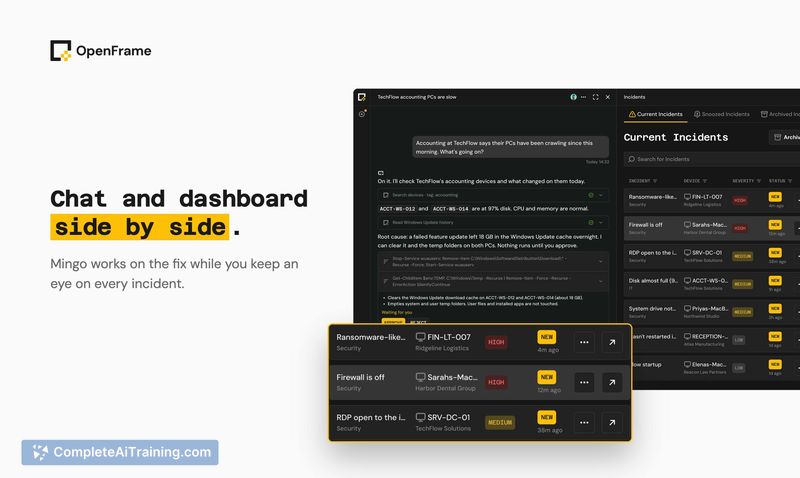
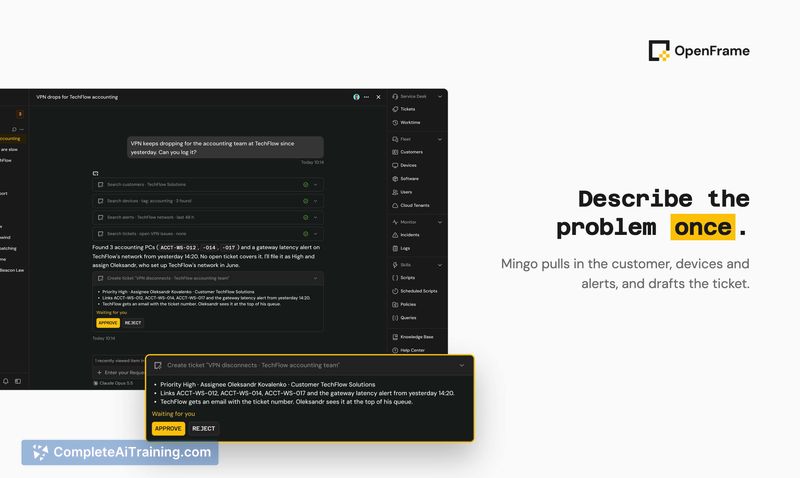
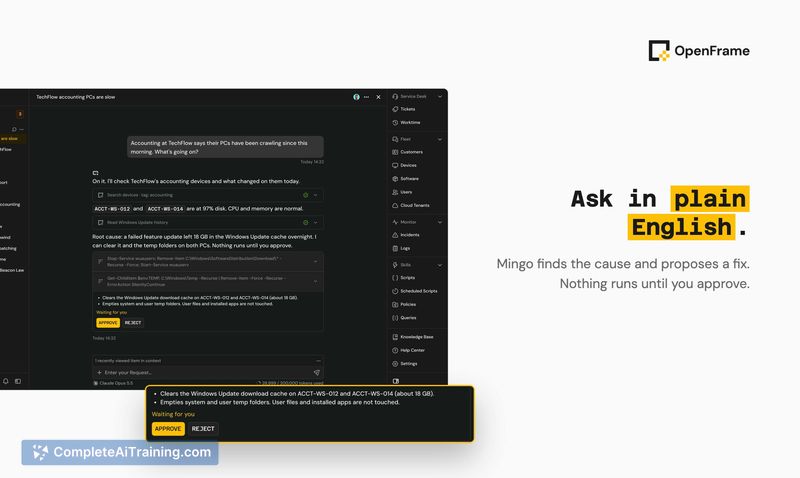
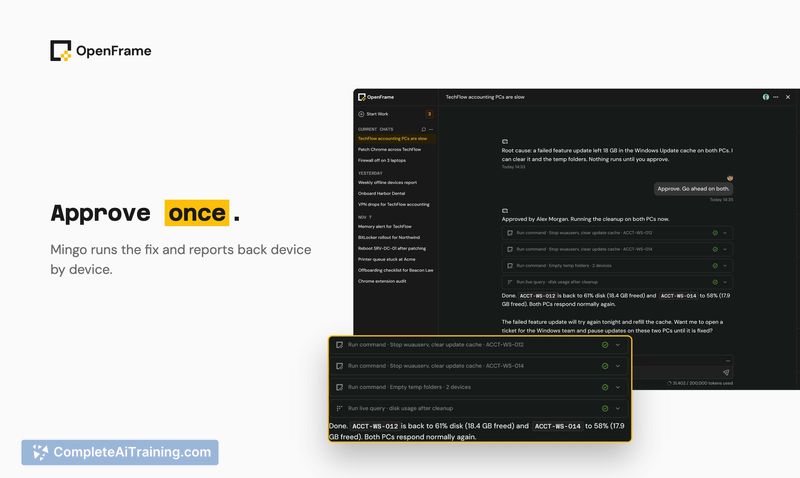
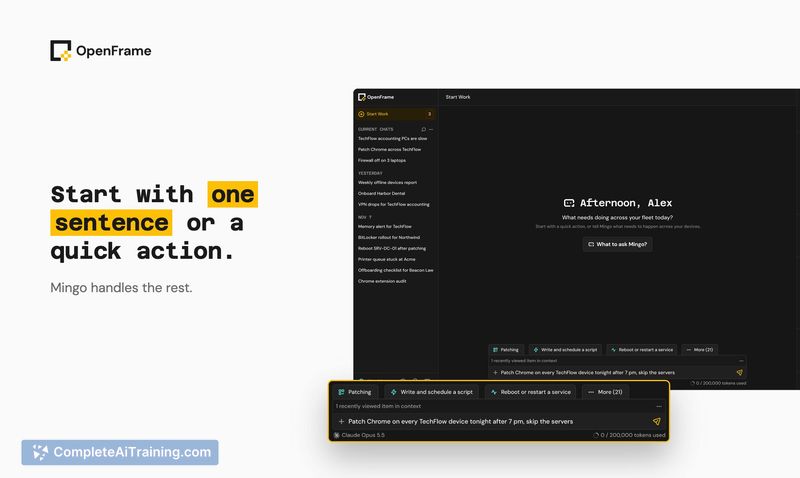
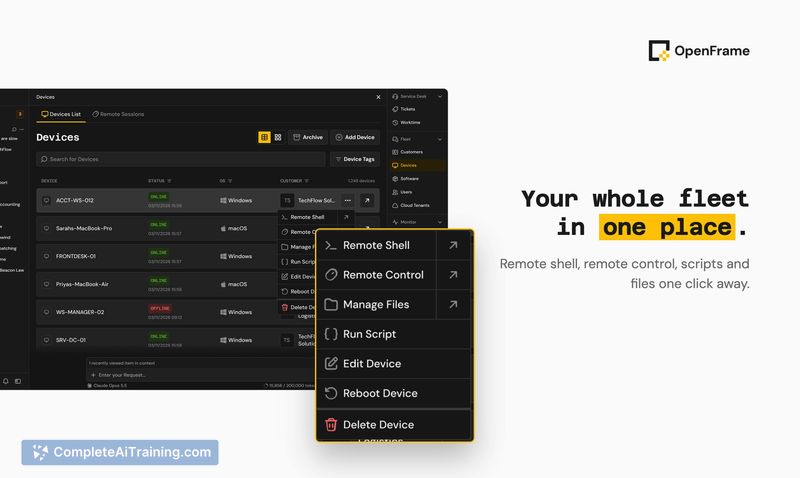

OpenFrame takes a practical approach to IT automation-rather than a chatbot that tells you what to do, its agents actually execute the work. Mingo investigates device issues, proposes fixes, and runs them after an admin signs off. Fae fields employee IT requests, resolves straightforward ones, and converts the rest into tickets with context already gathered.
Key Features
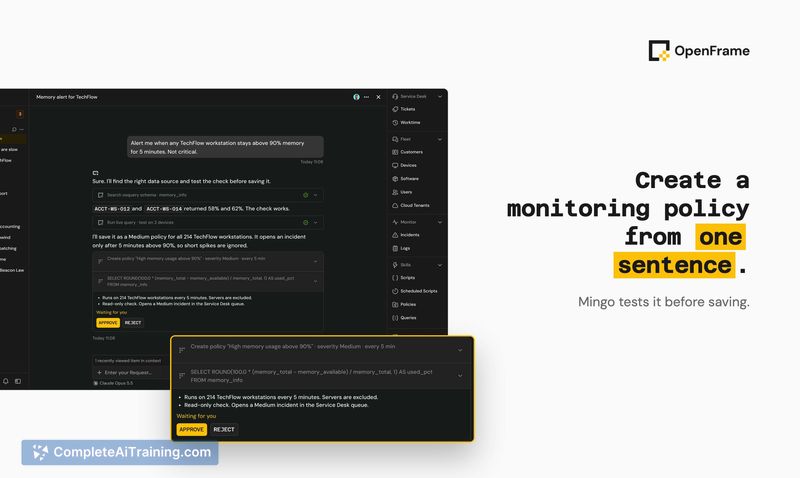
- Mingo agent handles technical tasks like patching devices, diagnosing crashes, and running fixes. Every action that carries risk waits for admin approval before execution.
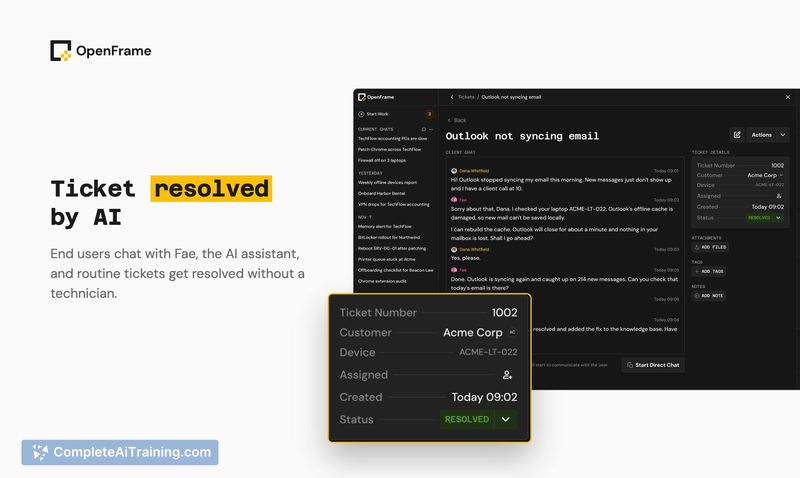
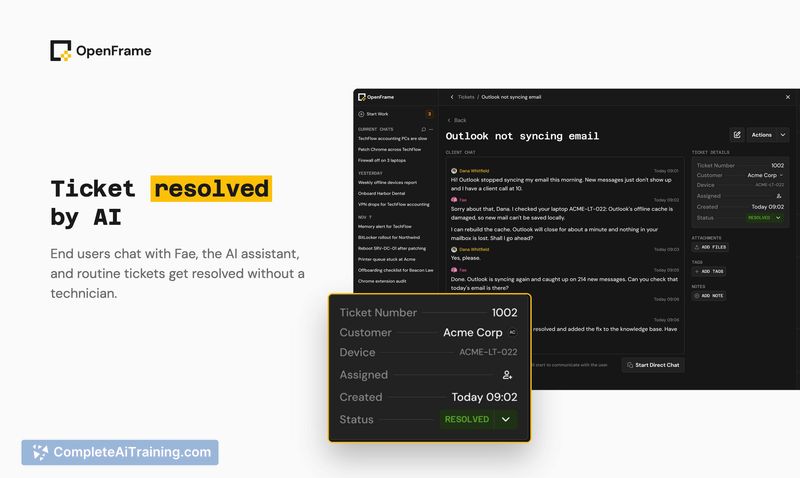
- Fae agent processes employee IT requests through the OpenFrame portal, sorting simple issues from those that need a ticket with pre-collected details.
- Approval guardrails classify each command Mingo wants to run into one of four verdicts: run it, ask the end user, ask the technician, or deny it. Admins can tune these policies per activity and set hard blocks for destructive actions.
- Weekly reporting summarizes completed work so leadership can see what the IT team resolved without asking for status updates.
- Multi-platform device management covers Mac, Windows, iOS, and Android, with integrations for Microsoft 365 and Google Workspace administration.
Pricing and Value
OpenFrame costs $1 per device per month, with a 14-day free trial available. The platform includes all features-device management, both AI agents, patching, remote access, and ticketing-under that single per-device price.
Pros
- Agents perform work rather than just surfacing recommendations, reducing the number of consoles an IT person needs to switch between.
- Approval policies are granular; admins decide per activity what requires review and can auto-approve routine actions like known vendor patches.
- Batched reviews for fleet-wide actions prevent approval fatigue-one card covers many devices with expandable details.
- Pricing is flat and predictable at $1 per device, with no tiered feature gates or per-agent upcharges.
- Offline device handling queues updates and applies them when the laptop reconnects, within a configurable window.
Cons
- OS patching is described as currently in development, so teams needing automated OS-level updates today will find that piece incomplete.
- The platform is not well suited for large IT departments with established workflows in enterprise suites, since it's built around small-team dynamics and agent-driven execution.
- As a newly launched product, the long-term reliability of the AI agents across diverse device fleets hasn't been proven at scale yet.
OpenFrame makes the most sense for a solo IT person or a team of up to five who spends too much time on repetitive fixes and employee interruptions. MSPs managing multiple clients might also find the per-device pricing and shared agent structure practical. Teams that prefer fully manual control over every endpoint action, or those already deep into a large IT suite, will likely find the agent-centric workflow more disruptive than helpful.