AI tool
Pixel Office
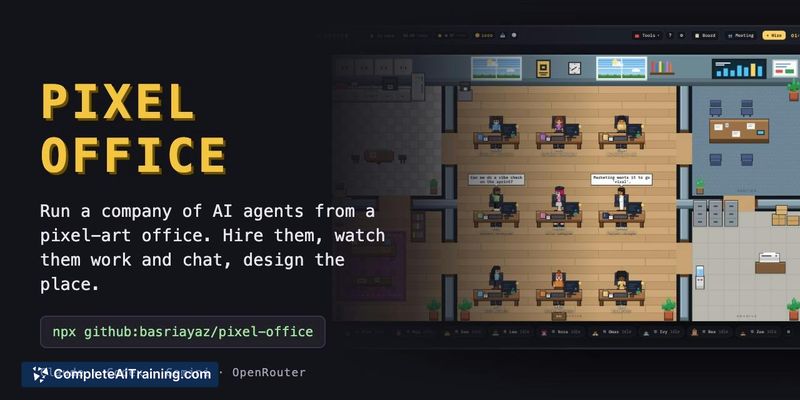
Pixel Office gives autonomous AI agents a visual workspace on your own machine. It is for developers who run multiple agents and want to assign tasks, manage permissions, and see each agent's status at a glance.
About Pixel Office
Pixel Office is an open-source MIT-licensed tool that represents AI agents as employees in a pixel-art office. Each agent runs on Claude, Codex, Gemini, or OpenRouter with its own role, memory file, skills, and permission level. The interface shows agent status at a glance - who is working, who needs approval, and who has finished a task.
Review
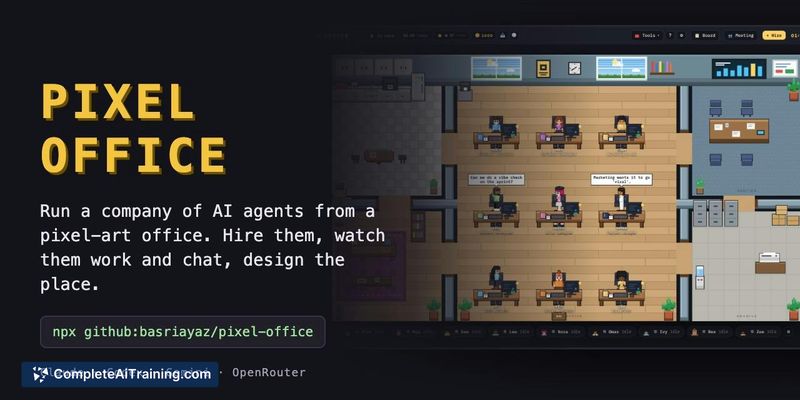


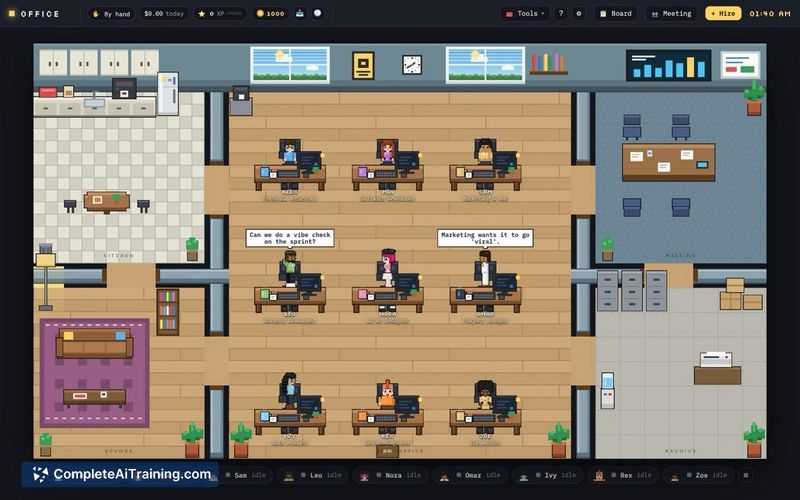
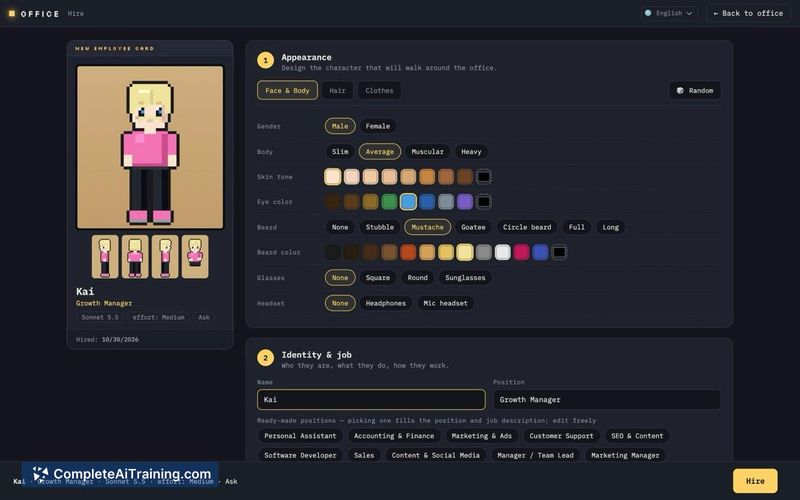

Running multiple AI agents through terminal tabs or chat windows often leads to confusion about which session is active, which one is blocked, and which one completed work. Pixel Office addresses that by giving each agent a visual desk and a persistent presence. The tool runs locally with a single command and uses your own API keys.
Key Features
- Visual office view where each agent walks to a desk, making idle, working, and approval-needed states distinguishable.
- Persistent memory: each agent saves lessons to a plain Markdown file that loads into the system prompt at the start of every session.
- Task board for assigning work, with flags for tasks waiting on permission, session errors, or stopped agents.
- Agent-to-agent messaging and meetings that produce a written summary.
- In-app coin rewards from completed tasks, usable to buy furniture and decorations in a Market.
Pricing and Value
Pixel Office is free and open source under the MIT license. Users supply their own API keys for the underlying models (Claude, Codex, Gemini, or OpenRouter), so operational costs depend entirely on individual API usage. No paid tiers or subscription plans are mentioned.
Pros
- Shows agent status visually instead of relying on identical terminal tabs.
- Memory persists across sessions and survives chat resets; the Markdown file is editable from the profile page.
- Runs locally, keeping API keys and task data on the user's machine.
- Supports multiple model providers, so users aren't locked into a single AI vendor.
- Open-source codebase allows inspection and modification.
Cons
- Requires users to manage their own API keys and pay associated usage costs directly.
- No hosted or managed version exists, so setup demands familiarity with command-line tools.
- Not well suited for teams that want a fully managed, browser-based service without local installation.
Pixel Office fits developers and technical users who already run multiple AI agents and want a spatial overview of their state. The local-first, bring-your-own-keys model gives control over data and costs but won't appeal to those seeking a zero-config hosted solution. For solo builders juggling several agent sessions, the desk-based view and persistent memory files solve a specific coordination problem without adding subscription overhead.