About Polymet
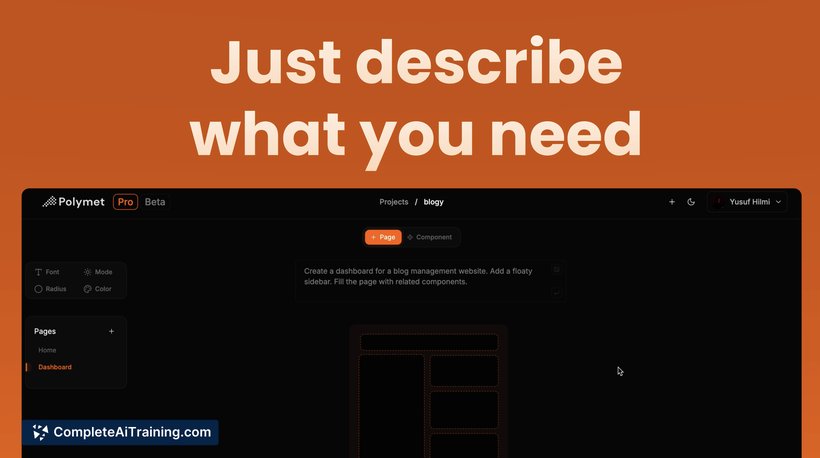
Polymet is an AI-powered tool that enables users to create well-designed user interfaces and prototypes without needing prior design experience. By describing your ideas or uploading images, Polymet generates designs along with production-ready frontend code, simplifying the development process.
Review
Polymet offers an accessible way to quickly produce user interface designs and functional prototypes, especially for those who lack formal design skills or face resource constraints. It combines design generation with code output, which can significantly reduce the time between concept and implementation.
Key Features
- Create designs by providing text descriptions or uploading sketches, requiring no design expertise.
- Edit designs using simple English commands to request changes on specific elements.
- Collaborate with team members by sharing preview links and inviting them to projects for feedback.
- Receive production-ready frontend code for all designs, facilitating easy integration into existing codebases.
- Build complex UI elements like animated dropdowns and color pickers with ease.
Pricing and Value
Polymet offers free options, making it accessible for individuals or small teams to get started without upfront costs. Its value proposition lies in reducing dependence on specialized designers for early-stage UI work and speeding up prototype development. By providing both design and code, it bridges the gap between design and development, potentially lowering overall project expenses and shortening timelines.
Pros
- Enables users without design backgrounds to create polished interfaces quickly.
- Generates production-ready code, saving developers considerable effort.
- Simple editing through natural language commands reduces learning curve.
- Facilitates team collaboration with project sharing and feedback features.
- Supports creation of advanced UI components without complex manual coding.
Cons
- May not fully replace professional designers for highly customized or brand-specific designs.
- Editing capabilities, while straightforward, might be limited compared to specialized design software.
- Integration with existing design systems and tools like Figma or GitHub is still being developed.
Overall, Polymet is well suited for startups, solo entrepreneurs, and small teams needing fast, functional UI prototypes without the overhead of hiring designers or mastering complex design tools. It is particularly useful for those who want to accelerate the transition from concept to code while maintaining design quality and collaboration.
Open 'Polymet' Website
Your membership also unlocks: