
AI tool
ruOS
ruOS is a private cloud desktop that boots with agent tooling, Claude Code, and VS Code preinstalled. It lets developers and researchers hand work to agent teams and resume the finished output on any device.
About ruOS
ruOS is a private cloud desktop that ships with a preconfigured AI agent team - Claude Code, Codex, and ruflo swarms - ready to execute research, writing, and coding tasks. It opens in any browser on Mac, iPad, or Chromebook with no installation, and files plus AI memory persist across devices. The platform also includes a Linux environment and an MCP server, allowing external models like ChatGPT or Claude to control the desktop remotely.
Review
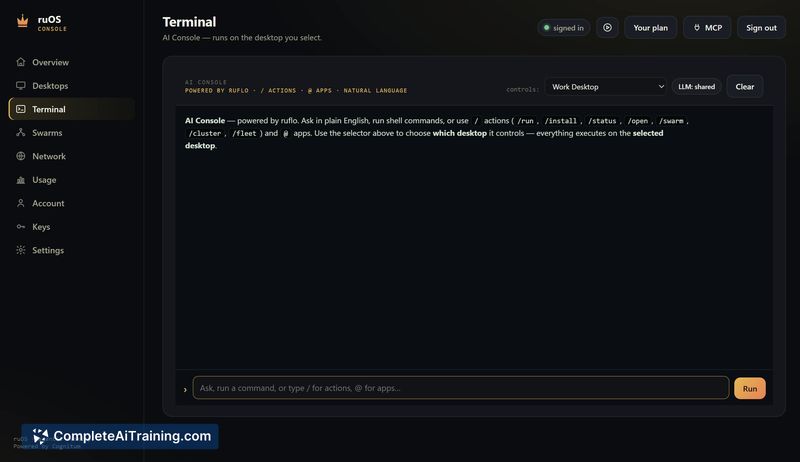
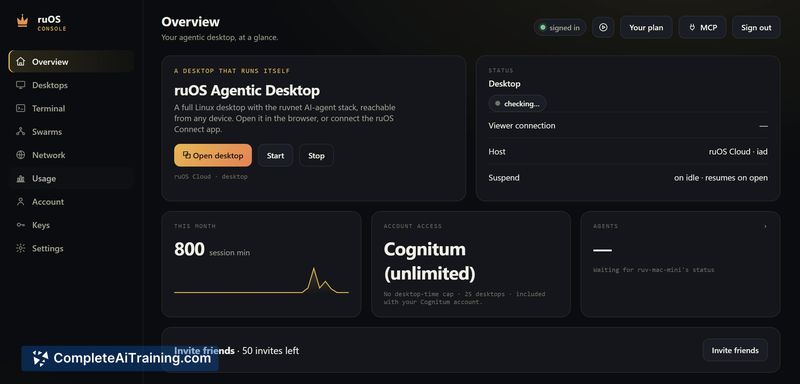
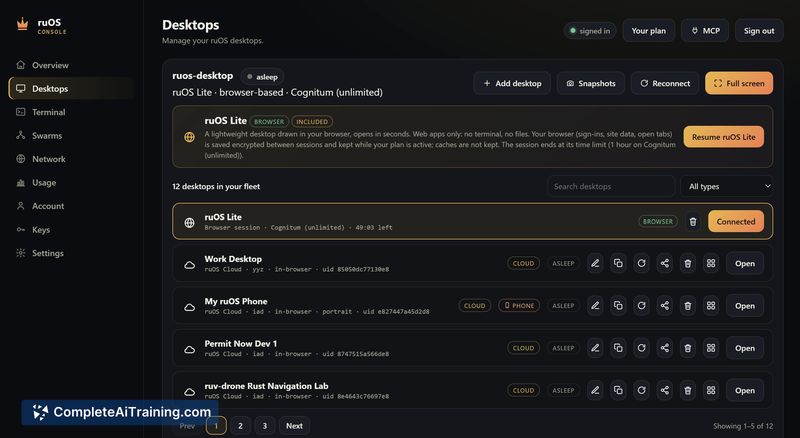
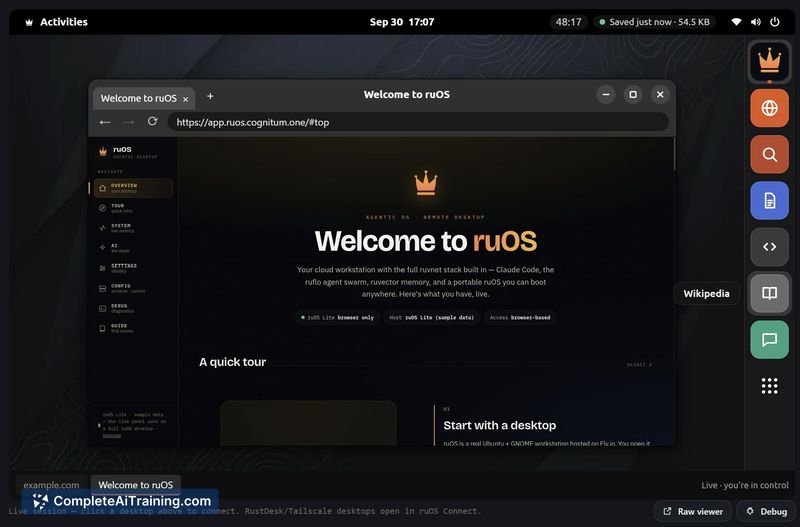
ruOS tackles a specific friction point: the setup overhead that precedes most agent-based work. Instead of provisioning a machine and wiring credentials each time, users get a browser-based desktop where the agent stack is already signed in and running. The tool doesn't try to be a new model or a generic productivity suite - it's a ready-made environment for running multiple AI agents on a real Linux box, with the ability to watch them work or walk away and return to finished output.
Key Features
- Agent desktop with multiple runtimes: Claude Code, Codex, and ruflo agent swarms operate side by side on a full Linux system. Users can observe agent actions through the terminal history and file system.
- Cross-device persistence: Files, sessions, and agent memory carry across Mac, iPad, and Chromebook. Agents continue running even after the user closes their laptop.
- MCP server integration: The ruOS MCP connector lets ChatGPT, Claude, and Claude Code drive the desktop directly. Payment confirmations wait for user approval before executing.
- ruOS Lite instant access: A browser-based desktop launches in roughly one second with no sign-up required, giving users a way to test the environment immediately.
- Enterprise admin controls (planned): The roadmap includes an enterprise version with admin policy layers for teams working in regulated environments.
Pricing and Value
ruOS offers a free tier called ruOS Lite that requires no sign-up and launches directly in the browser. The makers mention a "50% OFF first month" promotion, which implies a paid tier exists, but specific pricing details for ongoing subscriptions are not yet defined in the available reference content. The enterprise version with admin controls is mentioned as a future offering, with no pricing information disclosed.
Pros
- Eliminates repeat setup work - the agent stack, credentials, and toolchain come preinstalled and ready at boot.
- Actual Linux environment under the hood gives power users terminal access, package management, and a real filesystem rather than a sandboxed simulation.
- MCP server turns the desktop into a controllable target for external AI models, which means ChatGPT or Claude can execute desktop actions programmatically.
- Cross-device persistence means agent work continues unattended, and users can switch devices without losing session state.
- Free Lite tier with no sign-up lowers the barrier to trying the tool before committing to a paid plan.
Cons
- Relies entirely on cloud infrastructure - users who need offline or air-gapped agent environments won't find a local-only option.
- Pricing beyond the free tier remains unclear, making it difficult to evaluate long-term cost for teams or heavy usage.
- The tool is not well suited for users who only need a single-agent chat interface and don't want to manage a desktop environment at all.
ruOS fits best with developers and technical teams who already use agent-based workflows and are tired of provisioning machines before every project. The free Lite tier makes it easy to test whether the prebuilt environment saves meaningful time. Users who prefer lightweight chat interfaces or need offline operation will likely find the full cloud desktop approach more than they need.



