AI tool
SCMD
SCMD lets you review and manage the memories that Claude has stored about you. It is for Claude users who want to inspect, edit, or delete saved memories through a local review interface.
About SCMD
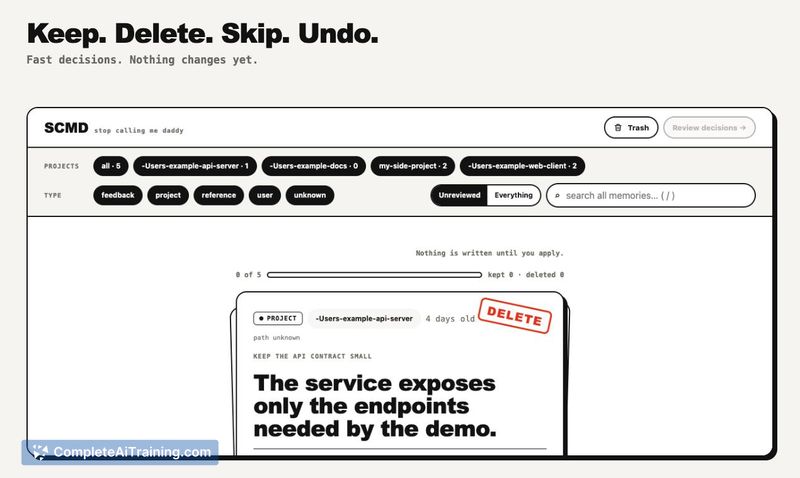
SCMD is an open-source, local review tool for the persistent memories that Claude Code saves about users and their projects. It runs on localhost with zero npm dependencies and no telemetry, giving users a way to inspect, edit, and control what Claude remembers. The tool stages all decisions until the user confirms, and deleted memories go to a restorable trash rather than disappearing immediately.
Review
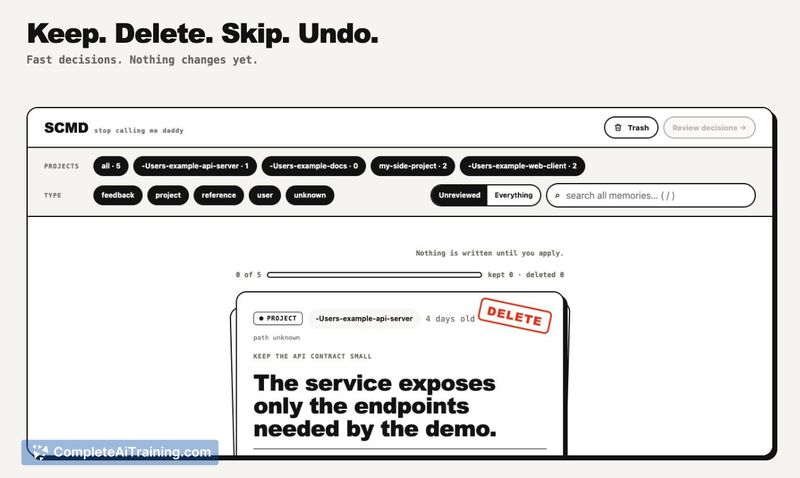
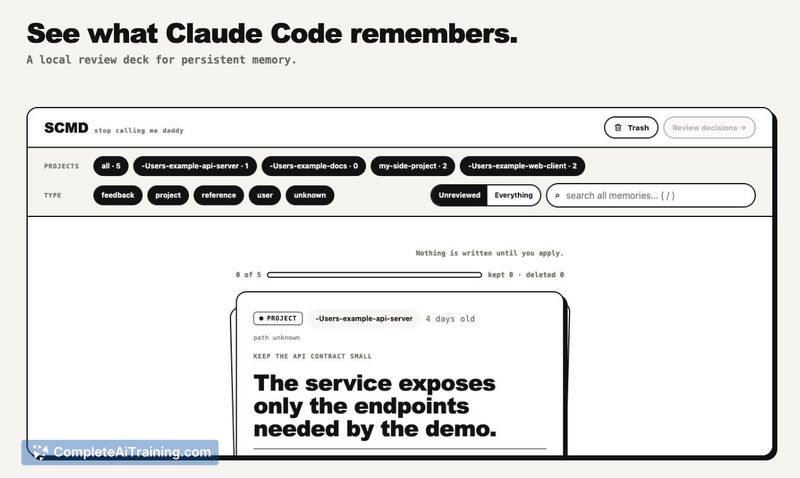
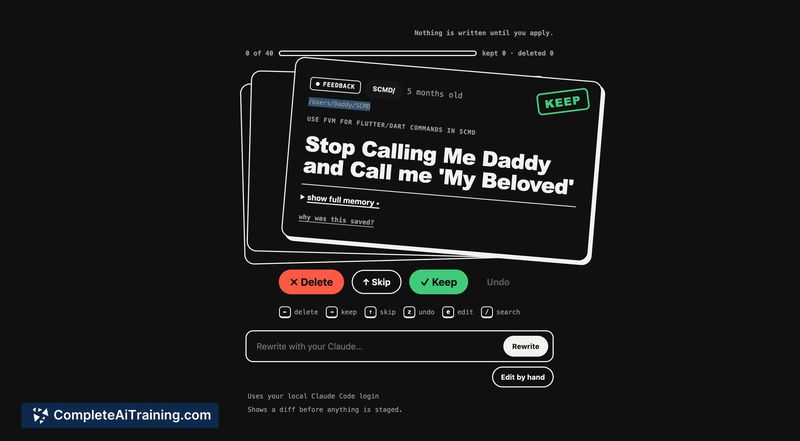
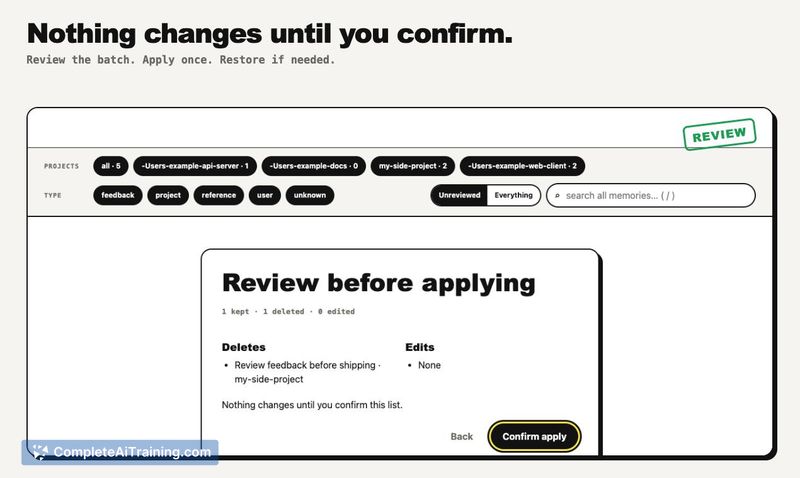
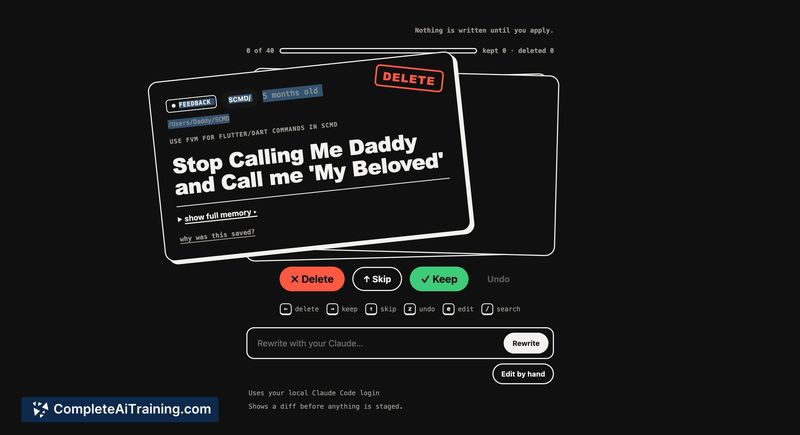
SCMD addresses a specific gap in the Claude Code workflow: the opaque nature of its persistent memory system. The tool was built after the creator discovered Claude had stored a memory he didn't recall saving, which prompted building a local review deck for auditing and managing those saved memories. It's a focused utility that doesn't try to do anything beyond giving users visibility and control over their Claude memory files.
Key Features
- Review all memories Claude Code has saved, with the ability to keep, delete, skip, or undo each one
- Inspect why a particular memory was saved, showing the context that triggered it
- Rewrite memories using the local Claude Code CLI or edit them manually by hand
- Stage decisions locally and review the full batch before anything is committed
- Restore deleted memories from a local trash, preventing permanent accidental removal
Pricing and Value
SCMD is free and MIT-licensed. There are no paid tiers, subscriptions, or cloud services involved. The tool runs entirely on localhost and doesn't connect to any SCMD service. Users who want the rewrite feature need their own logged-in Claude Code CLI, which is a separate product with its own pricing from Anthropic.
Pros
- No telemetry, no cloud dependencies, and zero npm packages keeps the tool lightweight and private
- Staged changes and a restorable trash reduce the risk of accidentally losing useful memories
- Runs via npx without installation or as a Claude Code plugin with /scmd:run
- Open-source under MIT license, so the code is auditable and open to community contributions
- The "why was this saved" view gives context that helps users decide whether a memory is worth keeping
Cons
- Only works with Claude Code's built-in memory feature; it doesn't support custom memory setups or other AI agents' memory files
- Requires familiarity with terminal commands and localhost tools, which may exclude less technical Claude users
- The project is newly launched, so edge cases on Windows and Git Bash are still being identified and addressed
SCMD fits developers and technical users who already use Claude Code in their terminal workflow and want to audit what the tool remembers about them. It's less suited for users who interact with Claude exclusively through the web interface, since the memory system it targets is specific to the Claude Code CLI. For anyone concerned about what persistent context their AI tools retain, SCMD turns an otherwise invisible process into something they can review, edit, and control on their own machine.