AI tool
Scrawl
Scrawl lets developers capture screen recordings with spoken commentary to explain bugs to AI coding agents. It transcribes speech locally on-device and pairs each sentence with the relevant frame. The tool is for programmers who use AI agents and...
About Scrawl
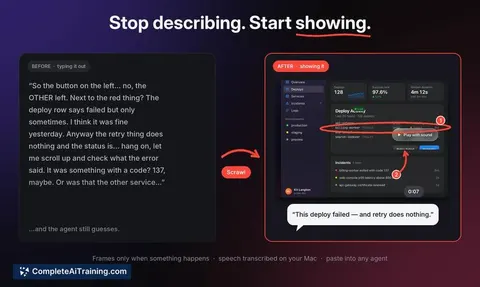
Scrawl is a macOS screen recording utility that captures voice, clicks, drawings, and screen frames into a single compact capture. It's built to paste visual context directly into AI coding agents, so you can show a bug or UI issue instead of describing it with text. The tool runs transcription on-device, auto-crops each frame to the active window, and only captures a frame when an interaction occurs.
Review
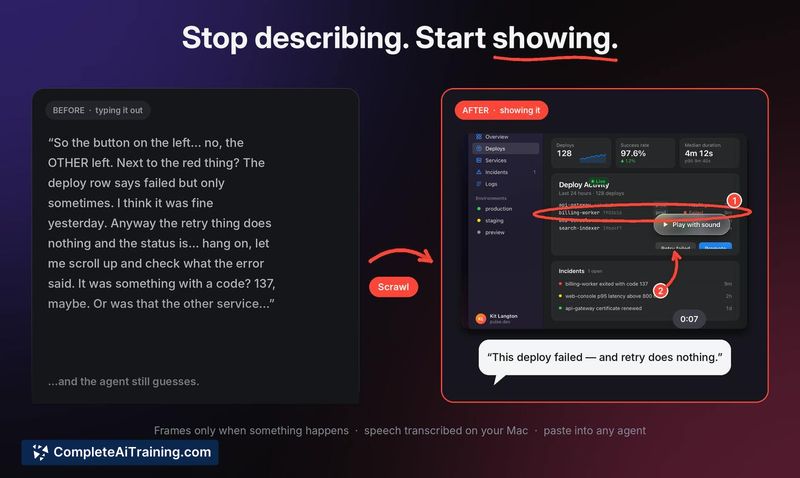
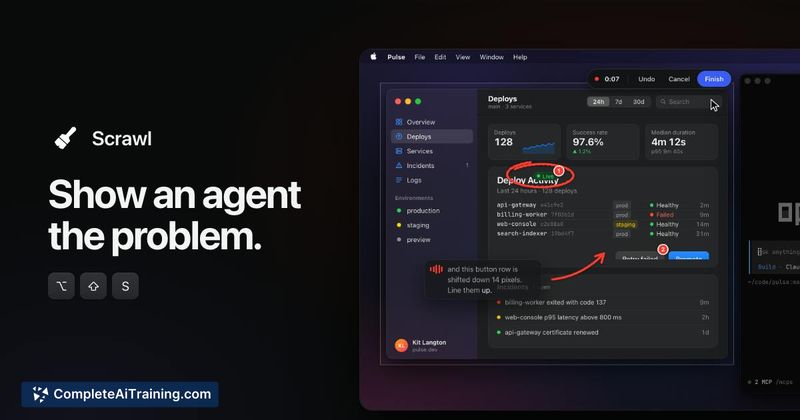
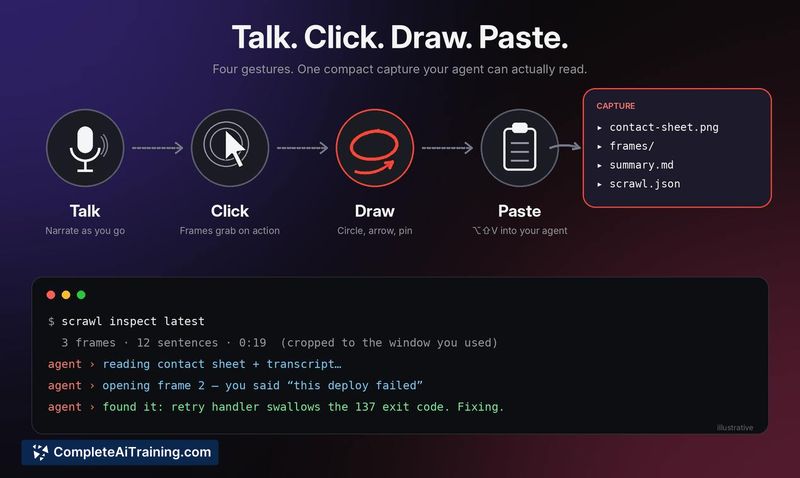
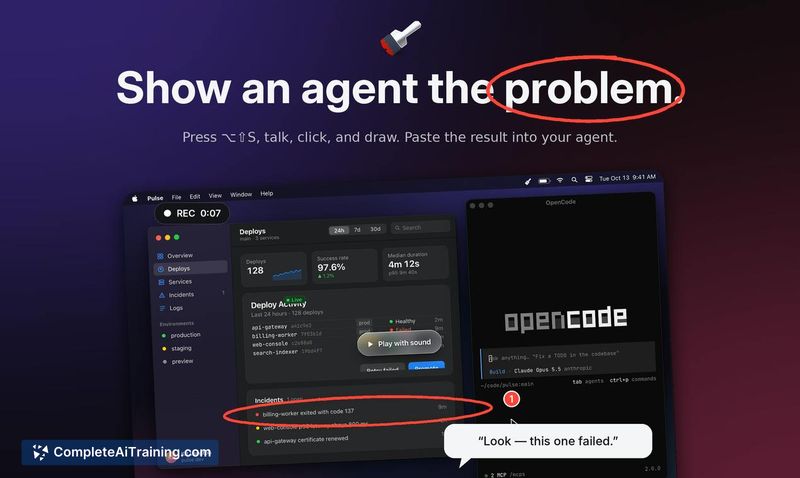
Scrawl addresses a specific friction point in AI-assisted coding: the difficulty of describing visual problems in words alone. By combining screen captures with spoken narration and on-screen sketches, it produces a compact record that an AI agent can parse. The tool is new, open source under the MIT license, and currently targets macOS 15+ on Apple silicon.
Key Features
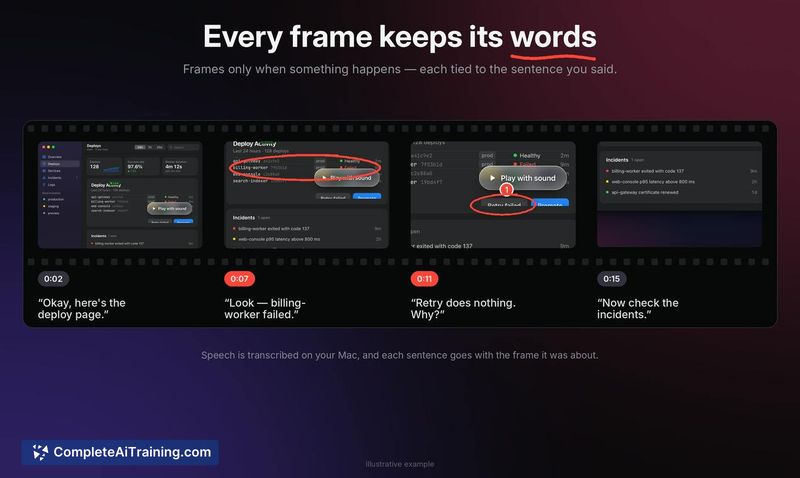
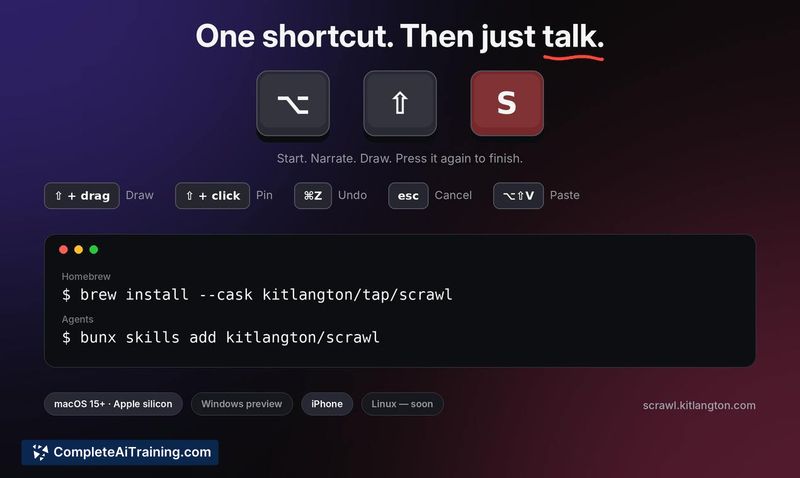
- Multimodal capture: Records screen, voice, clicks, and drawings triggered by the ⌥⇧S shortcut. Frames are only taken when something happens, and each frame retains the sentence spoken at that moment.
- On-device transcription: Speech-to-text processing happens locally on the Mac. No audio or transcription data is sent to a server.
- Auto-cropping: Each captured frame is automatically cropped to the window where the work occurred, rather than capturing the entire screen.
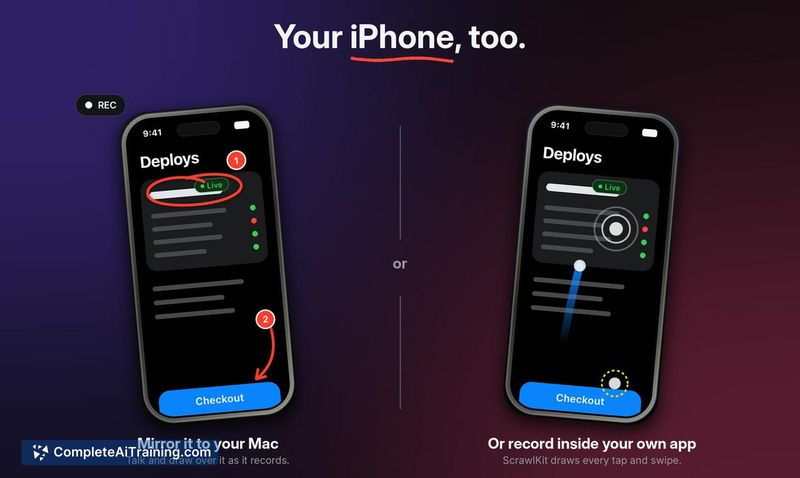
- iPhone support: Works with iPhone mirroring and includes ScrawlKit for capturing iOS apps directly.
- Open source: Distributed under the MIT license. Installation is a single Homebrew command:
brew install --cask kitlangton/tap/scrawl.
Pricing and Value
Scrawl is free. The source code is available under the MIT license. No paid tiers, subscriptions, or in-app purchases are mentioned in the current release materials.
Pros
- Combines voice, clicks, and drawings into one capture that AI agents can interpret.
- Transcription stays local, which avoids privacy concerns tied to cloud processing.
- Conditional frame capture and auto-cropping keep the output focused and smaller in size.
- Straightforward installation via Homebrew on compatible Macs.
- MIT license allows inspection, modification, and integration into other workflows.
Cons
- Requires macOS 15 and Apple silicon, so Intel Mac users and older OS versions can't run it.
- No Windows or Linux support at this stage; it's a macOS-only tool.
- The tool is not well suited for teams that need cloud-based transcription or cross-platform capture pipelines.
Scrawl fits developers who frequently pair a Mac-based coding environment with an AI agent and need to communicate visual bugs quickly. It's most useful for solo developers or small teams working on UI-heavy projects where iPhone mirroring and on-device privacy matter. Those on other operating systems or older Mac hardware will need to look elsewhere.