About Sway
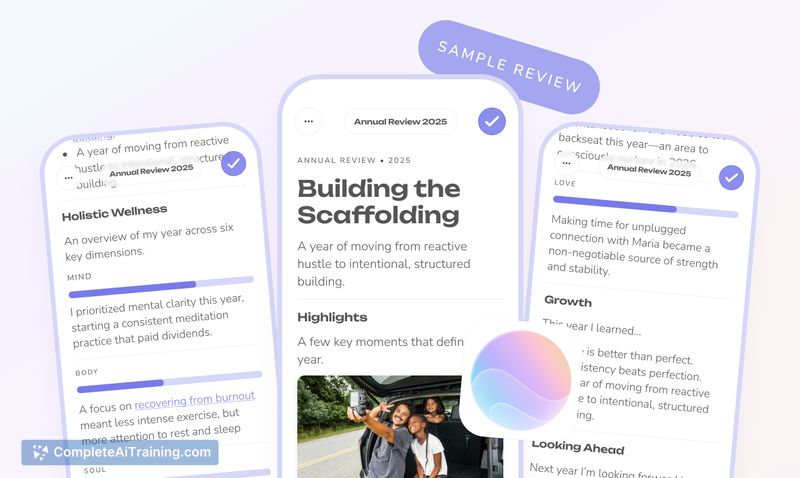
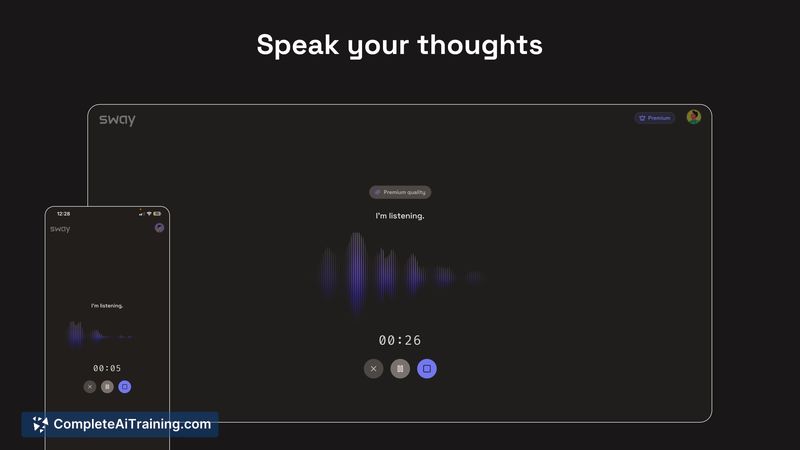
Sway is a voice-first note-taking tool that turns spoken thoughts into clear summaries, key points, and actionable next steps. It is built for people who prefer speaking over typing and aims to capture ideas naturally while walking, reflecting, or doing other tasks.
Review
Sway focuses on low-friction capture: speak freely and get back a concise structure without prompts or manual formatting. The product is in an early launch phase and emphasizes simplicity, with summaries generated from the intent of the spoken flow rather than line-by-line transcription.
Key Features
- Automatic speech capture that converts spoken content into summaries, key points, and actions.
- No-prompt workflow that minimizes setup so users can record thoughts hands-free.
- Attempts to preserve domain-specific terms and acronyms rather than simplifying them away.
- Lightweight summarization that highlights decisions and emphasis across a recording.
- Early product focus on quick capture, with plans for faster access options like shortcuts.
Pricing and Value
Sway lists free options at launch; detailed paid tiers were not published at the time of release. The core value is time saved by converting scattered voice notes into usable summaries and next steps, making it useful for people who want to preserve thought flow without interrupting it. For those who frequently brainstorm by speaking, the app can reduce the friction between idea generation and follow-up work.
Pros
- Very low friction: speak naturally and get structured output with minimal interaction.
- Focus on intent rather than exact transcription helps surface decisions and priorities.
- Generally handles common technical jargon and acronyms when spoken naturally.
- Good fit for on-the-move capture (walking, commuting, quick reflections).
- Simple UX that encourages forming a capture habit without heavy configuration.
Cons
- Early-stage product with occasional voice pickup and transcription accuracy issues in some environments or devices.
- Limited controls for users to steer how literal or abstract summaries are; customization is light for now.
- Integrations and quick-access shortcuts are still experimental or not yet widely available.
Overall, Sway is best suited to individuals who do their best thinking aloud and want a fast way to turn spoken ideas into usable notes or action items. It's a practical tool for solo users, thinkers on the move, and content creators who start with raw voice notes and later refine them elsewhere, while those needing perfect transcripts or heavy customization may want to wait for further development.
Open 'Sway' Website
Your membership also unlocks: