
AI tool
Vincentt
Vincentt provides the camera setup, HTTPS preview links, hosting, and deployment infrastructure for building camera-based AR experiences. It is for developers who use coding agents and want to skip rebuilding this plumbing for every project.

About Vincentt
Vincentt is a platform for building and deploying browser-based interactive camera experiences. It pairs an open SDK with a user's existing coding agent-such as Claude Code or Codex-to handle camera setup, HTTPS preview links, hosting, and versioned publishing. The output runs on mobile web browsers without requiring app store distribution or headsets.
Review

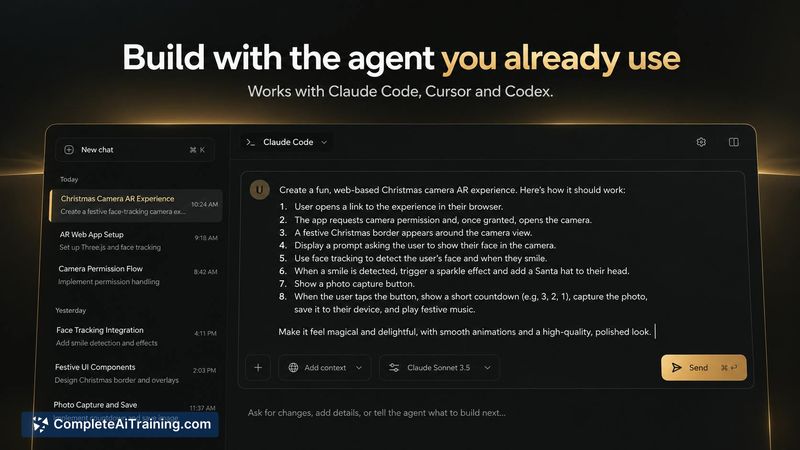
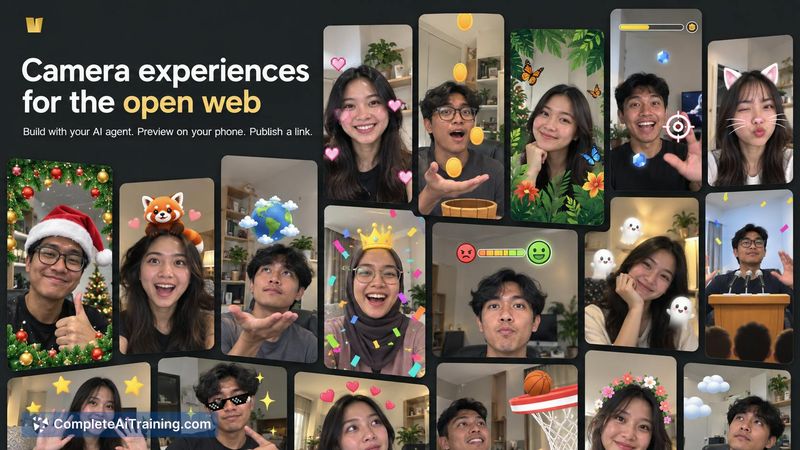
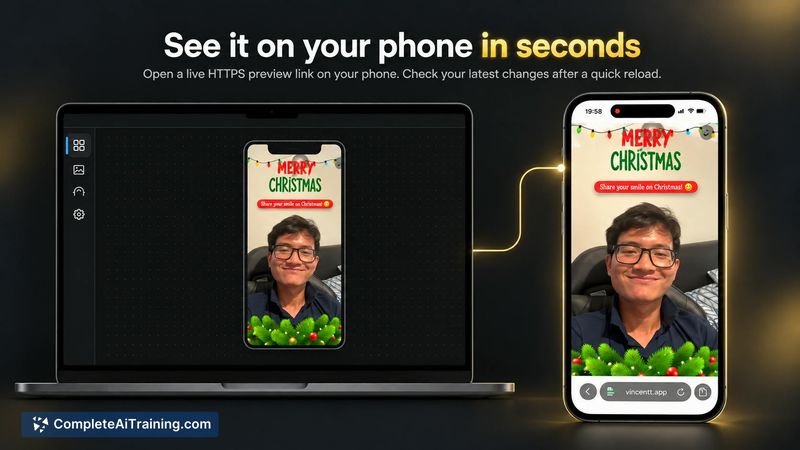
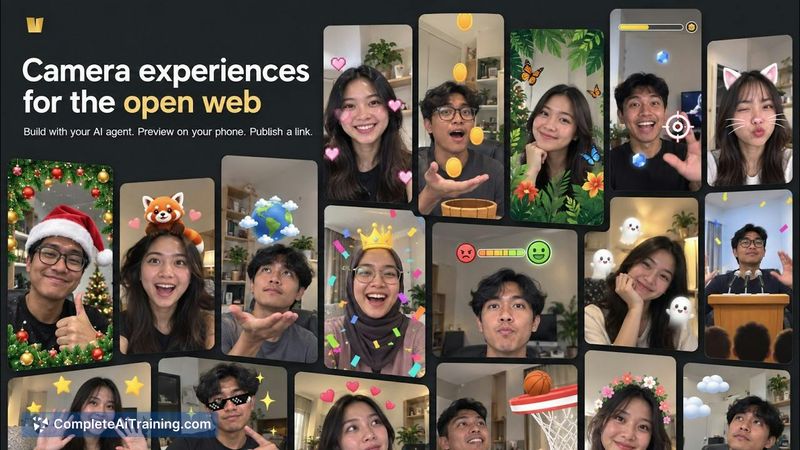
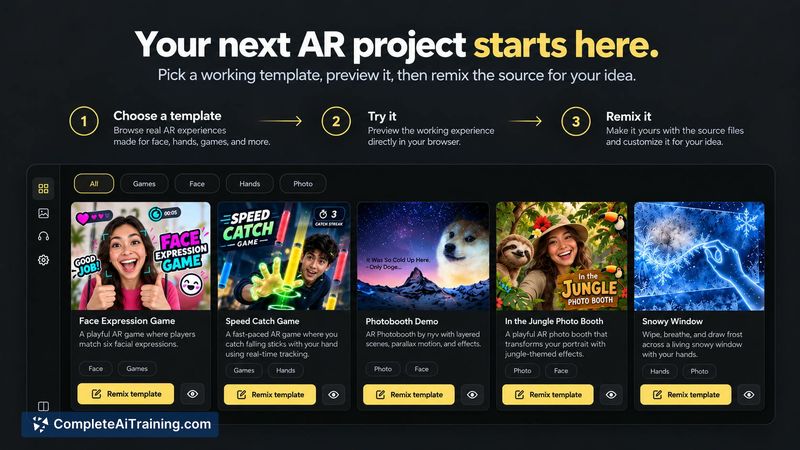
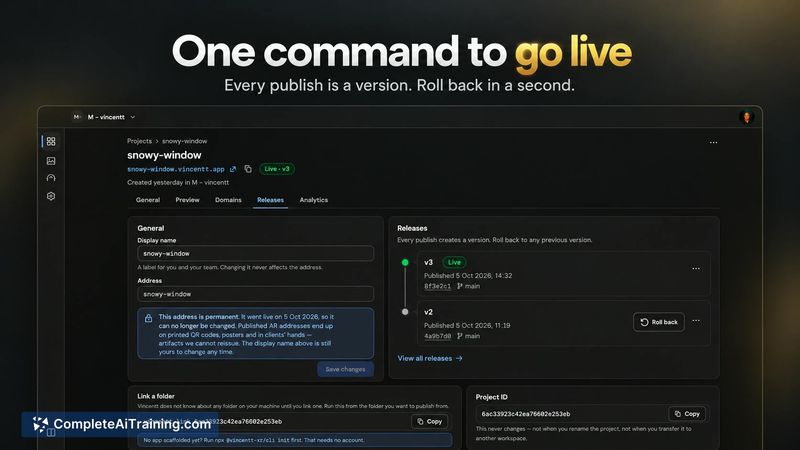
Vincentt tackles the repetitive infrastructure work that comes with camera-based web projects: getting HTTPS working so a phone can access the camera, generating live preview links, and managing deploys. The tool wraps these steps into a single pipeline that connects directly to a developer's coding agent. For teams already building WebAR or interactive camera prototypes, this removes a layer of setup that typically eats up early project time.
Key Features
- Agent-native workflow: Vincentt's open SDK and starter template work with Claude Code, Cursor, or Codex. No account is needed to begin building locally.
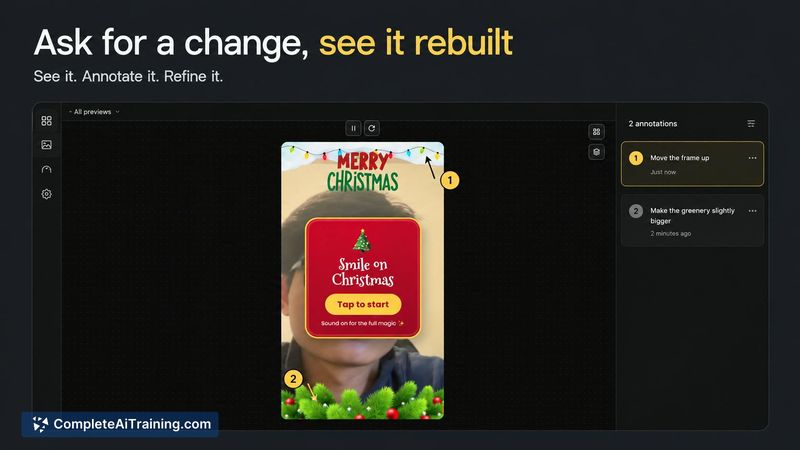
- Phone-to-agent feedback loop: Tapping "Send feedback" on a phone lets a user mark up the live preview. The annotated screenshot lands directly in the coding agent's session, so the agent sees what the developer saw on-device.
- Live HTTPS preview on mobile: Running a preview generates an HTTPS link that opens on a phone. Edits appear on reload, and phone logs stream back to the agent-no USB debugging or manual screenshot transfers.
- Versioned publishing with instant rollback: Publishing from the terminal creates a release at a subdomain (yourname.vincentt.app). Each publish is versioned, and rolling back a release is immediate.
- Asset library and cloneable gallery: A searchable library of over 1,000 3D and visual assets is available to the coding agent in plain language. A gallery of live experiences can be opened on a phone and cloned as a project starting point.
Pricing and Value
The Free plan covers one published project. Paid plans add unlimited projects, higher traffic allowances, and custom domain support. Specific pricing tiers and usage-based billing details are not yet publicly defined on the product page. The team has indicated Stripe is integrated for future subscription and usage-based billing, but current plan costs beyond the free tier remain unspecified.
Pros
- Eliminates the need to set up HTTPS, preview links, and deployment plumbing for each new camera project.
- The feedback loop sends annotated phone screenshots directly into the coding agent's context, cutting out manual back-and-forth.
- Works with coding agents developers already use, rather than forcing a proprietary editor.
- Versioned releases and instant rollback give a safety net when publishing client-facing or experimental work.
- No app store or headset requirement-end users just open a link on their phone.
Cons
- The tool assumes comfort with terminal-based workflows and coding agents; it's not built for creators who prefer visual, no-code editors.
- Pricing beyond the single-project free tier is not yet disclosed, making cost projection difficult for teams planning multiple projects.
- Since Vincentt launched this week, community size, third-party integrations, and long-term stability are still unproven.
Vincentt fits small teams and solo developers who already use a coding agent and want to skip the boilerplate of camera-based web projects. It's less suited for designers or creators who rely on GUI-based tools and don't work in a terminal. For rapid prototyping of WebAR concepts or interactive camera UIs that need frequent on-device testing, the preview-and-feedback pipeline addresses a real friction point.



