About Visla AI Director Mode
Visla AI Director Mode is an AI-driven workflow for planning and generating multi-scene videos. It creates a scene-by-scene storyboard from a variety of inputs, lets you set direction and brand constraints, and then converts selected storyboard shots into full AI video clips.
Review
The Director Mode changes the workflow by placing a visual storyboard at the center of video creation, so you can review structure before committing compute to motion. For teams producing branded video content, the feature emphasizes consistency and control across scenes while reducing the need to regenerate clips repeatedly.
Key Features
- Scene-by-scene AI storyboard generation that previews each shot before video rendering.
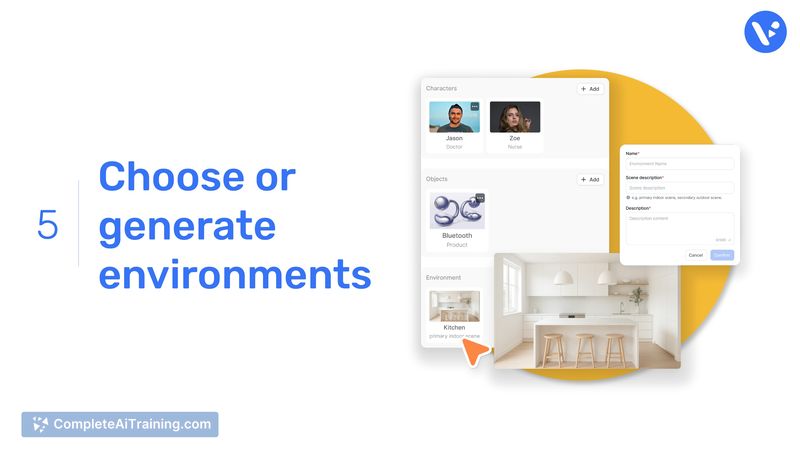
- Directional controls for pace, voiceover style, characters, objects, and environments.
- Brand asset locking to keep products, logos, and visual elements consistent across scenes.
- Flexible inputs including scripts, URLs, PDFs, PPTs, screenshots, and recordings.
- Selective rendering: choose which storyboard frames become full AI video clips.
Pricing and Value
Director Mode is available as part of Visla's paid plans (payment required). Pricing follows a subscription model geared at teams and businesses rather than single occasional users; specific plan tiers and limits are listed on the product site. There is a limited-time offer of 25% off the annual Business plan with code PH25. The main value proposition is time saved in planning and preserving visual consistency across multi-scene projects, which can justify the subscription for teams that produce regular video content.
Pros
- Storyboard-first approach reduces wasted regeneration and helps preserve narrative coherence.
- Strong controls for maintaining brand consistency across multiple scenes.
- Accepts many input types, making it easy to start from scripts, slides, links, or recordings.
- Selective rendering gives flexibility to convert only the shots you want into full clips.
- Positive user feedback overall (rating 4.6 from 27 reviews) for ease of use and AI-assisted features.
Cons
- Customization options can feel limited compared with some traditional editors (templates and advanced styling).
- AI voiceover quality is reported by some users as synthetic rather than natural sounding.
- Subtitle styling and certain creative controls may require improvement to meet advanced production needs.
Visla AI Director Mode is a good fit for marketing teams, learning and development groups, and product teams that need to produce consistent multi-scene videos with less manual iteration. It may be less suitable for creators who require deep custom styling, highly natural voiceovers, or a large library of prebuilt templates.
Open 'Visla AI Director Mode' Website
Your membership also unlocks: