About Vois
Vois is a desktop voice AI studio that generates studio-quality speech entirely on your computer, so audio never leaves your machine. It offers a library of production voices, voice cloning, multi-speaker editing, and exports to common audio formats.
Review
Vois focuses on private, local text-to-speech and voice production, combining multiple TTS engines with a timeline editor and mastering tools. The app aims to make voice content creation faster and more controlled by caching generations and avoiding per-character cloud billing.
Key Features
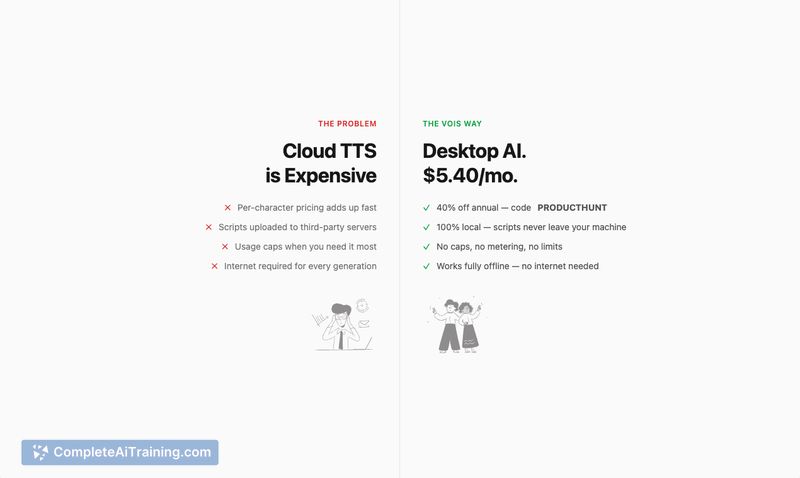
- Local, on-device TTS with no uploads and no per-character costs
- 63 production voices across character types, plus voice cloning and support for 23 languages
- Three TTS engines (fast drafts, expressive English, multilingual) and smart caching for quick iterations
- Script editor with multi-speaker dialogue, multi-track timeline, and pro mastering (LUFS normalization, de-esser, EQ, limiter)
- Export to WAV, MP3, FLAC, AAC and optimized performance on Apple Silicon (up to ~6x real-time)
Pricing and Value
There is a free tier that includes 10 generations per day with access to all voices and engines, which makes it easy to test core functionality. The standard monthly plan is $29/month, while an annual plan reduces the effective monthly cost (the launch material quoted an annual rate of $9/month and a limited-time discount). Vois's value proposition centers on eliminating cloud usage fees and offering unlimited local use with professional export and mastering tools, which can be cost-effective for creators who generate a lot of audio.
Pros
- True local processing protects privacy and avoids cloud charges
- Wide feature set for creators: multi-speaker editor, timeline, mastering, and multiple export formats
- Large voice library and voice cloning let you create varied character or narration tracks
- Smart caching speeds iteration so only edited segments re-generate
- Good performance on Apple Silicon and a usable free tier for evaluation
Cons
- Local processing demands decent hardware; best performance is noted on Apple Silicon
- Voice cloning raises consent and ethical considerations that users must manage
- Some language and accent coverage gaps may remain despite multilingual support
Vois is a strong fit for podcasters, accessibility users, indie game developers, and anyone who needs offline, repeatable TTS workflows with export-ready audio. It works best for users who can provide sufficient local resources and who prioritize privacy and predictable costs over cloud convenience.
Open 'Vois' Website
Your membership also unlocks: