AI app for pr and communications · no coding needed
Communications scenario assumption desk
Test assumptions behind response plans.
Made for: Crisis preparedness consultants
What it does for you
The problem
Scenario plans rely on hidden operational assumptions.
What it gives you
Reviewed preparedness assumption brief
What you give it
Approved scenariosresponse responsibilities
How it works, step by step
- Extract required capabilities
- Flag unverified assumptions
- Draft rehearsal questions
- Link proposed outputs to original source records
- Capture reviewer corrections and approval
- Export a versioned reviewed preparedness assumption brief
What you see on screen
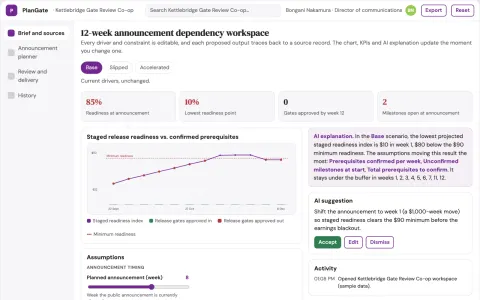
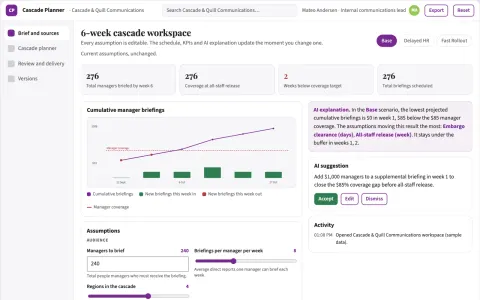
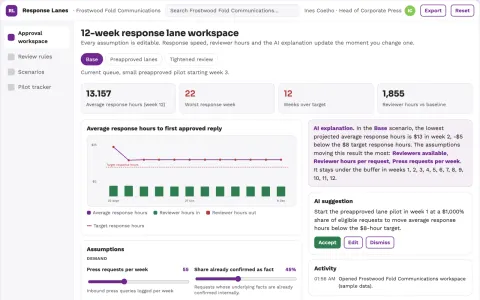
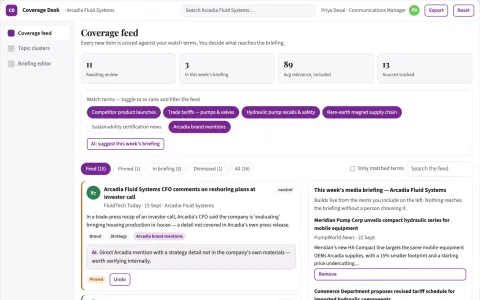
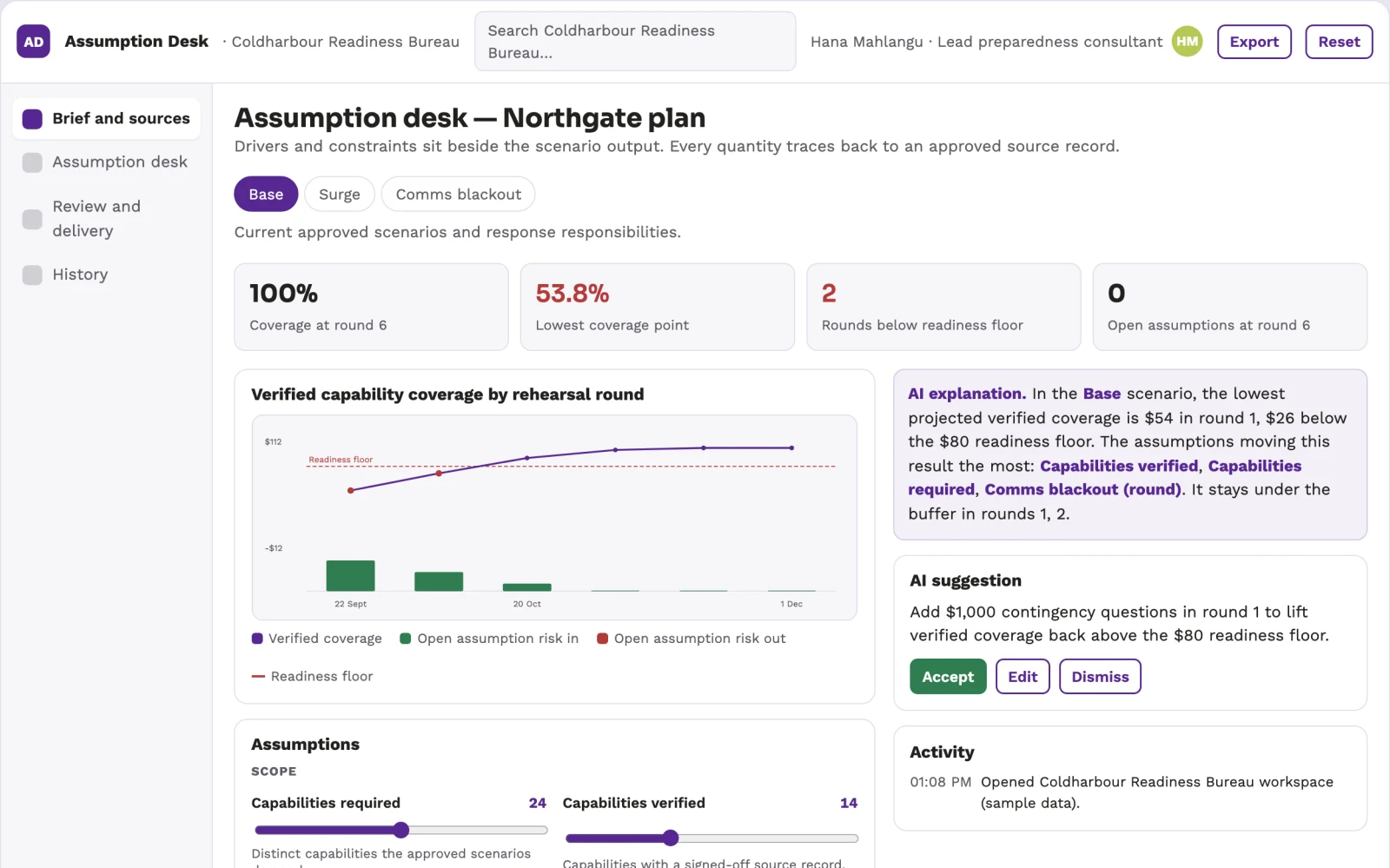
- Brief and sources
- Communications scenario assumption desk
- Review and delivery
Jobs this app suits
Our AI checked this app against 500 jobs; these get the most out of it. Each job links to its learning path.
Build it yourself with your AI system
Build this app yourself, no coding needed
Start with a quick version you can try in a few minutes. Like it? Then build the full app by copying and pasting our step-by-step instructions: everything is prepared for you.
Sign in to see how to build it yourself
Build a quick version to try, or get the full app pack for Communications scenario assumption desk with the step-by-step building instructions. You don't need any technical skills: you copy, paste and answer a few questions. Both are included in the membership.
4 Have it built for you days to a few weeks
Rather not do it yourself, or want it fully tailored to your data, your way of working and your brand? Nexibeo builds Communications scenario assumption desk with you.
What's in the app pack
Included in the Complete AI Training membership.
- The building instructions your AI follows, step by step
- The questions your AI will ask you about your business before it starts
- A clickable demo you can open in your browser, to see how it should work
- A detailed blueprint of the screens, the information it keeps and the checks it runs
Become a member to get the app packAlready a member? Sign in
The files, for the technically curious
- START-HERE.mdHow to build it with your own AI (read first)3 KB
- README.mdOverview and links1 KB
- questions.mdQuestions to answer before you build2 KB
- prompt-cloudflare.mdThe full build prompt, hosted on Cloudflare25 KB
- prompt-vps.mdThe same build on your own server (Docker)25 KB
- spec.jsonData model, API, AI pipeline, acceptance criteria13 KB
- demo/index.htmlThe working demo on sample data197 KB
Questions
Do I need to know how to code?
No. You copy and paste the prompts on this page into ChatGPT or Claude, and the AI does the building. When it asks you something, you answer in your own words.
What does it cost?
The quick version, the app pack and the step-by-step instructions are for members: you pay the membership price, not a price per app (see the plans). Building the full app uses your own ChatGPT or Claude subscription. Putting it online is often cheap or no cost at the start, and your AI tells you before anything costs money.
How long does it take?
The quick version: about two minutes. The real app: an afternoon for a first version you can use, longer if you want every feature.
Can I change it to fit my business?
Yes. Tell your AI what to change in plain words, like “add a column for the price” or “use our logo and colours”. Or have Nexibeo build and customise it for you.
More detailsHow the AI works, safeguards and what to build first
For crisis preparedness consultants, turn approved scenarios and response responsibilities into reviewed preparedness assumption brief. Address this specific problem: scenario plans rely on hidden operational assumptions. The aim: test assumptions behind response plans. The pilot tests whether that benefit holds up against reviewer effort and real operating costs.
The buyer creates a project, supplies approved scenarios and response responsibilities, and confirms scope and access. Users correct extracted facts, resolve flagged uncertainties and approve the final reviewed preparedness assumption brief before use. Retain source links and a version history for the next cycle.
How the AI works
AI assists these bounded tasks: extract required capabilities; flag unverified assumptions; draft rehearsal questions. Use only approved scenarios and response responsibilities and preserve uncertainty in reviewed preparedness assumption brief. Keep model suggestions separate from verified facts. Link factual outputs to authorized input evidence and show missing information explicitly. Use deterministic checks for counts, dates, identifiers and arithmetic where applicable. A designated reviewer validates consequential outputs and signs off the delivered result.
Safeguards
Verify public facts and quotations. Keep publication authority explicit and preserve the original context behind media and reputation findings. One organization, one defined input format and one representative pilot batch using approved scenarios and response responsibilities. Professional judgment, physical inspections, live external actions and production certification remain outside this prototype. Require appropriate access and publication approval. Preserve source material, label AI drafts and make corrections traceable. Measure false positives and missed cases alongside speed.
What to build first
Costed pilot: One organization, one defined input format and one representative pilot batch using approved scenarios and response responsibilities. Professional judgment, physical inspections, live external actions and production certification remain outside this prototype. Start with one buyer organization and a bounded set of representative inputs. Implement the first two modules: extract required capabilities; flag unverified assumptions. Support the third task through an assisted review queue: draft rehearsal questions. Handle the remaining required functions manually until validated. Include input upload, source references, user correction, a reviewer approval step and export of reviewed preparedness assumption brief. Authentication, account isolation, deletion controls and basic operational logging are included. Specialized production certification, live write integrations and broader rollout are not included unless explicitly stated.
What it can connect to
Approved company facts, permitted media sources and publication workflows. Read-only operational exports, calendars and finance or inventory records as relevant. Start with plan exports and retain human approval for execution. Begin with uploads and exports of approved scenarios and response responsibilities. Any named system or connector is a candidate requiring current access and compatibility checks; no live connection is included by default.
The screens in detail
Place editable drivers and constraints beside a clearly labeled scenario output. Include a baseline view, comparison chart or schedule, and an assumptions history. Let users trace a proposed quantity or date back to its inputs. Keep forecasts distinct from actual results. Open with brief and sources; move into communications scenario assumption desk for the detailed task; finish in review and delivery for review and handoff. Show the source record, uncertainty and approval status beside each proposed output.