AI Blueprint (Mini) for Lawyers: Multi-Agent Contract Review (Video Course)

Turn AI from a vague idea into a dependable legal workhorse. This course shows lawyers exactly how to use AI Blueprint (Mini) for contract review, research, and due diligence,with real workflows, tiny per-matter costs, and clear rules for client data.

Duration: 45 min
Rating: 5/5 Stars
Beginner Intermediate

Related Certification: Certification in Implementing Multi-Agent AI Contract Review

AI Blueprint (Mini) for Lawyers: Multi-Agent Contract Review (Video Course)
Access this Course

Also includes Access to All:

700+ AI Courses
700+ Certifications
Personalized AI Learning Plan
6500+ AI Tools (no Ads)
Daily AI News by job industry (no Ads)

Video Course

What You Will Learn

  • Set up OpenRouter and connect it to the AI Blueprint (Mini)
  • Implement the four-agent workflow for reliable contract review
  • Craft role-based prompts that require clause citations to avoid hallucinations
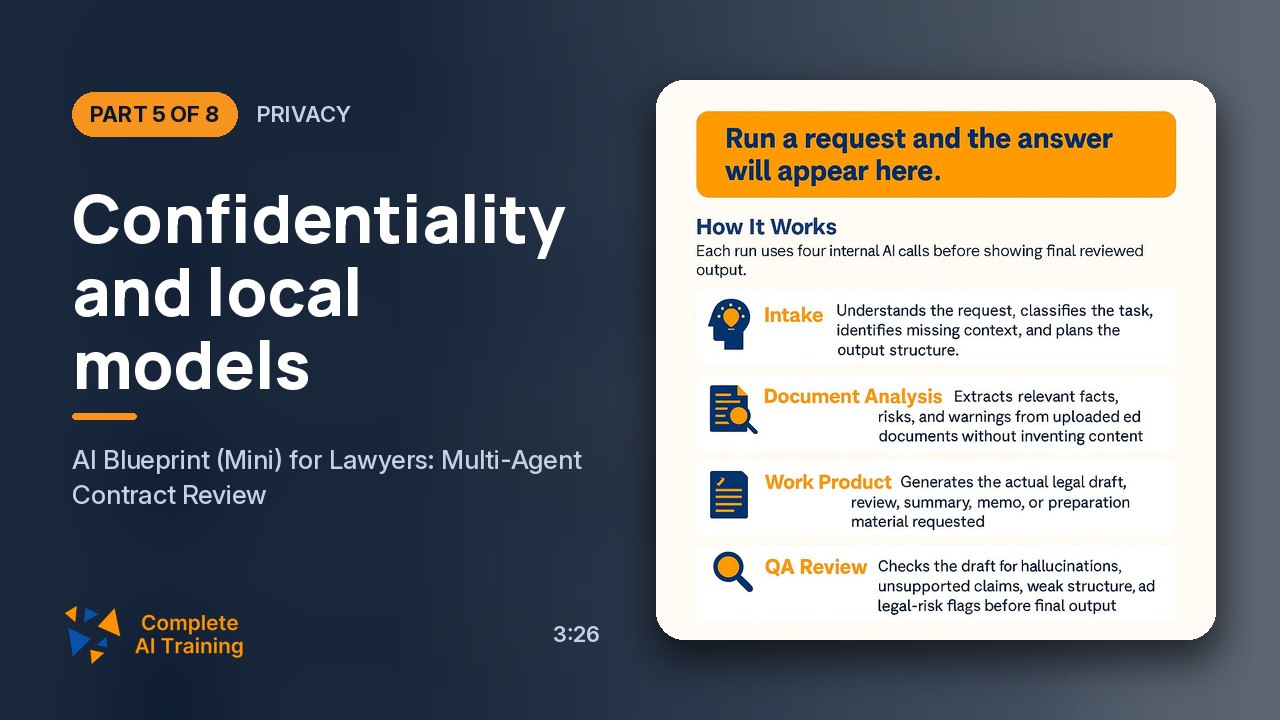
  • Manage client confidentiality via anonymization and on-premises options
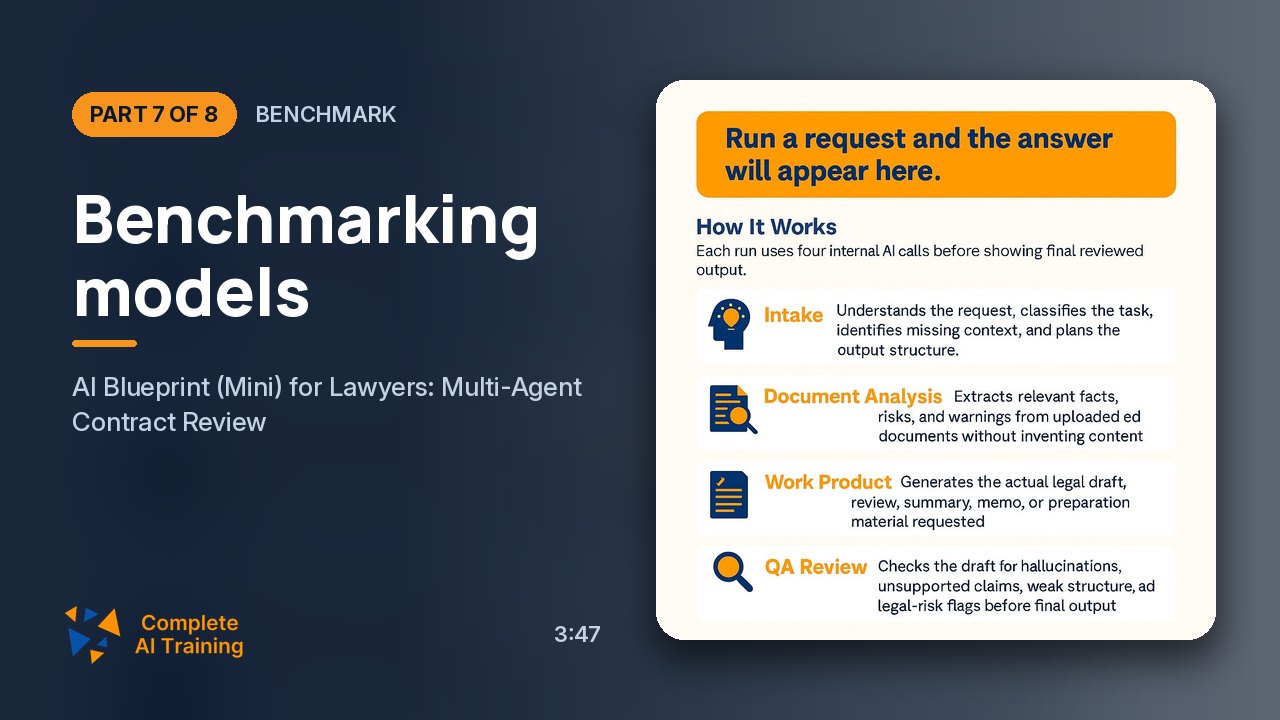
  • Benchmark models and optimize low-cost, multi-model selection

Study Guide

The legal profession is standing at a crossroads, and the path forward is paved with ones and zeros. There is a growing gap between the lawyers who treat artificial intelligence as a theoretical concept and those who are using it as a daily operational tool. This course is designed to bridge that gap completely. We are going to strip away the mystery around AI and get into the practical, gritty mechanics of using a specific framework called the AI Blueprint (Mini) to do actual legal work. This isn't about replacing the lawyer. It is about arming the lawyer with a force multiplier. We will cover the infrastructure you need (specifically an API aggregator called OpenRouter), the architecture of a multi-agent AI system, the art of crafting prompts that generate precise legal analysis, and the hard-nosed economics of why this costs pennies, not dollars. We will also tackle the elephant in the room,confidentiality,and provide realistic strategies for managing client data. By the end of this, you won't just know what AI is; you will know exactly how to use it for contract review, legal research, and due diligence. You will understand why the first prompt you type into a chatbot is usually the reason you get a mediocre answer. Most importantly, you will have a repeatable workflow that you can benchmark, refine, and trust. The future of legal service delivery is being written right now, and this is the blueprint for how to be a part of that future.

The Starting Line: Why You Can't Just Use One Chatbot

Let's start with the fundamental problem that plagues most legal professionals dipping their toes into AI. You likely have a subscription to a service like ChatGPT or Claude. You paste in a contract, ask for a review, and hold your breath. Sometimes it works, sometimes it doesn't. The reason for this inconsistency isn't necessarily that the AI is broken; it's that you are locked into one vendor's ecosystem. Each AI provider has a suite of models, each with distinct strengths and weaknesses. Think of it like a law firm. You wouldn't send a corporate M&A partner to argue a criminal trial, would you? The same logic applies to AI. OpenRouter is the solution here.
OpenRouter is an API aggregator. Instead of forcing you to sign up for OpenAI, Anthropic, Google, and xAI individually, it gives you a single API key that unlocks access to over 300 models from all of them. This is a game-changer because it means you can choose the absolute best tool for each specific legal task. You can use a model known for its drafting elegance to write a memo, and a completely different, more analytical model to check for internal inconsistencies in a contract. This flexibility is the first step toward moving from a casual AI user to a professional AI operator. The setup is deceptively simple. You go to OpenRouter.ai, create a free account, and generate an API key. This key is a string of characters that acts as your authentication credential. You copy that and paste it into the AI Blueprint (Mini) interface. You don't even need to fund the account immediately. The platform has a robust free tier, allowing you to experiment with various models at zero cost. When you are ready to use the premium, higher-performing models, you add credit,a small amount like ten dollars can last a long time because the pricing is per-use, not a flat monthly subscription.

The Core Engine: Understanding the Four-Agent Workflow

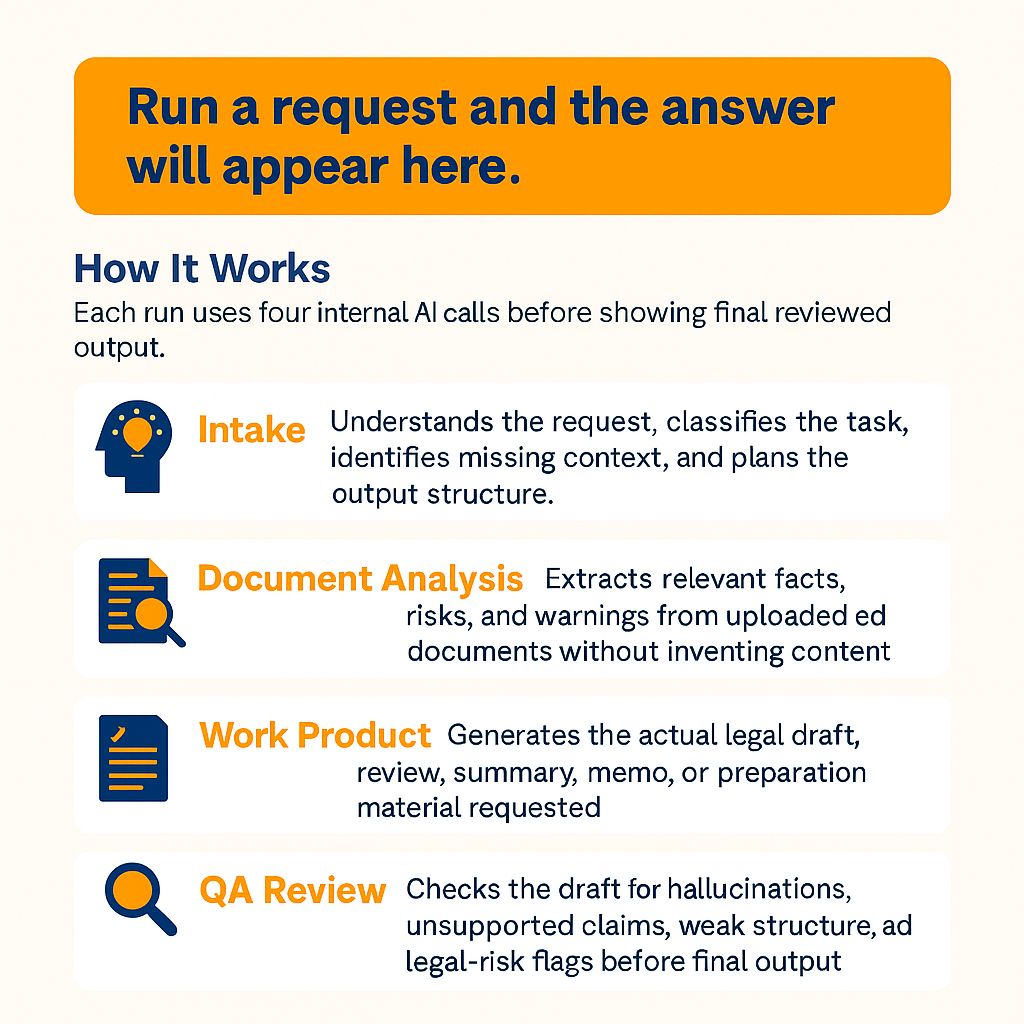
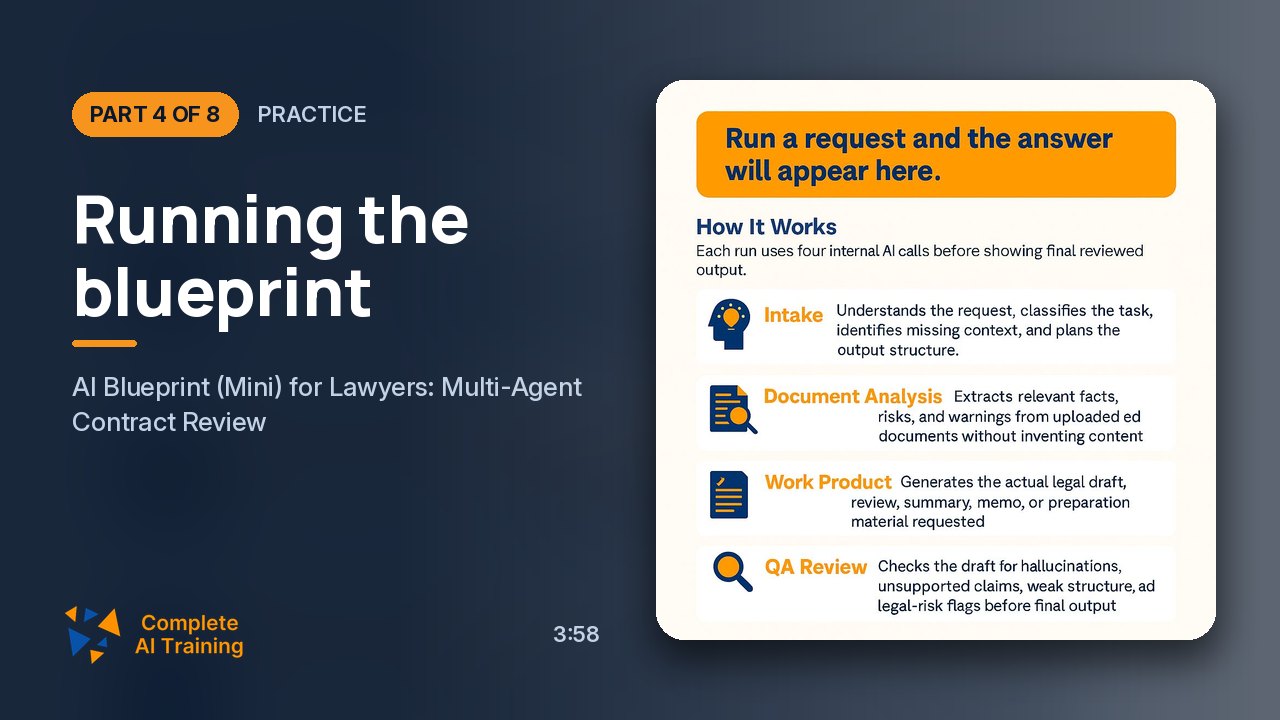
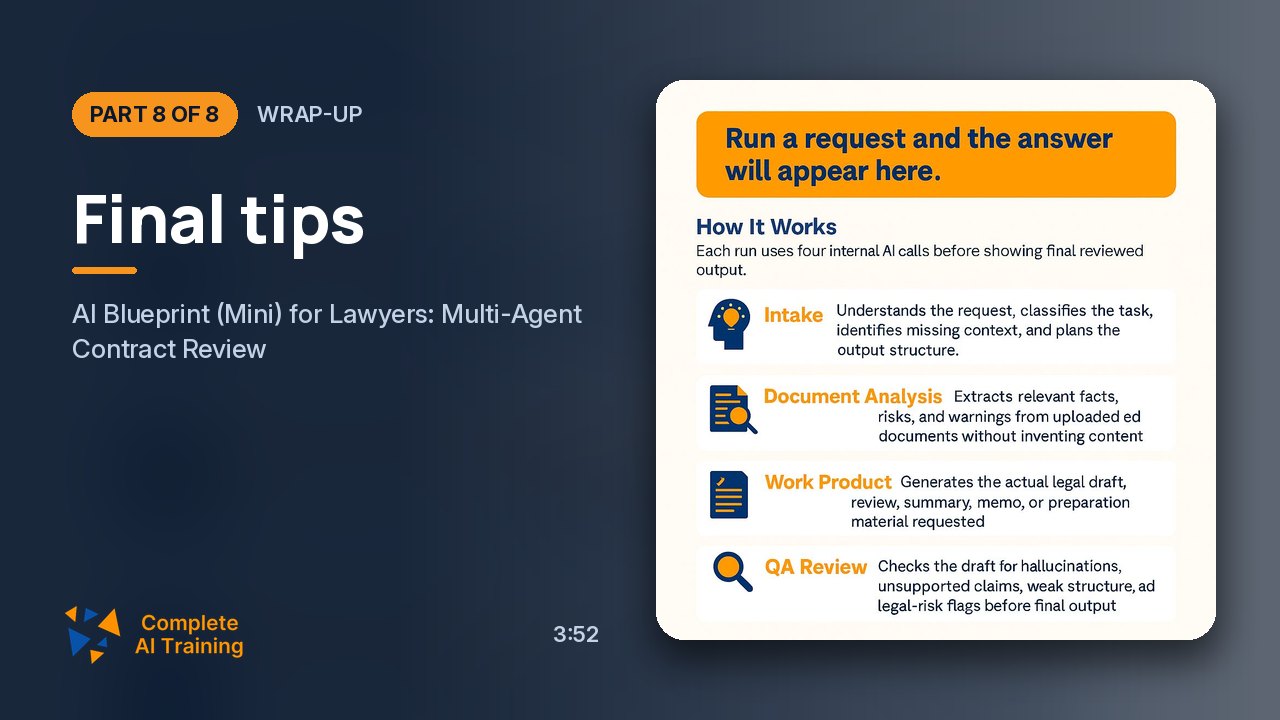
The AI Blueprint (Mini) framework doesn't just shoot your prompt into the void and hope for the best. It uses a sophisticated agentic architecture. This is a critical distinction. A standard chatbot gives you a single, linear response. If it gets stuck or misses a step, the output is incomplete. The Blueprint divides the work into four distinct phases, each handled by a dedicated "agent" or AI instance. This is akin to a well-run assembly line for legal documents. The first station is the Intake Agent.
Think of this as the gatekeeper or the intake paralegal. Its job is to understand the request, classify the task, and plan the structure of the work. It doesn't start writing yet. It analyzes what you are asking for,is this a contract review, a memo, a due diligence report? It identifies any missing context. If you ask it to review a contract but don't tell it which party you represent, it will stop and ask for that information. This initial planning phase ensures the subsequent agents have a clear roadmap to follow. Once the intake phase is complete, the work moves to the Document Analysis Agent.
This is your defense against hallucination. This agent's sole purpose is to read the uploaded documents and extract facts, clauses, and risks. The critical operational rule here is that it operates strictly without inventing content. It is programmed to extract only what is physically present in the text. If the document doesn't mention a specific indemnification clause, this agent will not invent one. It is the fact-finder, the investigator. It builds the ground truth that all subsequent analysis will be based on. With the facts extracted, the baton is passed to the Work Product Agent.
This is the drafting attorney. It takes the structured facts from the analysis agent and the plan from the intake agent and generates the actual deliverable. This could be the pre-signature risk review, a one-page executive summary, a negotiation email, or a clause-by-clause playbook. This agent is focused on creating a polished, well-structured document that meets the specific requirements outlined in your prompt. Finally, every document goes past the Quality Assurance Agent.
This is the senior partner review. Before the output is delivered to you, this agent reviews it for hallucinations, unsupported claims, and structural weaknesses. It cross-references the work product against the source documents to ensure every assertion is backed up. It flags legal risk issues that may have been missed and checks for internal inconsistencies. This multi-layered process is what elevates the output from a cool tech demo to a reliable legal tool. You are no longer at the mercy of a single AI's "mood" on a given day; you are relying on a system designed to catch errors before you see them.

Model Selection: The Art of Picking the Right Tool

The most common mistake lawyers make is assuming that the most expensive or most famous model is the best. In the world of legal AI, this is a dangerous assumption. Model performance is volatile and task-specific. The framework encourages you to think of model selection as a strategic decision, not a default setting. Let's talk about pricing because it influences everything. AI models are priced per token,the fundamental unit of text. You pay a rate for input (the data you send to the model) and a separate rate for output (the response). These rates vary wildly. For instance, a top-tier Anthropic model like Claude Fable might cost $10 per million input tokens, while a Google Gemini model could be priced dramatically higher. Conversely, a model like Grock 4.5 from xAI might cost just $2 per million input tokens. This is not a trivial difference.
If you are doing a deep dive on a 50-page contract, the input token count will be high. If you are using a model that charges ten times more per token, that job becomes significantly more expensive. But, as we will see, even the "expensive" route is still incredibly cheap compared to billable hours. The other side of the coin is performance. The framework operators run weekly benchmark tests to see which models perform best on legal tasks. These tests are crucial because the rankings change constantly. A model that was the undisputed champion a month ago might be overtaken by a new release or an updated version. In one documented test, a top-tier ChatGPT model hallucinated an entire fake clause during a document analysis, while a completely free model handled the same task flawlessly. This is the reality of the current landscape. So, what does this mean for you? It means you need a benchmarking routine. You should have a standard set of legal queries that you run against candidate models to see which ones give you the most accurate, hallucination-free results. Right now, the xAI Grok model, specifically version 4.5, is the current leader for legal work at a very low cost. But that could change tomorrow. The key is to set up a system where you are constantly testing and updating your model choices, rather than setting it and forgetting it.

The Art of the Prompt: Speaking the AI's Language

If the model is the engine, the prompt is the steering wheel. You can have a Formula 1 engine, but if you don't know how to steer, you are going to crash. The quality of the output is directly proportional to the quality of the prompt. The cardinal sin in this world is the vague, one-line prompt. Never go to an AI and say "review this contract" or "what is the problem here?" You are leaving all the critical decisions,scope, perspective, format,up to the AI's guess. A powerful legal prompt is detailed, structured, and leaves nothing to chance. Let's look at a real-world example: the pre-signature risk review. This is a workflow designed to analyze a contract before it is signed. Your prompt should start with a role assignment. For example: "You are acting as external counsel for the customer, Meridian Retail." This immediately sets the perspective. The AI now knows which side of the table it is sitting on. It can identify risks that are detrimental to Meridian Retail, not just generic legal risks. Next, you must specify the task and the deliverables. You don't just ask for a summary. You ask for a "pre-signature risk review" that identifies the most important legal and commercial risks. Crucially, you instruct the AI to "cite specific clauses and schedule numbers for each finding." This is the secret to preventing hallucinations.
By forcing the AI to reference the specific clause and schedule numbers, you are anchoring its output to the actual text of the document. It cannot invent a risk because it would have to cite a clause that doesn't exist. This simple instruction dramatically increases the accuracy and utility of the analysis. You also ask the AI to check for internal inconsistencies,to compare the main agreement against the schedules and flag any conflicts. This is a high-level task that requires deep analysis. Finally, you ask for a one-paragraph executive summary at the top. This gives you a quick snapshot before you dive into the details. The prompt doesn't end there. The beauty of this system is the ability to chain follow-up prompts. Once you have the initial review, you can feed it back into the system with new instructions. For example, you could ask: "Convert this review into a one-page briefing for the general counsel, using plain language that a CFO could understand without legal jargon." This creates a different deliverable from the same analysis. You can then ask for a negotiation email: "Draft an email to opposing counsel presenting your initial negotiation positions, firm but commercially constructive, under 600 words." And then a playbook: "Create a clause-by-clause negotiation playbook based on the risks identified." This multi-stage workflow transforms a single AI interaction into a comprehensive legal service pipeline.

Use Cases: From Document Analysis to Pure Research

The AI Blueprint (Mini) framework is versatile. It thrives in two primary modes: document-based analysis and no-document queries. The first mode, document-based analysis, is the heavy lifter. You upload a contract, a lease, or a due diligence folder, and the agents go to work. This is ideal for pre-signature risk reviews, where the AI extracts every clause and cross-references it against your requirements. It is also perfect for due diligence, where you need to analyze a high volume of documents for specific risks. The system can scan for internal inconsistencies, missing definitions, or onerous termination clauses that might be buried on page 40. This is where the four-agent architecture shines, as the Document Analysis Agent ensures that the facts are grounded before the Work Product Agent starts writing. The second mode is the no-document query. This is your legal research assistant. You can ask a direct question without uploading any files. For example, you might ask: "Is a contract with a minor void ab initio under the Indian Contract Act, and what is the relevant case law?" The system uses the model's inherent knowledge to generate an answer. In tests, even free models have provided accurate and well-cited answers to these types of foundational legal questions. This mode is perfect for quick reference checks, understanding a legal principle, or getting a starting point for a research memo. It tests the raw intelligence of the model itself, which is why it's useful for benchmarking different models against each other. This is the topic that keeps every managing partner up at night. And rightfully so. But the conversation is often clouded by misinformation. Let's get one thing straight: the encryption that your browser shows,the "connection is secure" message,is HTTPS. That means your data is encrypted in transit between your computer and the AI provider's server. It does not mean the provider cannot read it. Once the data arrives at the server, the AI model needs to read it to process your request. The provider may store it, and in some cases, use it for training. This is not a new problem.
Lawyers have been using Gmail, Google Drive, and WhatsApp for years. These platforms also have access to your uploaded content under their terms of service. AI data handling is not fundamentally different. The risk is real, but it is manageable. The first line of defense is anonymization. Before you upload a sensitive contract, replace the client names with pseudonyms. Remove identifying details like specific addresses or employee names. The AI can still analyze the legal structure and clauses without knowing it's reviewing "Meridian Retail" vs. "Acme Corp." This dramatically reduces the confidentiality risk exposure. For the truly paranoid or for matters of extreme sensitivity, there is a second option: local models. You can download open-source models like Gemma or Ollama and run them on your own hardware. This is called on-premises deployment. The document never leaves your computer. You can even disconnect from the internet. The confidentiality is near-total. However, there is a significant trade-off. Local models are generally far less capable than the frontier models available in the cloud. The legal analysis quality is often estimated at only 30-40% of what you would get from a top-tier cloud model. You trade capability for security. For most client-facing work, this is an unacceptable trade-off. So, the practical answer is to anonymize aggressively and use the cloud models for their superior analytical power. The regulatory environment is also shifting. Some international bar associations have already stated that a lawyer who fails to use AI may be doing a disservice to the client. The expectation to use these tools is becoming an ethical obligation, not just a marketing advantage.

Cost, Benchmarking, and The Road Ahead

Let's talk about the bottom line. The economics of this system are almost absurdly favorable to the lawyer. A full, four-agent contract review,using four different AI models,can cost as little as two rupees. That is less than a few cents. Many workflows can be powered entirely by free models. This is a seismic shift in the cost structure of legal service delivery. But the cheapness is a double-edged sword. It encourages sloppiness. The framework emphasizes that this is not a "set and forget" tool. You must establish a benchmarking routine.
Model performance shifts on a weekly basis. A model that is excellent at drafting this week might be surpassed by a free competitor next week. You need to set aside time, perhaps an hour a week, to run your standard prompts against a selection of models. Use the sample contracts and model answers provided within the framework to compare outputs. This disciplined approach ensures you are always using the best tool for the job, and it protects you from the sudden degradation of a model you've come to rely on. The future is clear. The lawyers who are using these tools are delivering faster, more thorough, and more cost-effective services. They are not doing less work; they are doing more valuable work. They are focusing on strategy and negotiation while the AI handles the drudgery of extraction and first-draft drafting. The integration of AI is not coming; it is here. The question is no longer if you will use it, but how well you will use it. The four-agent architecture, the pay-as-you-go economics, and the multi-model flexibility of the AI Blueprint (Mini) provide the perfect vehicle for that integration.

Your Action Plan: From Theory to Practice

We have covered a lot of ground. Now, let's distill this into a practical, actionable plan you can execute immediately. Step one is to create your OpenRouter account.
Go to the site, sign up for free, and generate your API key. Don't add any money yet. Just get the key. Next, download and run the AI Blueprint (Mini) framework on your machine. It's an open-source project, so it's free. Paste your API key into the interface. Use the "Check Credits" function to verify your setup is working. Now, start experimenting. Select free models for all four agent slots. Use the built-in sample contract and sample prompts. Run the workflow and compare the output to the model answers provided. This will give you a baseline for what good output looks like. This experimentation phase is where you will learn the nuances of prompt design. Once you are comfortable, add a small amount of credit to your account,say ten dollars. Explore the premium models like Grok 4.5. Run the same sample contract through it and see the difference in quality. Monitor the cost. You will be shocked at how little you spend per task. Now, start building your own prompt library. Take the legal tasks you do repeatedly,memo drafting, research summaries, negotiation emails,and create structured templates. These templates should specify the role, the task, the perspective, and the required citations. This library is your intellectual property, your competitive advantage. Finally, start a benchmarking journal. Note the date, the model, and the prompt you used. Document the quality of the output. Over a few weeks, you will see patterns. You will identify which models are reliable and which are not. This routine is the key to maintaining high-quality output as the AI landscape shifts under your feet. The world of legal AI is not for the passive observer. It rewards the active participant. The tools are cheap, accessible, and powerful. The only barrier left is your willingness to learn. The blueprint is laid out before you. All that is left is to build.

Frequently Asked Questions

What is AI Blueprint (Mini) for Lawyers?

AI Blueprint (Mini) is an open-source software project that makes legal AI accessible to lawyers without requiring programming expertise. It acts as a structured workflow layer on top of more than 300 AI models, allowing users to perform tasks such as contract review, risk analysis, legal research, and document drafting in a systematic, quality-controlled manner.

The system is built around an agentic architecture,instead of using a single chatbot that answers in one pass, it divides every task into four specialized stages, each handled by a dedicated AI agent. Because the project is open source, users can inspect, modify, and adapt the code to their needs. The tool is designed as an entry point for lawyers who want to move from casual AI experimentation to reliable, professional-grade legal work.

What is Open Router and why is it necessary?

Open Router (openrouter.ai) is an AI model aggregator. It provides a single API key that gives users access to nearly 400 AI models from different providers, including Anthropic, OpenAI, Google, xAI, DeepSeek, and Moonshot AI.

This is necessary because conventional AI subscriptions,such as ChatGPT Plus or Claude Pro,lock users into the models of a single company. If you subscribe to one provider, you can only use that provider's models, even if another company has released a better or cheaper option. Open Router removes this restriction. You can compare models side by side, choose the best one for each legal task, switch providers freely, and pay only for what you actually use. It also hosts many free models, making it an excellent platform for experimentation before committing any money.

How do I create an Open Router account and API key?

Creating an account is straightforward:

1. Visit openrouter.ai and sign up for a free account.
2. Log in and navigate to the API keys section.
3. Click "Create New Key," give the key any name you wish, and click create.
4. Copy the key immediately,it is only displayed once.

This key is then pasted into the AI Blueprint interface, or any other compatible tool, to authenticate your requests. An API key functions like a password or credential, so it should be stored securely and never shared publicly.

How much does it cost to get started?

Getting started can be completely free. AI Blueprint itself is open source, and an Open Router account requires no initial payment. Many models on the platform have zero cost.

If you later want to try paid models, you can add credit to your Open Router balance,amounts as small as $10 are sufficient for substantial work. Payment methods include credit cards and cryptocurrency. This pay-as-you-go model often proves far cheaper than a $20-per-month subscription, particularly for lawyers whose AI usage is intermittent. For context, a full contract review using a low-cost model across all four agents can cost roughly two rupees (about two to three cents), and even extensive multi-turn sessions rarely exceed 10 to 20 rupees.

What are AI agents and how do they differ from standard chatbots?

A standard chatbot such as ChatGPT responds to a prompt in a single pass. It frequently provides partial answers, stops without completing the task, or needs to be reminded of instructions. An AI agent, by contrast, is a specialized program that is assigned a specific job within a workflow and carries that job through to completion.

In the legal context, this distinction matters. Legal work cannot tolerate an AI that quietly fails to finish a review or omits a critical risk. By breaking work into agentic steps,each with a narrow, well-defined mandate,the system ensures that tasks are genuinely completed and that failures can be caught before the output reaches the lawyer.

What are the four agents in the AI Blueprint workflow?

Every task in AI Blueprint passes through four sequential agents:

Intake Agent: Reads and interprets the user's request. It classifies the type of legal task, identifies any missing context or information, and plans the structure of the output. If critical information is absent, it can stop and ask the user for clarification rather than guessing.

Document Analysis Agent: Extracts relevant facts, clauses, risks, and warnings from any uploaded documents. Its most important rule is that it must not invent content,it only reports what is actually present in the document.

Work Product Agent: Generates the deliverable the user requested: a contract review, summary, memo, draft, negotiation email, or other document.

Quality Assurance Agent: Reviews the final output for hallucinations, unsupported claims, weak structure, and legal risk flags before the user sees it.

Each agent can be assigned a different underlying AI model, selected for its specific strengths.

How does the multi-agent design reduce the risk of AI hallucinations?

Hallucination,the tendency of AI to fabricate facts, clauses, citations, or case law,is one of the most serious risks in legal AI. The four-agent architecture counters this in two primary ways.

First, the document analysis agent is explicitly constrained to extract only what exists in the source document. It is not asked to generate or infer content, which dramatically reduces fabrication. Second, the quality assurance agent independently examines the final product, checking for invented references, unsupported assertions, and internal contradictions. Because four separate agents process the same task sequentially, an error introduced by any single model is likely to be caught by another. For particularly high-stakes work, additional review agents can be added to the pipeline.

Can I use different AI models from different providers?

Yes, and this is one of the system's most powerful features. Since the entire workflow runs through Open Router, you can select a different model for each of the four agent roles. For example, you might assign Claude Sonnet for drafting because of its strong legal writing, a newer OpenAI model for intake, Google's Gemini for document analysis, and Grok for quality assurance.

This flexibility is a significant advantage over being locked into a single provider's ecosystem. However, it requires experimentation. A model that excels at contract review may perform poorly on intellectual property analysis or litigation strategy. The ideal configuration changes over time as models are updated, so periodic re-evaluation is essential.

How do I upload a contract and run a risk review?

The process is simple. After entering your API key and selecting your models, you upload a contract file through the interface. You then enter a structured prompt describing the review you want, and the system runs that prompt through all four agents before returning a comprehensive output.

A typical starting point is a pre-signature risk review. A well-constructed prompt for this task might instruct the AI to act as external counsel for your client, identify the most significant legal and commercial risks in the agreement, cite the specific clause and schedule numbers supporting each risk, check the main agreement against its schedules for inconsistencies, and begin the entire review with a one-paragraph executive summary. This level of structure is what separates a useful review from generic output.

The quality of an AI's answer is largely determined by the quality of the prompt. A vague instruction like "review this contract" produces vague, substandard results because the AI does not know which party you represent, what kind of risk concerns you, or what format you need.

Effective legal prompts include:

A defined role: "Act as external counsel for the customer, Meridian Retail."
A specific task list: "Identify the most important legal and commercial risks; cite clause numbers; flag inconsistencies between the main agreement and schedules."
A required format: "Start with a one-paragraph executive summary; then list each risk with its supporting clause reference."
Constraints: "Keep it under 600 words," or "avoid legal jargon that a CFO would not understand."
Perspective: State explicitly which party you represent, because the same contract contains different risks for each side.

The more comprehensive the prompt, the better the answer,and the harder it is for the AI to fabricate content.

A single review is rarely the end of the matter. Useful follow-up prompts include:

One-page executive briefing: Ask the AI to condense the full review into a single page for your general counsel, free of technical legal jargon.
Negotiation email: Instruct the AI to draft an email to opposing counsel that opens negotiations firmly but commercially constructively, with a specified word limit.
Clause-by-clause negotiation playbook: Request a detailed breakdown of each clause, with recommendations on which terms to push back on, which to compromise on, and which to accept.
Judgment stress test: Ask the AI to pressure-test the contract's positions against possible adverse interpretations, legal challenges, or unfavorable outcomes.

Each follow-up runs through the full four-agent pipeline, ensuring the same level of quality control as the original review.

Can I use the tool without uploading a document?

Yes. When no document is provided, the AI relies on its general trained knowledge to answer legal questions. For example, you could ask whether there is case law establishing that a contract with a minor is void ab initio under the Indian Contract Act, and the system will provide an answer drawn from its knowledge of statutes and case law.

This mode is useful for legal research and for evaluating the general intelligence of a model. In testing, even free models have correctly answered sophisticated questions about contract law and cited relevant case law. However, the more valuable mode for day-to-day practice is document-based analysis, where the AI works with your specific agreements and materials.

What are the sample contracts, prompts, and answers included with the tool?

AI Blueprint ships with a sample contract, a set of sample prompts, and model answers. The sample contract is deliberately drafted to contain unfair clauses, allowing users to test whether the AI identifies them. The sample prompts demonstrate what high-quality legal prompts look like, and the model answers show the standard of response you should expect from a reliable AI.

These materials serve two purposes: they are a training tool for learning how to structure prompts, and they are a benchmarking mechanism,you can run the same prompts against different models and compare the outputs against the model answers to judge which models are trustworthy.

How much does a contract review actually cost?

Surprisingly little. Using a low-cost model such as DeepSeek across all four agents, a complete contract review costs approximately two rupees,a fraction of a cent. Even when using multiple premium models and asking several follow-up questions, total costs rarely exceed 10 to 20 rupees per matter.

This pricing model is a dramatic shift from the traditional $20-per-month subscription. Instead of paying a flat fee whether or not you use the service, you pay only for the tokens consumed during each task. For lawyers, this means the cost of AI-assisted work is effectively negligible compared to the value of the time saved, and can easily be absorbed or passed on to clients.

Should I use free or paid AI models?

It depends on your objective. Free models on Open Router cost nothing and, in some tests, have outperformed much more expensive models,including instances where a free model correctly avoided hallucination while a top-tier ChatGPT model fabricated a fake clause. For experimentation, learning, and casual research, free models are an excellent starting point.

However, free models have limitations. Open Router imposes throttling on free tiers: after a certain number of requests, the platform may slow your responses or temporarily block you. Paid models do not carry these restrictions and generally offer more consistent quality, higher context limits, and greater reliability.

For client-facing work, paid legal opinions, or matters where accuracy is critical, the cost difference is trivial and the better models are clearly worth it. A common-sense approach: start with free models to learn the workflow, then switch to paid models for real client work.

How does the tool handle multi-turn conversations and follow-up questions?

Each follow-up question triggers a complete re-run of the four-agent pipeline. The system re-reads the original document, incorporates your new question, and produces a fresh answer through intake, document analysis, work product generation, and quality assurance.

This approach differs from the persistent "memory" found in some chat interfaces. There is no shared context layer stored between turns; instead, the full context is reprocessed each time. While this slightly increases cost per follow-up, the expense remains minimal,well under the cost of a single minute of a lawyer's time,and the benefit is that every answer receives the same rigorous multi-agent review as the first.

Why can an AI produce different answers to the same question?

AI models are probabilistic systems. They do not retrieve answers from a database; they predict the most likely sequence of words based on billions of learned parameters. Run the identical prompt twice and you may receive slightly different phrasing, emphasis, or even different points of emphasis in a legal analysis.

This variance is usually minor, but it is a real consideration for legal work. The multi-agent design is the primary mitigation: when four independent models examine the same task, an outlier error from any single model is unlikely to survive the quality assurance stage. For critical matters, you can add more agents or instruct the quality agent specifically to verify every citation and clause reference against the source document.

How can I protect client confidentiality when using AI tools?

The first step is to understand that sending documents to an AI platform is not meaningfully different from using Gmail, Google Drive, or WhatsApp. Those services' terms of service also grant providers access to your data, and their privacy policies govern how it may be used for training or storage. AI platforms operate similarly: the model must read your document to answer questions about it, and providers may store or train on that data.

Practical options for protecting client information:

Anonymize documents: Remove client names, party names, and identifying details before uploading. In practice, this does not degrade the quality of legal analysis.
Review provider policies: Some platforms offer zero-retention options or enterprise agreements with stronger confidentiality protections.
Use local models: For the highest level of confidentiality, run open-source models on your own hardware so nothing leaves your computer. See the next question for the trade-offs.

Note that the "connection is secure" indicator you see in your browser (HTTPS) only confirms encryption during transmission. It does not mean the provider cannot read, store, or use the data after it arrives.

Can I run AI models locally on my own hardware?

Yes, but with significant trade-offs. Open-source models such as Gemma, Llama (available through tools like Ollama), and others can be downloaded and run directly on your own machine. In this setup, no data leaves your computer,you can even disconnect the internet entirely,which provides 100 percent confidentiality.

The drawbacks are substantial. Local open models currently produce significantly weaker legal analysis than the best hosted commercial models,roughly 30 to 40 percent of the quality, by some assessments. They also require powerful hardware; a standard laptop will struggle with models large enough to handle complex legal reasoning. For most practitioners, the confidentiality benefits do not outweigh the quality loss, making anonymization of cloud-based work the more practical approach.

What is an API key and why do I need one?

An API key is an authentication credential that allows you to access an AI model through a service provider. Think of it as a digital key that unlocks the door to the AI models hosted on Open Router. Without it, the service cannot identify who is making requests, track usage, or bill for paid services.

When you paste your API key into the AI Blueprint interface, the system uses it to authenticate every request you send. The key itself is a long string of characters that functions like a password. If someone else obtains your key, they could use it to consume your credits or access your account.

Best practices: Store your key securely, never share it publicly, and regenerate it if you suspect it has been compromised. Open Router allows you to create multiple keys with different names, so you can assign separate keys for different tools or purposes and revoke them individually if needed.

How do I check my credits and usage on Open Router?

Within the AI Blueprint interface, there is a "Check Credits" function that verifies your key's validity and displays your current account balance. If the key is invalid, the system will display an error message. A valid key will show your current balance, and even balances as small as $0.20 are enough to run certain queries.

You can also log into your Open Router account directly to view detailed usage statistics, including which models you have used, how many tokens were consumed, and the associated costs. This transparency is one of the advantages of the pay-as-you-go model,you can see exactly where every fraction of a cent goes.

Benchmarking is the systematic process of evaluating AI models against standardized tests to determine which ones perform best for specific types of legal tasks. Because AI model performance changes frequently,new versions are released regularly, and existing models are updated,what was the best model last month may not be the best model today.

The AI Blueprint includes sample contracts, prompts, and model answers precisely for this purpose. You can run the same standardized prompts against different models and compare the outputs against known-good answers. This allows you to:

Identify which models are trustworthy for legal work
Detect models that hallucinate or fabricate content
Track performance changes over time
Make informed decisions about which models to assign to each agent role

Benchmarking requires human evaluation of AI outputs to assess quality. Legal professionals can contribute by volunteering to evaluate AI-generated answers for accuracy and completeness.

Model selection depends on several factors: the type of legal task, the quality of output required, your budget, and the current performance rankings. A model that excels at contract review may perform poorly on intellectual property analysis or litigation strategy.

A practical approach:

Start with free models to learn the workflow and understand what each agent does. This costs nothing and lets you experiment freely.
Run benchmark tests using the sample materials included with AI Blueprint to compare models side by side.
Match models to agent roles: Use a model known for comprehension for the intake agent, one that excels at factual extraction for document analysis, a strong legal writer for work product, and an analytical model for quality assurance.
Re-evaluate regularly: Model rankings shift frequently. What is the top performer today may be outdated in a few weeks.

What is a token and how does AI pricing work?

A token is the fundamental unit of text that AI models process. It roughly corresponds to a word part,for example, "contract" might be one token, while "contractual" might be two. Pricing is quoted per million tokens, with separate rates for input (data sent to the AI) and output (responses generated).

Different models have wildly different prices. For instance, some models charge around $2 per million input tokens, while others charge $150 or more. Output tokens are generally more expensive than input tokens because generating text requires more computational resources.

For a typical contract review, the total token consumption across all four agents might be 10,000 to 50,000 tokens. At low-cost model rates, this translates to fractions of a cent. At premium rates, it might cost a few cents. Either way, the cost is negligible compared to the value of a lawyer's time.

What is the pre-signature risk review workflow?

The pre-signature risk review is the primary contract analysis workflow in AI Blueprint. It examines a contract before execution to identify potential legal and commercial problems. The workflow involves uploading the contract, entering a structured prompt, and receiving a comprehensive output that includes:

An executive summary at the beginning
Identified legal and commercial risks with specific clause and schedule numbers cited for each
Internal inconsistency checks between the main agreement and its schedules
Recommendations for addressing the identified issues

The key to an effective pre-signature review is the prompt. It must specify which party you represent, what kind of risks matter, and what format the output should take. A well-structured prompt forces the AI to reference actual content rather than inventing citations.

The most common mistake is vagueness. Prompts like "review this contract" or "what is the problem" force the AI to guess your purpose, perspective, and desired format. The results are predictably generic and often useless for real legal work.

Other common mistakes include:

Not specifying which party you represent,the same contract has different risks for each side
Omitting format requirements,the AI will choose its own structure, which may not match your needs
Failing to set constraints,no word limits, no style guidelines, no instruction to avoid jargon
Not requiring citations,without being forced to cite clause numbers, the AI may make vague references that cannot be verified

The fix is simple: write prompts that include a defined role, a specific task list, a required format, and clear constraints. The more structure you provide, the better the output.

How do I anonymize documents for AI processing?

Anonymization means removing client names, party names, and identifying details from documents before uploading them to an AI system. This is the most practical confidentiality measure available to lawyers using cloud-based AI.

The process is straightforward:

Replace party names with generic labels like "Client A" or "Supplier"
Remove contact information such as addresses, phone numbers, and email addresses
Strip metadata from document files before uploading
Check for identifying details in the body text, such as unique project names or specific dates

In practice, anonymization does not degrade the quality of legal analysis. The AI can still identify risks, inconsistencies, and problematic clauses without knowing the actual identities of the parties. The legal analysis is about the structure and content of the agreement, not the names attached to it.

Regulatory bodies in some jurisdictions have begun to recognize AI as a professional necessity. The UK's equivalent of the Bar Council has issued statements indicating that lawyers who fail to use AI may be doing a disservice to their clients and could face professional consequences.

This parallels earlier shifts in the profession. When online case research became available, it quickly became the standard, and billing clients for manual book research became unacceptable. The same pattern is now emerging with AI. Courts and bar associations worldwide are beginning to acknowledge that lawyers who fail to leverage AI may be providing substandard service.

The implication is clear: AI use is becoming a professional obligation, not merely an option. Lawyers who integrate AI into their practice will have significant advantages in speed, thoroughness, cost efficiency, and consistency. Those who do not may find themselves at a competitive disadvantage,and potentially facing professional consequences.

How does model selection impact cost?

Dramatically. AI model pricing varies by orders of magnitude. Some models charge $2 per million input tokens, while others charge $150 or more,a 75-fold difference. Output token prices vary even more widely.

For a standard contract review that consumes perhaps 20,000 tokens across all four agents, the cost could range from fractions of a cent with a cheap model to a few dollars with the most expensive premium models. Over a month of regular use, these differences add up.

The key insight is that cost and quality do not always correlate. In benchmarking tests, some free models have outperformed premium models on specific legal tasks. The smart approach is to benchmark models for the specific types of work you do, then select the cheapest model that meets your quality threshold for each agent role.

Certification

About the Certification

Get certified in AI Blueprint (Mini) for Lawyers. You'll show you can deploy multi-agent AI for contract review, research, and due diligence,running real workflows, cutting per-matter costs, and safeguarding client data.

Official Certification

Upon successful completion of the "Certification in Implementing Multi-Agent AI Contract Review", you will receive a verifiable digital certificate. This certificate demonstrates your expertise in the subject matter covered in this course.

Benefits of Certification

  • Enhance your professional credibility and stand out in the job market.
  • Validate your skills and knowledge in cutting-edge AI technologies.
  • Unlock new career opportunities in the rapidly growing AI field.
  • Share your achievement on your resume, LinkedIn, and other professional platforms.

How to complete your certification successfully?

To earn your certification, you’ll need to complete all video lessons, study the guide carefully, and review the FAQ. After that, you’ll be prepared to pass the certification requirements.

Join 20,000+ Professionals, Using AI to transform their Careers

Join professionals who didn’t just adapt, they thrived. You can too, with AI training designed for your job.