MCP server · Gaming
RuneScape 3 Wiki MCP server
by birdwell
Ask your AI about RuneScape 3 item prices, flip profit after tax, player stats, and wiki pages.
This is a helper that connects your AI assistant to RuneScape 3 information: Grand Exchange guide prices, price history, flip math, player hiscores, and wiki pages. It is handy if you play RuneScape 3 and want quick answers without opening five browser tabs. It only works for RuneScape 3, not Old School RuneScape.
What is an MCP server? The 30-second version
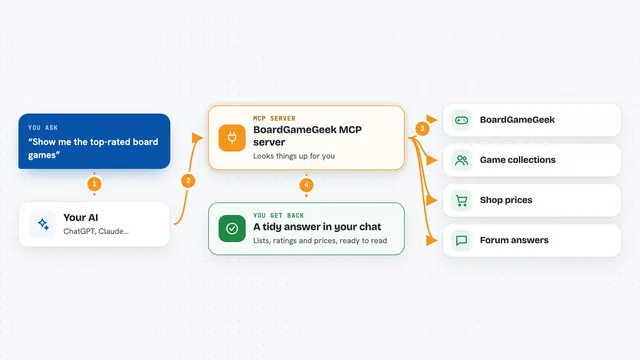
On its own, your AI can only chat with you. An MCP server is a small helper program that gives your AI a new skill or a connection to an app or service. This one connects your AI to RuneScape 3 price data and the RuneScape Wiki, so when you ask about an item or a player, the AI can look it up and answer with real numbers instead of guessing.
What this MCP server does
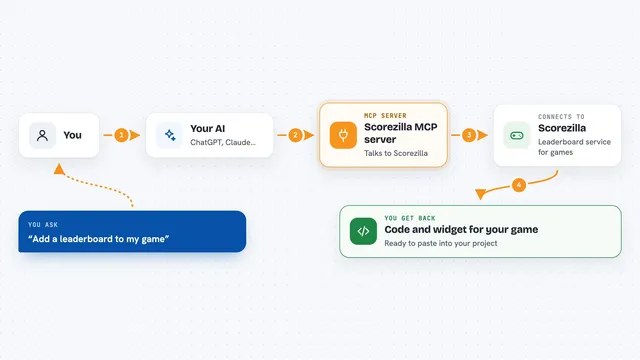
You ask your AI a question, like what a Noxious scythe is worth or how your stats look. The AI sends that question to this helper. The helper looks up the item or player on the official RuneScape 3 price feed, the hiscores, or the wiki. Then it sends the answer back, and your AI explains it to you in plain words. For flip questions, it also does the 2% tax math for you.
What you can do with it
- Look up the guide price of any RuneScape 3 item by name
- See how an item's price moved over the last 7 to 90 days
- Compare up to 10 items side by side
- Estimate flip profit after the 2% Grand Exchange tax
- Check a player's normal-mode hiscores
- Search the RuneScape Wiki and read a page summary
- Browse Grand Exchange categories by letter
Try asking your AI
- “What's the guide price of a Noxious scythe, and how did it move over 30 days?”
- “Compare a Noxious scythe, a Dragon rider lance, and an Abyssal whip.”
- “Estimate the profit from flipping 100 Dragon rider lances after tax.”
- “Look up my stats and tell me the weakest skill to train. Normal mode.”
What it gives back to you
You get answers in the chat: prices, a short trend summary, a side-by-side comparison, or a flip profit estimate with the tax already taken out. For stats, you get your levels back and the AI suggests what to train next. For wiki questions, you get a plain-text summary of the page.
Before you start
What you need
- An AI assistant that can connect to MCP servers, like Claude Desktop or Cursor
- Nothing else if you use the hosted link
Good to know
Prices are guide prices and history that lag the live in-game market, so do not treat them as exact buy or sell prices.
Install it with your AI
Add RuneScape 3 Wiki MCP server to your AI, no technical skills needed
You don't install anything by hand. You copy one prompt, paste it into an AI that can work on your computer, and it checks, installs and connects the server for you, asking you when it needs something.
Sign in to get the install prompt
Members get a ready-made prompt that lets the Claude desktop app check RuneScape 3 Wiki MCP server, install it and connect it for them, step by step. You don't need any technical skills: you copy, paste and answer a few questions. Your connected AI can also find and install any of the 4,611 MCP servers here for you.
Who it's for
RuneScape 3 players who want fast price checks, flip math, and wiki answers without leaving their AI chat.