MCP server · Gaming · official
horizOn MCP server
by ProjectMakersDE · official
Connects your AI to the horizOn game backend so it can look up docs and run live backend tasks for you.
This is the official helper that connects your AI assistant to horizOn, a service that runs the behind-the-scenes parts of a game or app for you. If you are building a game and using horizOn for things like logins, leaderboards or cloud saves, this lets your AI read the horizOn documentation and actually do things in your horizOn account when you ask. It is made for game developers and small teams, not for everyday office tasks.
What is an MCP server? The 30-second version
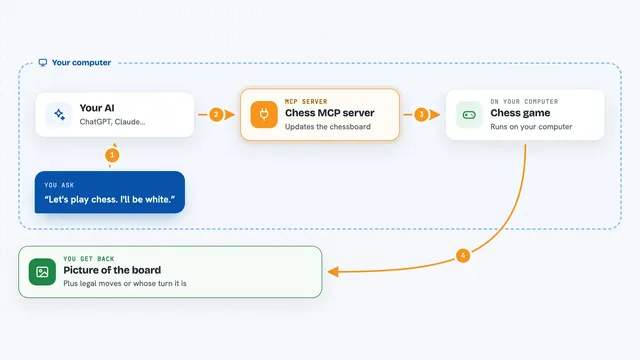
On its own, your AI can only chat about what it already knows. An MCP server is a small helper program that gives your AI a new skill or a connection to an outside service. This one connects your AI to horizOn, the service that stores your game's player accounts, scores and saves. Once it is connected, your AI can look up horizOn's documentation and, if you give it a key, run real horizOn tasks for you.
What this MCP server does
You ask your AI something about horizOn, like how to add a leaderboard or what a gift code does. Your AI uses this helper to pull the right documentation page, or to call the live horizOn service. The helper sends your request to horizOn and brings the answer back. You see the result right in the chat, as an explanation, a code example, or the data horizOn returned. If you are signed in as a player and pass the session token, it can also submit scores, save cloud data or redeem gift codes for that player.
What you can do with it
- Read horizOn documentation on auth, leaderboards, cloud saves, remote config and more
- Get step-by-step setup guides for Godot, Unity and Unreal Engine
- Check whether your API key and connection are working
- Look up leaderboard tops, a player's rank, and entries near a player
- Submit a score, save or load cloud data, and redeem gift codes for a signed-in player
- Submit crash reports, user logs and feedback
- Manage your horizOn dashboard (projects, news, email templates, gift codes) if you set an account key
Try asking your AI
- “Show me how to set up horizOn authentication in Unity”
- “What does the validated actions feature do and how do I use it?”
- “Get the top 10 entries for my main leaderboard”
- “Explain the difference between an Account and a User in horizOn”
What it gives back to you
It gives back plain answers, documentation text and code examples from horizOn. When it calls the live service, you get the actual data back, such as leaderboard entries, a player's rank, remote config values or gift code results. Some read tools also return a structured version of the answer that your AI can use directly. For changes like saving cloud data or redeeming a code, you get a confirmation with what changed.
Before you start
What you need
- A horizOn account, which you create for free at horizon.pm
- Your horizOn API key for the live tools (you get it from your horizOn dashboard; docs work without one)
- An optional account key from your horizOn dashboard if you want the admin tools that manage your dashboard
- Node.js installed on your computer, since the server runs with npx
Good to know
Some actions change or replace things, like saving cloud data (which overwrites the existing save), setting a whole profile, submitting a validated run (which uses up the ticket and can spend balances) or cancelling an email, so ask your AI to confirm before it runs those.
Install it with your AI
Add horizOn MCP server to your AI, no technical skills needed
You don't install anything by hand. You copy one prompt, paste it into an AI that can work on your computer, and it checks, installs and connects the server for you, asking you when it needs something.
Sign in to get the install prompt
Members get a ready-made prompt that lets the Claude desktop app check horizOn MCP server, install it and connect it for them, step by step. You don't need any technical skills: you copy, paste and answer a few questions. Your connected AI can also find and install any of the 4,210 MCP servers here for you.
Who it's for
Game and app developers using horizOn who want their AI assistant to know the docs and do backend tasks for them.