3D artists won't lose to AI in 2026 - unless they refuse to adapt
The headline sounds harsh for a reason. The industry is moving, and waiting for a perfect answer keeps you stuck. AI isn't here to replace your taste or your decisions. It's here to clear the busywork so you can spend more time on the parts that actually need a human.
By 2026, expect hybrid workflows to become standard. You keep creative control. AI handles the repetitive, the exploratory, and the time sinks: concept development, model generation, and rendering upscaling.
Why 2026 matters
Major tools are shipping AI features and pushing toward practical use in production, not just experiments. The discussion is shifting from "should we use this?" to "where does it pay off?" The artists who test, document, and standardize their approach now will have the advantage later.
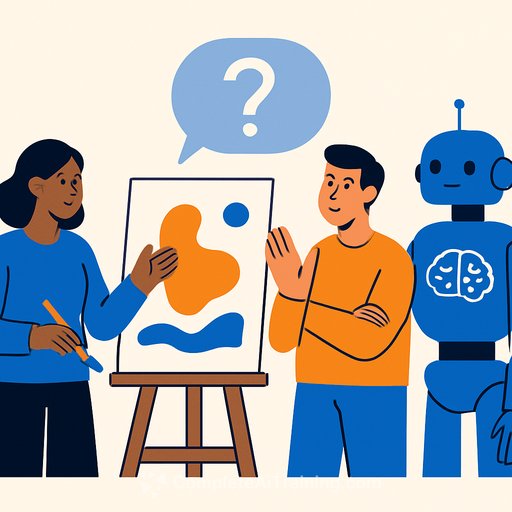
1) Concept development: faster clarity with generative tools
Use tools like Midjourney and DALL.E for quick concept sketches and mood boards; explore Generative Art techniques to speed ideation. The goal isn't to finalize style. It's to align with clients faster and cut days of back-and-forth.
- Start with a simple brief: subject, mood, camera, lighting, materials, era.
- Create a prompt framework you can reuse. Swap variables per project.
- Iterate in rounds: broad look, narrowed direction, final style notes.
- Use negative prompts and seeds to control style and consistency.
- Save versions and annotate why each iteration moved forward or didn't.
If prompt writing is new to you, build the skill now. It's the fastest win you'll get this year. If you want focused practice, check our prompt resources here: Prompt Engineering.
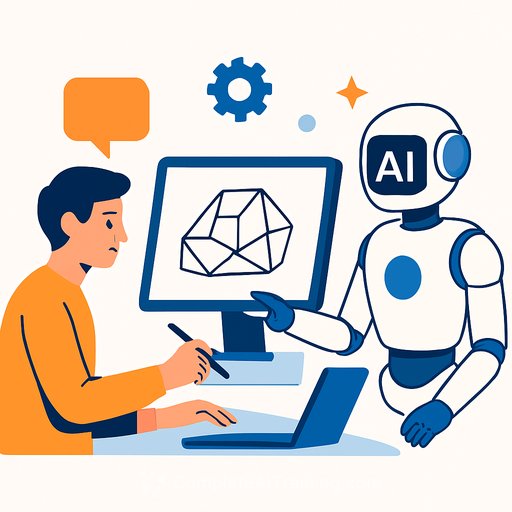
2) Model generation: AI for first passes, human for finishing
Once the concept is clear, generate first-pass props, environment elements, or characters with tools such as Meshy or Hyper 3D. Then refine in Blender, Maya, or 3ds Max. Use AI to get 70% there-your eye finishes the details.
- Adopt AI-assisted texturing, retopology, and UV mapping to cut setup times.
- Decide case by case. High-hero assets may still need a fully manual approach.
- Create import presets: scale, naming, orientation, material slots, unit checks.
- Run a QC checklist: polycount targets, edge flow, non-manifold cleanup, texture resolution, shader consistency.
- Keep a style bible so AI outputs don't drift across a large scene.
This shift creates room for specialist roles: AI-asset generalists, cleanup modelers, texture QC leads. If you can do all three well, you'll stand out.
3) Rendering upscaling: render smart, not slow
Rendering is still the biggest time sink. Expect broader use of AI upscalers like Topaz Labs and Adobe's Super Resolution features (Adobe docs).
- Render lower-res or lower-sample frames, then upscale and sharpen.
- For animations, test short sequences to check for flicker or halo artifacts.
- Tune render settings: fewer samples, optimized bounces, denoisers, and simplified GI where acceptable.
- Lock color management so your upscale pass matches the comp pipeline.
- Track time saved per shot and reinvest it in lookdev and polish.
Net effect: more iterations in the same schedule. Better look without blowing the budget.
A practical 30-60-90 day plan
- Days 1-30: Build prompt templates. Test one concept tool and one upscaler. Create a QC checklist for AI-generated meshes.
- Days 31-60: Pilot a hybrid workflow on a small internal project. Document time saved and quality trade-offs. Share results with your team or clients.
- Days 61-90: Standardize naming, scale, and import presets. Train teammates. Roll the workflow into a real client job with clear expectations.
Skills to level up
- Prompt writing and visual direction
- Model cleanup, retopo, and UVs for AI-first meshes
- Lookdev: material realism versus render cost
- QA for temporal consistency in animation
- Licensing and usage: dataset provenance, client approvals
If you want structured upskilling for creative roles, browse curated options: AI for Creatives.
Risks you should address upfront
- IP and licensing: Use clear, approved sources and document them.
- Client communication: Explain where AI is used, how quality is controlled, and why it benefits timelines.
- Consistency: Lock seeds, aspect ratios, and style notes across the project.
- Backup plans: For critical shots, budget a manual pass if AI outputs don't meet the bar.
How to measure progress
- Concept alignment time (brief to approved direction)
- Asset throughput (hours per prop/environment piece)
- Render time per deliverable (before vs. after upscaling)
- Revision count per milestone
- Defect rate at QC (mesh issues, texture errors, flicker)
The bottom line
AI will touch every part of the pipeline in 2026. The artists who win will defend the parts that require judgment and taste-and let software carry more of the heavy load. Keep the craft. Automate the grind. That's how you stay valuable.
Your membership also unlocks: