AI-powered low-code and no-code: what's real, what works, what to avoid
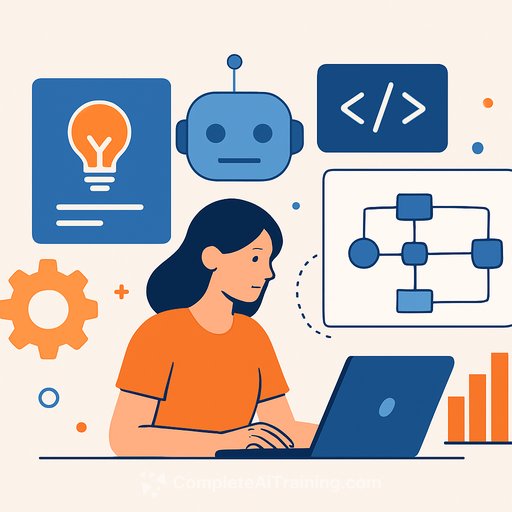
Agentic AI is reshaping how teams build software. Low-code and no-code platforms now ship with AI copilots, code generators, and workflow agents that cut build times and widen who can contribute.
Demand is climbing because the economics have shifted. Smaller teams - even individuals - can execute on projects that used to require large engineering budgets. Tools like Lovable.dev and Bolt.new let you describe an app and generate front end, logic, and a managed back end. Drag-and-drop automation now handles the wiring and scripting behind the scenes.
Across agencies, enterprises, and independents, the pattern is consistent: faster prototyping, lower barriers for non-engineers, and more domain-specific solutions. But getting real results takes discipline - not blind trust in the tool.
Why teams are leaning in
- Shorter timelines for prototypes and internal tools.
- Non-engineers can build safely under guardrails and reviews.
- Engineers focus on architecture, reliability, and the hard problems.
- Domain experts move closer to the solution, reducing handoffs.
8 best practices for AI-powered low-code and no-code development
1) Create a governance strategy
Set the rules before you scale. Code reviews, approvals, logging, and observability should be built into the pipeline - not added later. Be explicit about data boundaries so prompts, connectors, and API calls don't leak sensitive information.
- Automate checks for explainability, privacy impact, and performance.
- Gate releases with policies that prevent model drift and shadow IT.
- Pair domain builders with engineering mentors for architecture and reliability.
If you need a reference model for risk controls, see the NIST AI Risk Management Framework here, and consider the AI Learning Path for CIOs for practical governance and risk-management training.
2) Don't assume AI replaces experience
These tools reduce syntax overhead, not system design. If you have zero product or engineering experience, expecting a full app in a weekend sets you up for rework. Concepts like state, data modeling, auth, idempotency, and performance still matter.
- Start with small, scoped use cases to build intuition.
- Treat "vibe coding" as a boost, not a substitute for fundamentals.
3) Treat AI as a co-worker, not a replacement
AI is great at scaffolding, validation, and suggesting logic. It doesn't know your requirements, compliance constraints, or business trade-offs. People with deep domain knowledge should steer the problem framing and review outputs.
- Use AI for drafts and options; use humans for decisions and sign-off.
- When a solution becomes critical path, bring in engineers and architects.
4) Measure outcomes tied to business value
Count impact, not automations created. Tie workflows and generated code to metrics such as case deflection, mean time to resolution, uptime, and customer satisfaction. Visibility keeps adoption healthy.
- Example: One enterprise reported 22% faster first-touch resolutions and a 15% productivity lift after adding AI-augmented diagnostics.
- Share dashboards with both builders and business owners.
5) Get specific with prompts and context
Ambiguity wastes cycles. Provide constraints, data sources, sample inputs/outputs, edge cases, and references. Clear intent means better generation and fewer revisions.
- Template your prompts: goal, constraints, stack, data, success criteria, tests.
- Store canonical examples so teams don't re-invent context on every task.
Want a deeper skill upgrade? Explore practical prompt engineering courses that focus on real development workflows.
6) Stay glued to the problem, not the tool
AI will eagerly build the wrong thing if you let it. Define the job-to-be-done, success metrics, and the smallest testable version. Validate with real users before expanding scope.
- Write a one-page brief: problem, audience, constraints, definition of done.
- Ship the smallest slice, measure, iterate.
7) Favor domain-specific training and feedback loops
Generic agents miss intent. Models and automations perform better when they learn from your tickets, logs, events, and operational language. Close the loop with outcome feedback so the system gets sharper over time.
- Feed domain telemetry (support cases, endpoint data, incident tags) into training.
- Use intent-aware flows: diagnose, recommend, and prevent - not just "click this, then that."
For secure AI build patterns, review the OWASP guidance for LLM applications here.
8) Know the limits before you commit
Every platform has blockers: rate limits, auth quirks, closed components, pricing edges, or deployment constraints. Map these early so you don't paint yourself into a corner.
- List must-have integrations and confirm support upfront.
- Probe the edges: concurrency, long-running tasks, error handling, rollbacks, testability.
Practical starter playbook
- Pick one high-friction workflow; write the brief; build a minimal version in a week.
- Add governance and logging from day one; require reviews for anything customer-facing.
- Stand up a shared prompt/context library for your stack and use cases.
- Instrument outcomes and share wins so adoption isn't a one-off experiment.
Conclusion
AI-augmented low-code and no-code tools pay off when they're guided by clear governance, real-world constraints, and sharp prompts - not wishful thinking. Treat AI like a strong collaborator. Keep humans accountable for architecture, data, and outcomes.
If you want to uplevel your team's skills quickly, browse practical, job-focused AI training and certifications here.
Your membership also unlocks: