AI in Restaurant Operations: What's Working Right Now
AI moved from a nice-to-have to a daily tool across graphics, marketing, writing, editing and analytics. The upside for operations is simple: less time on repetitive work, faster decisions and better consistency. The question isn't "if" you'll use it-it's where it saves real time without breaking the guest experience.
The Basics: Faster Docs, SOPs and Emails
Draft emails, budgets, training guides and job posts in minutes. Feed your details into tools like ChatGPT or Grok, get a clean first draft, then edit. Voice dictation inside Word, Excel and most apps means you can brain-dump and let AI structure it.
- Workflow: write bullet notes → prompt AI to draft → you edit for tone, policy and accuracy.
- Use it for shift notes, vendor emails, SOPs, pre-shift agendas and incident reports.
- Create templates once; reuse forever. Consistency cuts mistakes and saves time.
Graphics and Marketing: More Output, Less Drag
Design tasks that took hours now take minutes. Tools like Canva, Adobe Photoshop and Picsart can generate images, remove backgrounds, resize for platforms and even spin new concepts from a single idea. You'll still want a human pass, but the heavy lifting is automated.
- Set a brand kit (colors, logos, fonts). AI respects it across assets.
- Repurpose one promo into flyers, stories, reels and email banners in a single session.
- Batch one month of content in an afternoon; schedule and move on.
If you need a reference, see Adobe's AI-assisted editing features in Photoshop's latest release: Photoshop.
Business Analytics: POS Data That Actually Drives Decisions
Your POS and marketing platforms already sit on gold. Many now ship with AI summaries that highlight menu movers, daypart swings and repeat behavior. If you don't have that, export your sales data to a CSV and upload it to an AI assistant for quick analysis.
- Prompts that work: "Find top 10 items by profit, flag low-margin bestsellers, and suggest price tests."
- Ask for daypart trends, weekday vs. weekend performance and coupon ROI.
- Build a weekly one-page report: sales, labor, COGS highlights and 3 actions for the team.
For automated campaign ideas, tools like HubSpot offer AI support for email journeys and segmentation: HubSpot AI.
Online Ordering and Phone Automation: Use With Care
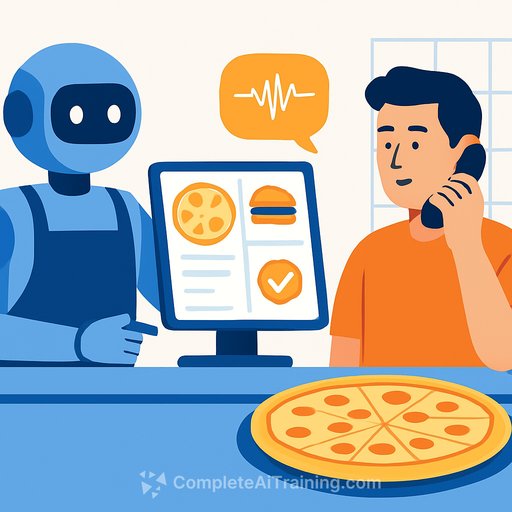
AI-driven order taking works in some contexts (drive-thru screens, simple kiosks). It struggles on the phone when customers expect a human. In testing, AI agents handled FAQs and lead capture fine, but many callers tried to bypass to a live person-conversion suffered.
- Use AI for after-hours voicemail, basic questions and callback capture.
- Always offer "Press 0 for a human." Track call abandon rate and conversion before scaling.
- For online ordering, focus on speed: fewer steps, guest checkout, saved favorites and 1-tap reorders.
30-Day Playbook for Operators
- Week 1 - Admin speed: Build SOP, email and memo templates with an AI assistant. Turn daily voice notes into shift briefs. Standardize tone and sign-offs.
- Week 2 - Marketing engine: Set up a brand kit in Canva. Draft a 4-week promo calendar. Batch-create assets; schedule emails with a simple A/B subject test.
- Week 3 - Data to actions: Export 12 months of POS sales. Ask AI for menu engineering insights, price test ideas and labor-by-daypart flags. Pick three changes to test.
- Week 4 - Ordering flow: Time your checkout from cart to confirmation-reduce clicks and form fields. Offer Apple Pay/Google Pay. Pilot AI on phones for FAQs only, with instant route to human.
KPIs to Watch
- Online checkout time: target 60-90 seconds from menu to confirmation.
- Repeat rate: track 30-day reorder percentage for first-time buyers.
- Email: open/click, plus revenue per send. Let AI draft; you approve and test.
- Menu: contribution margin by item; flag low-margin bestsellers for price or portion adjustments.
Guardrails That Keep You Out of Trouble
- Remove customer PII before sharing data with any AI tool. Use enterprise settings where possible.
- Treat AI output as a draft. Verify facts, prices and allergens every time.
- Set an approval workflow for anything guest-facing. One person owns final sign-off.
Where This Is Headed
Expect tighter AI inside your POS, scheduling, inventory and cameras-forecasting prep, spotting waste and flagging anomalies. Parts of the operation will get automated. The edge goes to teams that keep the human touch where it matters: service, hospitality and menu creativity.
Keep Building Your Bench
If you want a curated path to upskill your team by role, browse these resources: AI Courses by Job.
Your membership also unlocks: