The Emperor's New Clothes of AI Email: Useful Ally or Empty Promise?
"These must indeed be splendid clothes! Had I such a suit I might at once…be able to distinguish the wise from the foolish."
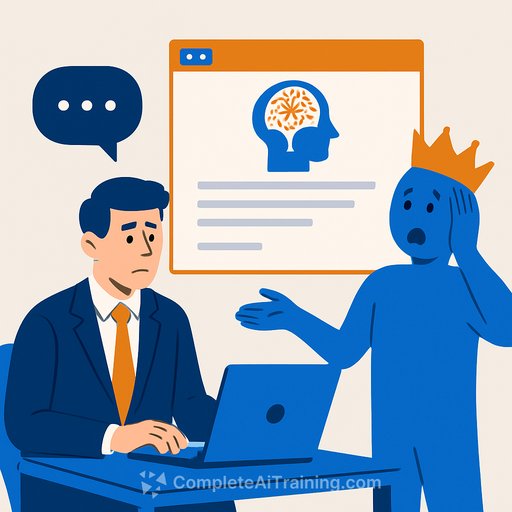
In the story of The Emperor's New Clothes, everyone nods along until a kid says what's obvious: there are no clothes. That same instinct should guide how legal teams look at AI email tools.
A Siren Song for Email?
At a recent AI summit, Yahoo's email team described an AI platform that summarizes, prioritizes, and acts on emails. The pitch: it will catch what matters, act on your behalf, adapt, and evolve-a kind of inbox companion.
In practice, it did well on promotions and offers. It stumbled on substantive messages-the ones that actually matter in law.
The Verification Paradox
Here's the simple test: if it takes longer to prompt, read the summary, and review the agent's plan than it takes to just read the email, you lose time. That loss compounds.
Example: one minute to read the summary plus one minute to read the email is two minutes. Reading the email alone is one minute. Across 100 emails, you've doubled your time. If you bill for that "assist," clients will notice-and so will your ethics radar.
Where ROI Breaks in Legal
Substantive emails require context, nuance, and knowledge of the sender. AI doesn't consistently read between the lines yet.
Think of opposing counsel's "routine" coordination note that quietly shifts settlement posture. A summary might call it a standard update and miss the signal. Or consider client style: one is blunt and transactional; another is softer and expressive. Your response changes based on who wrote it and how they write.
If you still have to read the underlying email, you haven't saved time-you've added overhead.
The Risk of Complacency
These tools can help, but overreliance breeds laziness. We start trusting summaries, assuming they caught the nuance. They don't always.
AI may eventually learn individual styles after enough exposure. Early on, it's hit-or-miss. Treat it like a junior assistant: helpful, but not a decision-maker.
Where AI Email Helps Today
- Auto-labeling and filtering: newsletters, promos, shipping, receipts, internal alerts.
- Summarizing marketing or FYIs so they don't steal focus.
- Drafting admin responses for scheduling or confirmations (you approve before sending).
- Extracting dates for a calendar or docket feed-with human verification.
Practical Checklist Before You Buy
- Define the exact problem: volume triage, promotions cleanup, deadline extraction, or action suggestions?
- Baseline your inbox: daily email count, percent marketing vs. client, average time to process.
- Set success metrics: precision/recall on classification, misclassification tolerance, SLA for critical threads.
- Insist on transparency: show original text for every suggested action and highlight why it was flagged.
- Human-in-the-loop by default: no auto-send on client or opposing counsel emails.
- Spot-check daily: sample 10-20 items the tool handled, log misses, recalibrate weekly.
- Security and privilege: data access, retention, encryption, region, vendor subcontractors, and termination rights.
- Ethics: confirm compliance with professional duties and privilege protection. See ABA Model Rule 1.1, Comment 8 on tech competence (ABA source).
- Billing policy: don't bill clients for AI-induced rework. Treat basic triage as overhead.
- Fallback plan: a raw inbox view, a kill switch, and clear reversion steps if the tool drifts.
How to Measure Time Saved (Without Lying to Yourself)
- Hours saved per week on triage.
- False negatives: important mail the tool missed.
- False positives: critical mail labeled as low priority.
- Time-to-first-response for high-priority threads.
- Number of "auto-suggested actions" you approved vs. rejected.
A Simple Policy Line
- AI can filter and summarize non-substantive emails.
- Lawyers must read all substantive client and opposing counsel emails in full before acting.
- No auto-send for anything that affects rights, strategy, or deadlines.
Final Thought
AI that truly saves time earns its seat. AI that adds steps is shiny theater. Be the kid in the crowd. Test, verify, and measure before you buy the outfit.
If you want structured ways to assess and upskill your team on practical AI for legal work, see Complete AI Training - Courses by Job.
Your membership also unlocks: