The Mobile-AI Gap: The Legal Tech Problem No One Is Talking About
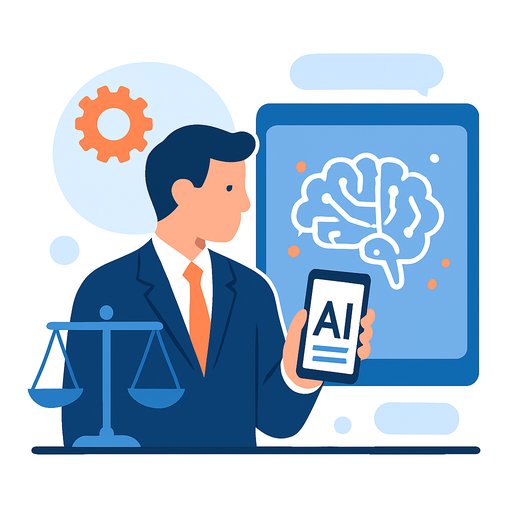
AI is now part of everyday legal work. Our latest research shows 80% of lawyers use it weekly, and 40% use it several times per day. Yet most of that usage still happens at a desk, while most legal work doesn't.
Lawyers are highly mobile. Their AI tools, for the most part, are not. That mismatch is slowing decisions, fragmenting workflow, and leaving value on the table.
Legal Work Is Now Largely Mobile
The data is clear. 86% rely on a smartphone or tablet as their primary device away from the desk. 89% check work messages multiple times outside standard hours. 90% use smartphones for work in some capacity.
Client conversations don't wait for a laptop. Deals move in hallways and conference rooms. In-house teams support partners who expect quick answers. The work has shifted across devices and contexts, but much of the tech stack still assumes you're sitting still.
AI Adoption Is Up, But It Hasn't Followed You Onto Mobile
Lawyers report strong comfort using AI for research, drafting, synthesis, and issue-spotting. But where they use it tells a different story. 75% primarily use AI on a laptop or desktop. Only 20% primarily use a smartphone. Just 5% use a tablet as their main access point.
So the tools that speed up reasoning and reduce cognitive load are often unavailable when you actually need them most - on the move. This isn't about convenience. It's workflow design.
What This Signals for the Next Phase of Legal Work
Because work now flows across devices, the split between mobile environments and AI creates friction at critical moments. Communication and scheduling live on your phone. Deeper analysis waits until you're back at a desk.
The result: fragmented work. AI delivers value in isolated windows instead of supporting an end-to-end rhythm. Confidence isn't the blocker - 77% feel somewhat or very confident using AI responsibly. Access is.
The next step isn't just smarter models. It's systems that preserve context as you move - same matters, same history, same governance - regardless of device.
Closing the Mobile-AI Gap
Bridging this gap is about continuity. Keep insight, context, and reasoning available wherever the work happens. With secure mobile access to legal-grade AI, the following shifts from "later" to "now":
- Before a meeting or negotiation: pull summaries, surface key precedents, and revisit matter history in transit.
- Between hearings: synthesize depositions or filings on the go instead of deferring analysis.
- Inside the business: review documents, generate summaries, and clarify issues as questions arise - without waiting for a laptop.
Practical Checklist for Firms and Legal Teams
- Map your mobile moments: where decisions get made away from the desk (boardrooms, hallways, flights, rides).
- Prioritize high-impact use cases: quick issue-spotting, matter recaps, meeting prep, contract review snippets, and redline summaries.
- Harden mobile security: enforce SSO, MDM, encryption at rest/in transit, and audit logs. See NIST guidance on mobile device security here.
- Preserve context across devices: synced matter history, saved prompts, and unified search so you never start from zero.
- Support fast capture: dictation, scan-to-upload, and audio transcription to turn real-world inputs into structured work. Explore Speech-To-Text approaches.
- Design for short sessions: thumb-friendly prompts, reusable templates, and pinned workflows that fit a two-minute window.
- Set guardrails: permissions, retention policies, redaction defaults, and clear auditability for mobile interactions.
- Upskill the team: prompt patterns for mobile use and decision checklists for responsible application. See AI for Legal resources.
- Measure outcomes: track cycle time, response latency, and meeting-to-draft conversion to prove impact.
How Harvey Fits Into a Mobile Workflow
Harvey's mobile app for iOS and Android brings core capabilities to the devices lawyers already use all day. The goal isn't to cram desktop work onto a small screen. It's to extend AI into the natural flow of legal work.
- Dictation and audio transcription turn thoughts and recordings into working notes and drafts.
- Scan-to-upload and Vault search let you capture and retrieve documents without laptop friction.
- Synced matter history maintains continuity, so context moves with you from phone to desktop and back again.
The Inflection Point
Mobility is now foundational to legal practice. AI is mainstream. The next step is simple to say and hard to ignore: bring them together so lawyers keep momentum, quality, and governance - wherever the work happens.
Firms that close this gap will respond faster, think clearer under time pressure, and keep matters moving without waiting for a desk.
Your membership also unlocks: