Google's Firebase Studio: Balancing Citizen Development with Professional Oversight
At Google's recent London Summit, new AI-powered features were introduced for Firebase Studio, a browser-based IDE for the Firebase platform. These include an autonomous agent mode, support for Model Context Protocol (MCP), and integration with the Gemini command line interface. Firebase Studio aims to accelerate the building of full-stack AI applications, moving from prototype to production more quickly.
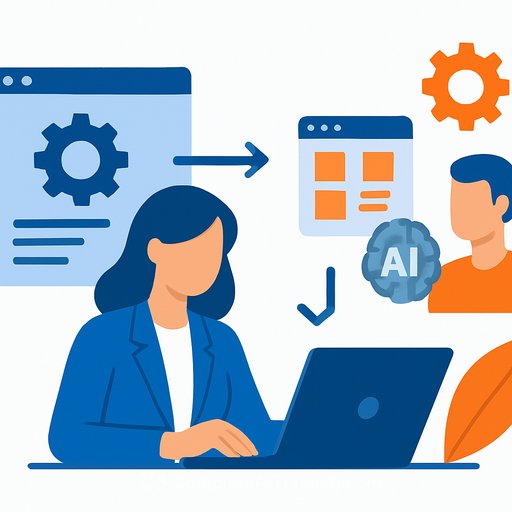
Firebase Studio offers a prototyper that generates a complete application from a simple prompt. Users can iterate on the output either through a wizard interface that hides the code or within a code editor based on Code OSS, the open-source core behind Visual Studio Code.
Who Is Firebase Studio For?
This tool targets multiple developer types. First, there are citizen developers—non-professional developers who can use the app prototype agent for a “vibe coding” experience, previewing and publishing with ease. Second, professional developers can preview and assess changes before applying them, ensuring higher code quality.
Citizen development often leads to challenges like low-quality, unmaintainable, or insecure code. Firebase Studio’s approach is to let citizen developers create initial prototypes while professional engineers refine and produce production-grade applications. This division seeks to combine the strengths of both groups efficiently.
Managing Risks of AI-Guided Development
Instant results from vibe coding can be impressive but risky if deployed without proper checks. Even Andrej Karpathy, who coined the term, warns that such code is best suited for throwaway projects.
Google mitigates these risks by enforcing organizational policies. For example, Firebase Studio applications must run within approved Google Cloud Projects with set permissions and billing accounts. Employees can build applications freely but cannot deploy them outside approved projects without security reviews and organizational approval.
This policy ensures a controlled deployment environment and reduces the risk of unvetted applications going live. It also highlights the need for proper governance when adopting AI-assisted development tools.
Security and Best Practices
Google is developing safeguards like an AI testing agent, currently in private preview, to help identify issues early. The platform also integrates with Google Cloud's security tooling and provides AI-driven security guidance.
However, responsibility for application security ultimately lies with the users, as outlined in Google's terms of service. This means organizations must maintain proper code reviews, security audits, and compliance checks even when leveraging AI tools.
While the keynote emphasized speed from ideation to production, it omitted detailed security best practices, an area Google acknowledges needs more attention in communications. This is crucial since small organizations may lack dedicated security teams.
Conclusion
Firebase Studio represents a step toward enabling both citizen and professional developers to collaborate in building AI applications. The key to success lies in combining rapid prototyping with disciplined engineering and security oversight.
For IT and development professionals looking to enhance their AI development skills, exploring structured training can be valuable. Resources such as Complete AI Training's latest AI courses offer practical knowledge on building and securing AI applications effectively.
Your membership also unlocks: