Atlas Launches AI Studio to Automate Game Asset Pipelines
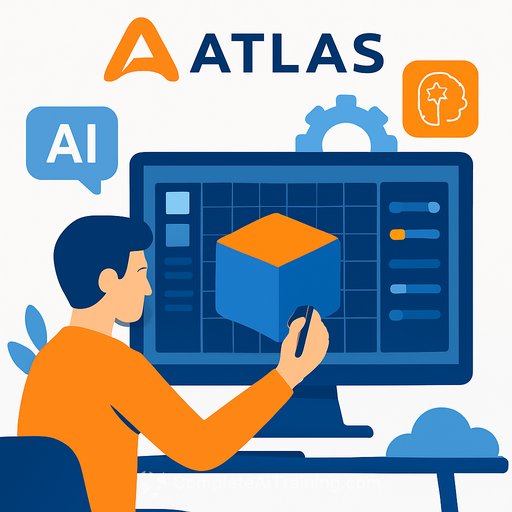
Atlas has taken its AI Studio out of closed beta, making it available globally on March 9, 2026 via Google Cloud Marketplace. The platform gives game teams fleets of coordinated AI agents that generate, texture, optimize, and engine-integrate 3D assets from natural language descriptions.
Studios like Square Enix, Parallel, and PeDePe piloted the system in full production pipelines. The timing lands in the middle of an industry-wide debate over generative AI, where copyright responsibility for AI outputs sits with the developers using the tools-and some studios are rejecting AI outright.
What Atlas AI Studio Does
Describe an asset or task in plain English. The system breaks it down and runs a chain of steps: 2D/3D generation, UVs and textures, materials and collisions, LOD variants, and direct export to Unreal Engine, Unity, Blender, or custom pipelines.
You can monitor progress in real time, tweak parameters, or jump in as an artist without resetting the whole run. It's less "type a prompt, get a picture" and more "automated production line with human-in-the-loop control."
Multi-Agent Workflow, Not One-Shot Prompts
Atlas uses multiple specialized agents. It reads style guides and project requirements, then selects the right models for each stage. Think orchestration: the system coordinates generation, segmentation, optimization, texturing, and LODs end to end.
As Atlas founder Ben James put it: "The games development industry has been stuck in a paradigm where AI means 'type a prompt, get an output.' That's useful for exploration, but it breaks down in production. Real pipelines chain dozens of operations together… Our agents build those pipelines for you, based on how professional studios actually ship games."
Performance Claims and Early Uses
Atlas reports 10-50x faster asset creation with 70-90% per-asset cost reductions in tests and studio pilots. Teams used it for large commercial projects, including assets for a planned global city environment in an upcoming Aerosoft flight simulator.
Most beta users leaned on AI agents for asset concepting and technical prep-where speed and iteration volume matter most.
Why This Matters for Engineering and Art Leads
The games market topped roughly US$180B in 2024, with an estimated US$38B spent on asset production. If multi-agent automation can consistently compress time-to-engine and reduce rework, it frees teams to focus on hero assets, gameplay beats, and polish.
The shift isn't "AI replaces artists." It's "AI handles repeatable steps so specialists spend time on choices that move the needle."
Integration Checklist for Your Pipeline
- Pick a vertical slice (environment props or modular buildings). Define art bible rules, budgets, and acceptance criteria up front.
- Baseline today's metrics: time from brief to engine import, rework rate, tri count, draw calls, texture memory, lighting/shadow artifacts.
- Test the whole chain: UVs, materials, collision, LOD switching, naming conventions, folder structures, and direct export to Unreal/Unity/Blender.
- Add quality gates: auto checks for poly budgets, texture resolution, LOD coverage, collision sanity, and material instancing.
- Wire logs into CI: keep prompt/task history, asset diffs, and reproducibility (seeds, versions, agent configs).
- Plan human review points: art direction sign-off pre-export, tech art checks for performance and shader complexity.
- Security/data: confirm what data leaves your org, how it's stored, retention policies, and options for private or custom pipelines.
IP, Policy, and Compliance
Copyright liability for AI-generated assets currently falls on the teams shipping the game. If you adopt AI Studio, set guardrails early.
- Use clear style guides that avoid direct references to protected IP or living artists' names.
- Keep provenance: log inputs, prompts, model versions, and human edits for each shipped asset.
- Run legal and brand checks on a representative asset set before scaling usage.
- Define escalation: when to replace or hand-craft assets if similarity or licensing concerns pop up.
Where to Start
- Start with environment art and repeatable props-high volume, clear specs, measurable quality.
- Measure deltas vs. baseline for speed, cost, and rework. If results hold across two sprints, expand to new asset classes.
- Keep hero assets and stylized centerpieces human-led to protect signature look and feel.
Engineering Notes
- Cost model: compare per-seat pricing vs. GPU usage, and factor in cache/reuse of intermediate outputs.
- Versioning: lock agent/model versions for milestones; change control via feature flags.
- Performance: track shader complexity, overdraw, LOD popping, and streaming impact on target hardware.
- Interoperability: confirm material/shader graph compatibility and lightmap/virtual texture workflows in your engine version.
Bottom Line
Atlas is pushing AI from prompt toys into production automation. If you can prove gains on a tight vertical slice-and keep IP hygiene tight-you get faster iteration, lower grunt work, and more time for the hard problems that make games great.
If your team is building the plumbing around AI agents and engine integration, see AI Learning Path for Software Developers for practical training.
Your membership also unlocks: