Privacy extensions caught logging your AI chats: what happened and what to do
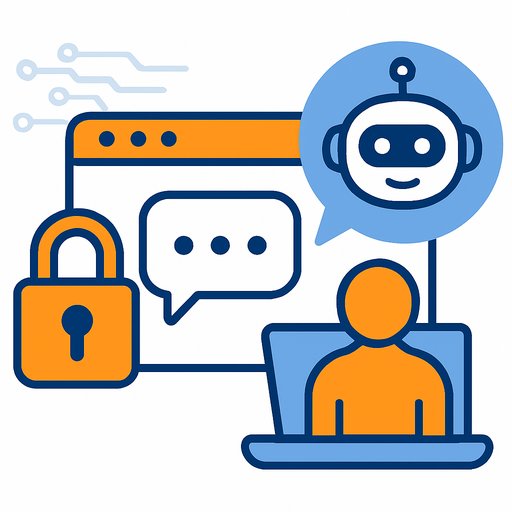
Four popular browser extensions marketed as privacy or security tools have been quietly recording users' AI chatbot conversations and sending the data back to their developers. Koi Security's research points to over 8 million installs impacted.
The extensions are:
- Urban VPN Proxy
- 1ClickVPN Proxy
- Urban Browser Guard
- Urban Ad Blocker
They're available on the Chrome Web Store and Microsoft Edge Add-ons. According to Koi, these extensions target chats on platforms like ChatGPT, Claude, Gemini, Microsoft Copilot, Perplexity, DeepSeek, Grok, and Meta AI, among others.
How the capture works (in plain English)
When you open a supported AI site (e.g., chatgpt.com), the extension injects a page script (an "executor"). That script overrides fetch() and XMLHttpRequest so every network request and response on that page flows through the extension first.
The script parses the API responses, then posts them to the extension via window.postMessage with the identifier PANELOS_MESSAGE. The content script relays the data to a background service worker, which exfiltrates it to analytics.urban-vpn.com and stats.urban-vpn.com.
Data collection is enabled by default via a hardcoded flag. There's no user-facing toggle. The only way to stop it: uninstall the extension.
Consent prompts, policy gaps, and a Featured badge
Koi reports Urban VPN added an AI data-collection consent prompt in version 5.5.0 (July 2025). Users who installed earlier never saw it, and the software gives no clear indication that collection continues even when the VPN isn't turned on.
Despite this, Urban VPN received a Featured badge on the Chrome Web Store. That raises questions about review depth, especially since Google's policies prohibit selling or transferring user data to third-party data brokers. The likely loophole: "Limited Use" policy exceptions (e.g., security features or single-purpose claims) that bad actors can cite to justify broad data access and transfers.
For reference, see Google's policy language here: Chrome Web Store Program Policies.
Who should assume exposure
If you installed any of the four extensions-especially since July 2025-assume your AI chats may have been collected and shared. That includes prompts, answers, and potentially anything sensitive you pasted into conversations.
Do this now
- Uninstall immediately:
- Chrome: Menu > Extensions > Manage Extensions > Remove
- Edge: Menu > Extensions > Manage Extensions > Remove
- Clear data for your AI chat sites (cookies, local storage, cache) and sign back in.
- If you pasted keys, tokens, or internal URLs into chats, rotate them now (API keys, passwords, OAuth secrets).
- Change passwords for your AI accounts and enable 2FA.
- Block outbound traffic to analytics.urban-vpn.com and stats.urban-vpn.com at your DNS/firewall.
For IT, security, and developers
- Inventory extensions across the org. Enforce an allowlist via Chrome Browser Cloud Management or your MDM/Group Policy for Chrome and Edge.
- Disable extensions by default in Incognito/InPrivate. Require a business case for any extension with "Read and change all your data" permissions.
- Create separate browser profiles: one clean profile with no extensions for AI platforms; one for everyday browsing.
- Add egress controls and DNS monitoring for suspicious analytics domains and unexpected destinations.
- Update your engineering policy: no secrets in prompts, no proprietary data in consumer AI without an approved pathway, and mandatory key rotation if exposure is suspected.
- Review vendors tied to these extensions (e.g., data brokers) in your third-party risk program.
How to spot risky extensions before installing
- Permissions test: If it touches "all sites" or "read/modify data on all websites," that's a high bar-avoid unless absolutely necessary.
- Network test: Open DevTools > Network and watch for calls to analytics domains unrelated to the site you're using.
- Privacy policy mismatch: If the store listing looks clean but the policy allows broad sharing or "partners," that's a red flag.
- Function match: VPNs or ad blockers rarely need to hook fetch()/XMLHttpRequest on AI sites. If they do, ask why.
What this means going forward
Extensions can see what your browser sees. If you use AI for code, strategy, or customer data, treat your extension list like production infrastructure: minimal, audited, and monitored. A clean, separate profile for AI work is a small habit that prevents big leaks.
If your team needs structured training on safe, compliant AI use at work, here's a curated starting point: Latest AI Courses. For platform-specific resources, see ChatGPT Courses, Claude AI Courses, and Deepseek Courses.
Your membership also unlocks: