AI news ·
Figma Make brings Git workflows and visual code editing into the design platform
Figma now lets designers edit live code, manage Git branches, and submit pull requests without leaving the platform. The beta, currently Mac-only, raises real governance questions about who owns and approves changes in the pipeline.
Figma Moves Design Into the Code Pipeline
Figma has released new capabilities that let designers and product teams edit real code directly from within its design platform. The move marks a shift beyond design collaboration into the software development lifecycle itself, blurring the traditional boundary between visual design and engineering.
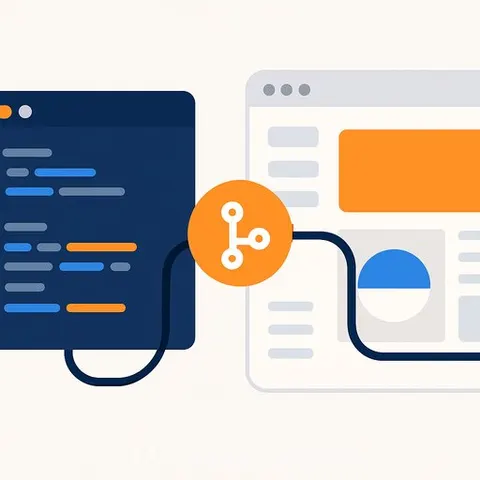
The update, available in limited beta on Mac, allows users to connect a local repository or clone from GitHub, open a running application inside Figma Make, and make interface changes that flow through standard engineering review. Designers can visually edit layouts, colors, typography, and sizing without manually touching code. For complex changes like interactions and animations, users annotate elements with instructions that give the AI system more context.
Git workflows now live in design tools
A significant part of the update integrates Git-based workflows directly into Figma. Teams can create branches, manage commits, revert changes, and prepare pull requests without leaving the platform. Changes stay local until they move into engineering review.
This moves Figma closer to the tools developers use daily-integrated development environments and source control systems. GitHub has the strongest native support in the beta, though other Git providers require additional setup.
AI as a connector between teams
The broader trend here is using AI not just to generate code, but to reduce friction between designers, developers, and product teams. Instead of design feedback moving through separate channels, visual changes and code edits can now happen in the same place while engineering retains review and approval control.
Figma's argument is straightforward: as AI improves at understanding both visual interfaces and code, the rigid boundary between design and development becomes less necessary. Teams can move fluidly between visual changes, code edits, and engineering review.
What this means for product teams
Speed and collaboration are real benefits. Designers won't need developers to translate every layout change into code. Product teams can see changes in a running application immediately.
But enterprise teams should not mistake speed for simplification. Visual code editing does not eliminate the need for engineering review, secure coding practices, testing, and deployment controls. Developers may spend less time translating design intent into basic interface changes, but more time reviewing AI-generated modifications, checking dependencies, and ensuring changes don't weaken code quality.
Governance becomes the real challenge
The DevOps movement emerged from long-standing friction between development and operations over ownership, release control, and accountability. If design and product teams now move closer to live production code through AI tools, the same friction will resurface-just with different teams involved.
Enterprises will need clear rules on who reviews, approves, tests, deploys, and owns changes made through these tools. Without strong engineering governance, faster collaboration could create ambiguity inside the software delivery pipeline rather than clarity.
The real test is organizational, not technical. Figma can make the tools seamless. Whether enterprises can integrate them into disciplined workflows is a different question.
Learn more: AI Design Courses and AI Coding Courses cover the skills needed as these tools reshape product development.