Custom bedtime stories and plane-building lessons: What billionaire AI habits can teach creatives
JPMorgan's wealthiest clients are using AI in ways that swing from practical to wildly specific. Out of 111 billionaire principals, 79% use AI in their personal lives and 69% use it for business. Their combined net worth clears $500 billion, so their choices tend to signal where attention and money are moving.
Beyond the usual writing and research, their examples carry lessons creatives can apply now. Think automated legal research, personalized storytelling, even drafting a plane blueprint. It's a reminder: AI is a toolset, and the edge goes to those who test, iterate, and keep learning.
What the ultra-wealthy are actually doing
- Everyday tasks: drafting, research, travel planning, admin, and data analysis.
- Legal work: one client avoided $100,000 in legal research with AI-assisted review.
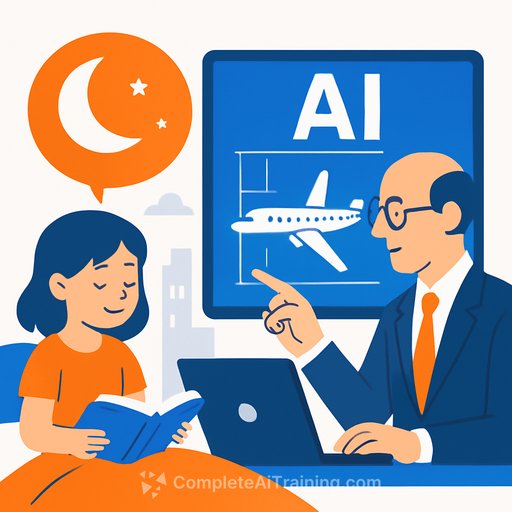
- Storytelling: custom bedtime stories with an emotional twist, on demand.
- Design: using AI to generate a blueprint for a personal plane project.
- Education: flying to Ivy League AI classes-sometimes bringing the whole family.
Why this matters for creatives
These use cases aren't just billionaire indulgences. They're blueprints for leverage-faster drafts, richer ideas, and tighter workflows. The pattern is simple: prototype with AI, validate with expertise, and keep your taste as the final filter.
The clients who get the most from AI don't wait for perfect tools. They run experiments, then build repeatable systems around what works. That approach translates directly to writing, design, video, audio, and product work.
Steal this playbook
- Personalized story engine: Build a simple template for client narratives, brand origin stories, or children's books. Set a structure (setup, conflict, lesson, emotional turn), then iterate tone and pacing. Your voice does the final pass.
- AI as co-designer: Use AI to sketch directions for product aesthetics, illustration styles, or scene layouts. Move promising drafts into your pro tools, refine, and sanity-check feasibility with domain experts when projects get technical.
- Admin and legal: Draft briefs, scopes, NDAs, and rights summaries with AI to save hours. Always review with a professional before finalizing. The upside is fewer repetitive tasks and faster turnaround for clients.
- Research sprints: Have AI summarize key sources, list counterpoints, and flag missing data. Then cross-check facts with primary or expert sources. This keeps quality high while cutting the time sink.
- Client experience: Offer "AI-augmented" previews-storyboards, mood boards, or first-draft copy-to get sign-off sooner. Small prototypes reduce revisions later.
Education > shiny tools
Several of these clients paid for real instruction at top universities and treated AI like a core skill set. That tells you something: structured learning beats random tinkering. For creatives, a targeted curriculum compounds faster than tool-hopping.
If you want a curated path by role or skill, browse practical options here: AI courses by job and the latest programs here: new AI courses.
Risks the wealthy are watching
AI isn't all upside. When asked about top global risks, 7% of respondents flagged AI/machine learning-well behind geopolitical tensions, but on the list. Some worry about job displacement and long-term social effects.
There's also a real environmental footprint. Data centers are straining energy targets, and air-pollution-related public health costs could reach $9.2 billion annually. For broader context on energy use, see the International Energy Agency's overview of data centers and networks: IEA: Data centres and networks.
If you're still on the fence
Some principals skip AI entirely. They use the phone, avoid computers, and rely on manual processes. One non-user still admitted the tech has real potential-and their kids use it often.
You don't have to overhaul your workflow. Pick one task that drains you and prototype an AI assist. If it saves time or lifts quality, keep it. If not, drop it and try the next task.
Quick start checklist for creatives
- Pick one use case this week: concepting, outlines, reference gathering, or first-pass design.
- Write a short brief for the AI: objective, audience, tone, constraints, and examples.
- Generate three variations; merge the best parts into a single draft.
- Run a critique pass: ask AI for risks, blind spots, and alternatives; verify claims manually.
- Move the result into your main tools; finish with your signature style.
- Log what worked, templatize it, and reuse on the next project.
The takeaway
The top 0.01% treats AI like a leverage layer across life and work-stories for kids, blueprints for big builds, and serious savings on routine tasks. You can apply the same thinking on a smaller canvas. Start lean, learn fast, and let your taste stay in charge.
Want proven toolkits for creative roles? Explore curated picks for art, copy, and video here: Popular AI tools and here for creative categories: Generative art tools.
Your membership also unlocks: