Google's 10-Minute Build: A Production-Grade Financial Analyst Agent in Vertex AI Studio
Google Product Managers Shubham Saboo and Colby Hawker showed something bold: building a production-grade financial analyst agent in about 10 minutes using Vertex AI Studio with Gemini. They weren't hand-waving a prototype. They walked through how to cut out setup pain, reduce prompt guesswork, and ship something a team can actually use.
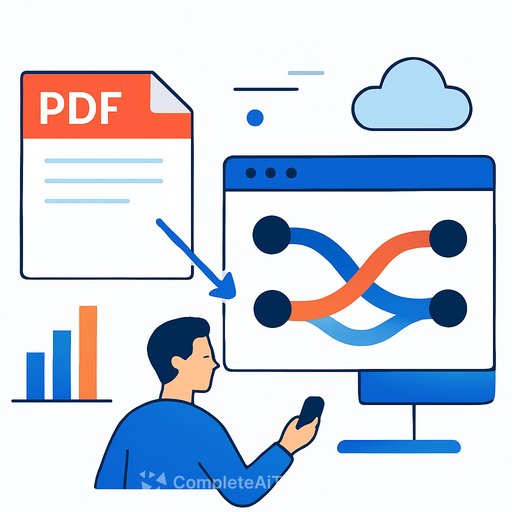
The use case was simple and real. Ingest a PDF earnings report, pull out key metrics like revenue, cost of goods sold, and operating expenses, return clean JSON, and visualize it as a Sankey diagram. That's the kind of task that eats hours of manual data work across finance and ops. The demo framed a path that goes from messy input to structured insight with minimal friction.
From setup headache to first result
Most teams stall at step one: accounts, budgets, dependencies, permissions. Vertex AI Studio's Express Mode skips all of that. No Google Cloud account or credit card needed to start. You open the studio and get to work immediately.
That removes the "we'll revisit this next quarter" excuse. It also lets engineers validate feasibility before involving procurement and security.
Vibe coding and slash commands: stop guessing your prompt
They started with a basic prompt to extract metrics and got a human-friendly list that wasn't machine-friendly. Classic issue. The fix was "vibe coding" with slash commands, specifically /prompt refine.
Type the command, and the studio's assistant rewrites your prompt with a clear persona, strict instructions, and an example JSON schema. No vague phrasing. No rework loop. As Saboo put it, teams stop guessing and start collaborating with an assistant that guides the prompt into something reliable.
From JSON to a working app
Once the JSON output was dialed in, deployment didn't require a full CI/CD pass. The studio offered one-click API key generation for immediate testing. For visualization, the /build command generated a web app that rendered a Sankey diagram showing the flow of financial metrics.
That jump-from extraction to visualization-inside the same workspace saves time and context switching. You can go from "does this parse?" to "can the VP see this?" fast.
Production readiness and team workflows
Express Mode isn't a dead end. You can move the project into a Google Cloud environment later, keeping all your work. That unlocks version history, so you can track changes, test ideas, and roll back if needed.
The studio's "agents" concept lets you chain steps and plug in tools like Google Search, database lookups, or custom APIs for real-time data. The refined prompts you build become reusable parts of larger flows. That's how you go from one-off demo to a durable internal service.
For cross-functional teams, read-only sharing links keep PMs and marketing in the loop without granting access to your GCP project. Visibility without security risk. Better feedback cycles without IAM overhead.
Why it matters for developers
Most AI projects die in the setup and tuning phase. This workflow removes a big chunk of that cost. You start without red tape, refine prompts with help, export to JSON, ship a simple app, and scale into Cloud when it's worth it.
If you build internal tools, data apps, or automation, this shortens the distance between idea and something your team can try today.
Practical steps to replicate
- Open Vertex AI Studio in Express Mode and load a sample PDF earnings report.
- Write a simple extraction prompt, then run /prompt refine to enforce a strict JSON schema with examples.
- Validate output against your schema; iterate with the assistant instead of manual trial-and-error.
- Use one-click API key generation to wire up a quick client or script.
- Run /build to generate a simple web view (e.g., Sankey for flow of costs and revenue).
- Promote to a GCP project when ready; use version history for safe iteration.
- Create multi-step agents to chain retrieval, search, and database/API calls.
- Share read-only links with stakeholders for review without changing permissions.
Links and resources
Vertex AI overview - official docs and product details. For the visualization concept used, see Sankey diagrams.
If you're leveling up your prompt engineering workflow, these resources can help: Prompt engineering guides and courses. Building finance-focused tooling? Explore AI tools for finance.
The bottom line
This demo showed a credible path from raw PDF to structured insight and a shareable app in minutes-without the usual setup tax. The approach respects how engineers work: start small, prove value, then scale with the right controls. If your backlog includes "make sense of unstructured financial docs," this is worth a serious look.
Your membership also unlocks: