AI Tools for Designers & Creative Pros: Launch Brand-Ready Fashion Visuals
Fashion teams are moving faster in 2026. AI now connects design, 3D, imagery, and video into one streamlined workflow that outputs consistent, on-brand visuals for campaigns, lookbooks, and e-commerce.
The standout platforms: Style3D AI, Adobe Firefly, ZMO AI, Midjourney, Runway, Pika Labs, Botika AI, Lalaland.ai, and Browzwear. Used together, they help you cut sampling costs, keep visuals consistent across channels, and deliver content on a tighter schedule.
Style3D AI: End-to-end fashion visualization
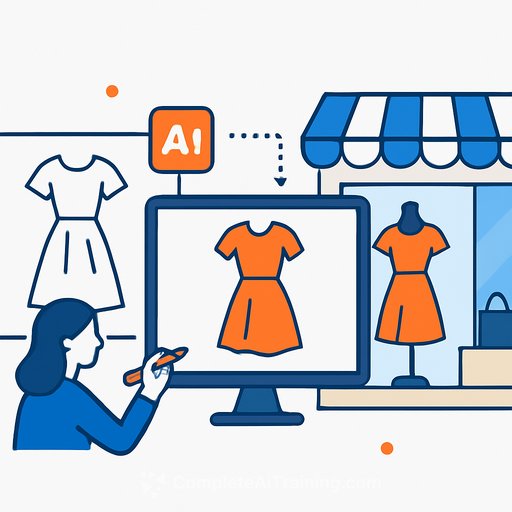
Style3D AI turns sketches, prompts, and references into photoreal garments and outfit variations. Fabric drape, stitching, and lighting read naturally, which matters when you're selling the feel of a piece online.
Teams can collaborate on editable 3D files, review in real time, and iterate quickly. That means fewer delays between design approval and marketing output-and tighter brand consistency from PDP shots to campaign assets.
Adobe Firefly: Brand-focused imagery inside your Creative Cloud
Firefly slots into Photoshop, Illustrator, and other Adobe apps, giving you precise control over color, type, and layout while you work. Pair Firefly with AI models or 3D garment renders to refine lighting, enhance textures, and build campaign-ready comps without breaking style guides.
For reference, see the platform overview at Adobe Firefly.
Scale video without scaling headcount
Runway, Pika Labs, and Style3D AI convert static images or 3D garments into short clips and 360s for PDPs, ads, and social. Templates and AI-assisted editing help you keep pacing, copy, and motion on brand.
Style3D AI adds fashion-aware motion, so fabric movement and fit look believable even in AI-generated sequences. The result: more assets per drop, consistent look and feel, and higher engagement.
Graphics, models, and store-ready images
For fast social and marketing collateral, Canva AI and ZMO AI offer accessible, high-quality outputs. Brand kits plus drag-and-drop templates make it easy for non-designers to keep assets aligned with your system.
ZMO AI, Botika AI, and Lalaland.ai generate virtual model imagery-useful for inclusive size ranges and diverse skin tones at scale. Pair these with your 3D garments or Firefly-edited scenes for storefront-ready visuals.
Technical refinement and fit accuracy
Use Browzwear for garment construction accuracy and hand-off to production. It's a strong complement to creative tools when you need precise pattern details and reliable fit simulations that inform both sampling and marketing visuals.
Explore capabilities at Browzwear.
A practical visual stack for fashion teams
- Garment visualization: Style3D AI for concept-to-render garments and outfit variations
- Technical refinement: Browzwear for pattern accuracy and fit
- Model imagery: ZMO AI or Lalaland.ai for virtual models and inclusive visuals
- Video: Runway or Pika Labs for 360s, short-form clips, and campaign edits
- Brand polish + exploration: Adobe Firefly and Midjourney inside your creative workflow
- Quick marketing builds: Canva AI for social, banners, and ad variants
Suggested workflow (fast, consistent, repeatable)
- Draft silhouettes and details → generate first-pass garments in Style3D AI.
- Refine construction and fit in Browzwear for accurate drape and proportions.
- Create hero renders and detail crops from Style3D AI for PDPs and lookbooks.
- Generate or select virtual models (ZMO AI, Lalaland.ai) to match the drop's styling notes.
- Compose scenes and backdrops; polish lighting and textures with Adobe Firefly.
- Produce 360s and short clips in Runway or Pika Labs; keep formats per channel.
- Assemble campaign variants in Canva AI; lock colors, type, and spacing with brand kits.
Why this stack works for creatives
- Speed: Fewer physical samples and faster iteration loops.
- Consistency: One look across PDPs, ads, and social.
- Cost control: Virtual models and AI video reduce reshoots and rentals.
- Creative range: Test multiple directions without derailing timelines.
Pro tips for smoother handoffs
- Lock a shared lighting profile and color pipeline early to avoid mismatched renders.
- Standardize camera angles and focal lengths for PDP hero shots and 360s.
- Save prompt presets and brand templates so non-designers can produce aligned assets.
- Tag assets by SKU, fabric, and season to make reuse and updates painless.
Looking ahead
AI is now part of the standard creative toolkit. Teams that link design, 3D, imagery, and video under one brand system will ship more, with fewer inconsistencies and less waste.
If you're building skills around these workflows, start here: AI for Creatives.
Your membership also unlocks: