Gemini AI Comes to Google TV: A Product Playbook for Teams Building the Next Wave of Living-Room Experiences
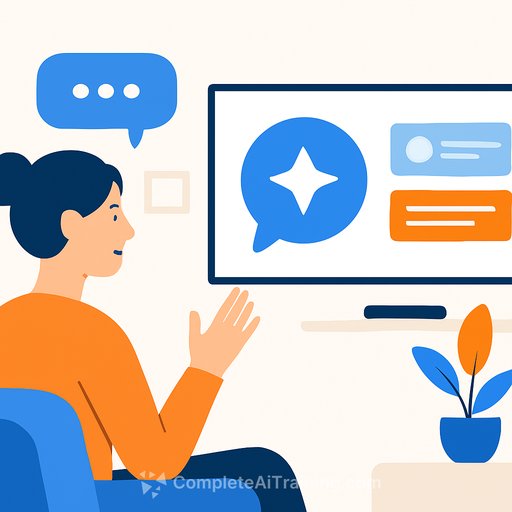
Google TV is now integrated with Gemini AI. Viewers can ask for recommendations, episode summaries, or everyday help with a simple "Hey Google," and get conversational answers without switching devices.
This shift moves TV from search-and-scroll to ask-and-receive. For product teams, that opens new patterns for discovery, retention, and cross-profile experiences.
What's New for Viewers
- Conversational discovery: "Find a feel-good comedy under two hours," or "What's the newest hospital drama everyone's watching?"
- Group preference mediation: Helps couples or families find content that fits mixed tastes.
- Instant context: Quick summaries of seasons and episodes instead of static search results.
- Everyday assistance on TV: Recipes, homework help, and planning prompts without reaching for a phone.
How It Works (Product View)
- Speech-to-intent pipeline: Voice query → intent extraction → content/entity mapping → answer generation.
- Contextual ranking: Real-time signals and household preferences refine recommendations.
- Generative answers: concise recaps and knowledge-based responses instead of only lists of links.
- Seamless flow: Multi-turn conversations keep the user in the same surface until the job is done.
Device Rollout
- TCL QM9K series (available first)
- Google TV streaming devices
- Hisense U7, U8, UX
- TCL QM7K, QM8K, X11K (future update)
Expect broader support as Google extends integration across more partners and SKUs.
Why This Matters for Product Development
- Lower friction to content: Voice-native flows reduce time-to-play and increase session starts.
- Multi-user value: Resolves conflicting preferences-useful for household accounts and co-viewing.
- Context over keywords: Conversational queries enable richer intent capture than remote-based search.
- Big surface for utility: Education, cooking, and planning use cases add stickiness beyond entertainment.
Market Signals
Google's AI push spans Chrome, YouTube tools like Veo 3, and now the TV. The company also hit a three trillion US dollar market cap, with analysts citing AI expansion across consumer surfaces as a driver. There's momentum-and scrutiny-around whether everyday benefits match investor expectations.
Key UX and System Choices to Consider
- Latency budget: Voice to response under 500-800 ms feels fluid; cache popular queries and summaries.
- Fallbacks: Gracefully degrade to standard search when confidence is low; be explicit about limits.
- Personalization boundaries: Household models vs. per-profile models-clear switching and opt-ins.
- Safety rails: Sensitive topics, kids' content, and misinformation require tuned filters and guardrails.
Metrics to Track in the First 90 Days
- Voice query adoption rate and repeat usage
- Time-to-content and first-play success rate
- Session length, completion rate, and re-engagement
- Cross-profile satisfaction (quick polls) and complaint rate
- ARPU/upsell lift from improved discovery
Privacy and Trust
Google states that voice queries follow strict data security frameworks, with encryption and clear usage transparency. Product teams should mirror that clarity with in-context prompts, visible controls, and simple ways to review or delete voice activity.
- Make data use obvious: a one-screen summary beats a buried policy link.
- Offer choice: guest mode, kid-safe defaults, and per-profile data settings.
Competitive Context
Amazon and Apple are investing in living-room assistants too. The differentiator won't be voice alone-it will be how well the system understands intent, resolves group preferences, and converts answers into action with minimal friction.
Integration Checklist for OTT/App Partners
- Deep links: Ensure precise routing to episodes, seasons, and collections.
- Metadata quality: Provide genres, moods, content warnings, runtimes, and thumbnails for higher match rates.
- Summarization support: Keep clean synopses and episode outlines to improve generated recaps.
- Confidence-aware UX: Show quick confirmations when the system "thinks" it found the right item.
- Error handling: Clear reasons and a one-click fallback to standard search or browse.
- Performance budgets: Preload frequently recommended assets and subtitles.
- Experimentation: A/B voice-first vs. browse-first entry points and measure time-to-first-play.
Risks and Mitigations
- Hallucinations or off-target summaries → show sources when possible; allow "expand details."
- Mis-personalization in households → default to neutral picks and ask a quick preference question.
- Latency spikes → stage responses (immediate short answer, then enrich).
- Trust erosion → transparent logs and an easy "Why this recommendation?" explainer.
What Users Should Know
Owners of TCL QM9K can try Gemini on Google TV now. Other supported devices will receive software updates; check the system update menu or look for the new voice prompt interface.
For official details and feature rollouts, see Google's Google TV updates.
Team Enablement
If you're building voice-first or AI-driven discovery, upskilling the team pays off. Explore role-based AI learning paths here: AI courses by job.
Bottom Line
Gemini on Google TV moves content discovery from clicking to conversation. For product leaders, the opportunity is clear: cut friction, respect context, and turn intent into action fast-while earning trust with transparent controls and measurable outcomes.
Your membership also unlocks: