Google's AI Overviews downplay safety warnings - and that puts patients at risk
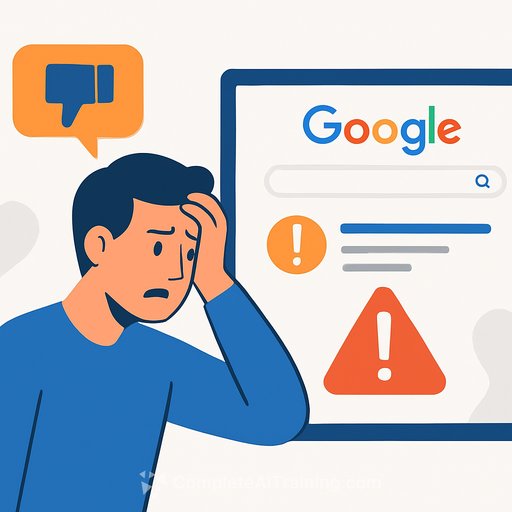
Google is under fire for how its AI Overviews present medical information. A recent investigation by The Guardian found the system's safety disclaimers are easy to miss at the exact moment users are most likely to trust what they see.
For healthcare professionals, this isn't a PR story. It's a patient safety issue that spills into triage, self-care decisions, and how people interpret symptoms before they ever reach your clinic.
What's happening
AI Overviews sit above traditional search results and summarize answers to health questions. Google says they encourage users to seek professional care and include a "clear disclaimer."
The catch: the disclaimer doesn't appear upfront. It shows only after a user clicks "Show more," and even then, it sits below the expanded AI content in a lighter, smaller font. The disclaimer reads: "This is for informational purposes only. For medical advice or a diagnosis, consult a professional. AI responses may include mistakes."
You can see Google's official description of AI Overviews here: About AI Overviews in Search.
Why this matters in clinical contexts
When information feels confident and is placed at the top of the page, people tend to act on it. They may delay care, self-medicate, or misclassify urgency based on a neat summary with a clinical tone.
By the time a patient reaches you, the first step of their decision-making has already been shaped by an AI answer you didn't see and a disclaimer they likely didn't notice.
What Google says
Google argues it's inaccurate to suggest AI Overviews don't recommend seeing a professional. The company points out that many overviews include direct prompts to seek care when appropriate, in addition to a disclaimer.
That response hasn't eased concern from AI safety experts and patient advocates who argue that disclaimers need to be visible at first contact, not buried after a click and a scroll.
Expert concerns you should take seriously
Pat Pataranutaporn, MIT technologist and AI researcher, warns that even advanced models can hallucinate or lean toward answers that please the user rather than reflect clinical accuracy. In health contexts, missing context is common - patients misread symptoms, omit details, or ask leading questions. That's a recipe for confident-sounding errors.
Gina Neff, AI professor at Queen Mary University of London, points to a design choice: speed over accuracy. Fast summaries help users move on; they can also move past nuance, risk factors, and red flags that clinicians consider baseline. Teams responsible for disclosure and interface work may want to review relevant training such as AI Design Courses.
Organizations training staff in model evaluation, safety assessment, and research methodology may also find structured options like AI Research Courses useful.
How the disclaimer currently shows
- It appears only after tapping "Show more."
- It's visually de-emphasized (smaller, lighter text).
- It is placed below additional AI-generated health guidance.
Functionally, that means the reassurance appears after the risk.
Risk scenarios your team may already be seeing
- Patients arrive late in disease course after false reassurance from an AI Overview.
- Inappropriate self-treatment or OTC use based on incomplete differential lists.
- Mental health and pediatrics queries where nuance, severity cues, and safety planning are essential - and easily glossed over.
- Mixed messaging with chronic disease management (e.g., medication timing, dose adjustments, "natural remedies").
What healthcare teams can do now
- Update front-desk and nurse triage scripts: Add a standard question: "Did you use AI or search summaries for this?" If yes, document it and probe for what the patient read and did next.
- Build a quick-check protocol for common misinformation funnels: Chest pain, stroke symptoms, pediatric fever, pregnancy complications, suicidality, severe allergy - assume patients may have seen simplified guidance. Close the gaps fast.
- Refresh patient education materials: Include a visible note: "AI search summaries can be wrong or incomplete. Call us for urgent issues. For emergencies, call your local emergency number." Place this on portals, after-visit summaries, and voicemail menus.
- Direct patients to validated references: For non-urgent reading, point to your organization's approved resources (e.g., UpToDate patient handouts, national specialty societies, local public health sites). Consistency beats generic search.
- Document AI-influenced decisions in the chart: If a patient delayed care or self-treated due to online summaries, document it. Patterns inform QI and risk mitigation.
- Set internal guidance for staff use of AI: If clinicians use LLMs for drafts or education, require source verification and cite the final clinical sources, not the model. Align with an AI risk framework such as NIST AI RMF.
- Engage comms and legal early: Add a patient-facing statement on your website about responsible use of AI tools and where to seek urgent help. Keep it brief and unmissable.
What to watch for
- UI changes from Google: If disclaimers move above the fold or gain visual weight, patient behavior may shift. Track any change in triage patterns.
- Model updates: Even small tweaks can change advice quality. Keep an eye on high-risk categories: cardiology, neurology, pediatrics, oncology, OB/GYN, mental health.
- Local search impact: AI Overviews sometimes reference nearby services. Verify that local guidance doesn't misroute urgent cases.
Bottom line
AI Overviews can influence medical decisions before patients call you, often without a clear upfront warning. The disclaimer exists - but it shows too late and too softly to shape behavior.
Treat this as an extension of patient safety. Tighten triage, strengthen education, and put simple, repeatable guardrails in place. That's how you reduce harm while the tech giants sort out the interface.
If your organization is building staff skills around responsible AI use and verification, you can find structured options in our catalog: AI Research Courses and AI Design Courses.
Your membership also unlocks: