Google Enhances Workspace with Gemini PDF Summaries
Google has introduced a new feature to Workspace users: Gemini can now scan any PDF stored in Google Drive and generate a concise summary card. This update, available starting June 13, 2025, aims to make handling PDF files faster and more efficient.
What’s New in Google Drive?
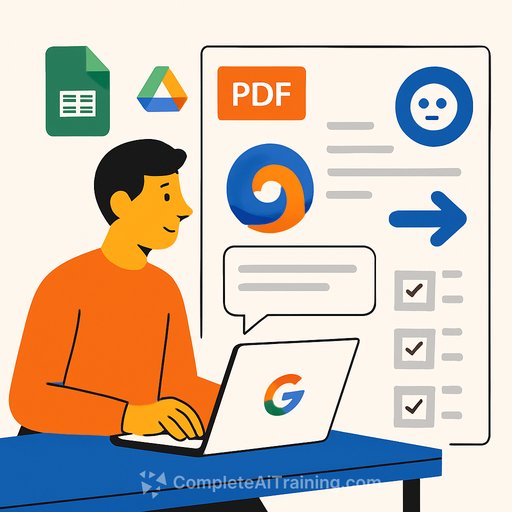
When you open a PDF in Google Drive, an AI-generated summary card appears on the right side of the screen. This card provides:
- A one-paragraph overview of the document’s content
- Clickable buttons for common tasks such as drafting a basic proposal or creating interview questions from a resume
By clicking a button, Gemini opens in a side panel, allowing you to work within the same window without switching tabs.
Key Features
- Double-click to see the summary: The summary pops up directly inside the PDF viewer instead of opening a new tab.
- Smart actions: Suggested tasks adapt depending on the document type.
- Side-panel convenience: Proposed text and actions appear in the same window for smoother workflow.
- Multilingual support: Available in over twenty languages from day one.
Availability
This feature is accessible to users on specific Google Workspace plans, including Business Standard, Enterprise Standard, Enterprise Plus, and the Gemini Education Plan. Users with older AI Pro or Ultra add-ons can also access it.
Optional & Customizable
If you prefer the previous setup, you can change a Drive setting to open PDFs in a new tab instead of the preview pane, giving you control over how you view your files.
Why It Matters
Google is gradually integrating Gemini AI across its apps—Docs, Sheets, Gmail, and now Drive—to streamline daily tasks. The new PDF summaries and one-click action buttons save time, especially when working with resumes, contracts, or detailed reports.
By providing quick overviews and actionable suggestions right within the preview window, this update helps users read, analyze, and act on large documents without extra clicks or context switching.
For those interested in enhancing AI skills related to office tools and automation, exploring relevant AI courses can provide practical knowledge and improve productivity.
Your membership also unlocks: