Use AI Like a Writer: Keep Your Voice, Ship Better Work
AI can help you think faster, but it shouldn't replace your taste or your name on the byline. The goal is simple: produce sharper work without outsourcing your judgment. Here's a practical workflow that keeps your integrity, creativity, and independence intact.
The core principle
Do the slow thinking yourself. Use AI to extend memory, stress-test ideas, and surface blind spots. Never hand it the steering wheel on voice, claims, or accountability.
Step 1: Start with a nagging idea
Write a rough "mini-abstract" for your piece: the core claim, the angle, the stakes. Two short paragraphs max. Get it out of your head and onto the page so you can judge it with clear eyes.
- Ask yourself: Is this novel? Is it interesting enough? Can I defend it?
Step 2: Check originality before you invest
Scan what's out there. Look for similar takes, gaps, and tensions you can address; consult Research guides to structure literature searches and avoid writing something that's already been done. This avoids writing another copy of something that already exists.
- Use Google Scholar for research-heavy pieces and search comp articles to see the angles others took.
- If it's been done, pivot: narrow the focus, reframe the question, or expose a missed assumption.
Step 3: Read on paper, think with a pen
Print key sources. Mark up arguments, definitions, examples, and objections in different colors. Your marginal notes become raw material, not decoration.
Keep a notebook index. Each source gets: author, title, one-sentence thesis, and bullet points with page numbers. Organize around your project, not the order you found things.
Step 4: Bring in AI as a caffeinated colleague
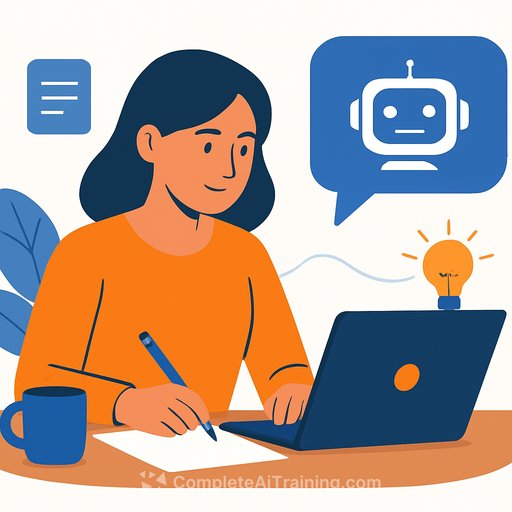
Now use AI-but only after your analog legwork. Paste your mini-abstract and short summaries or quotes from your sources. Ask it to make connections, pressure-test your idea, and surface counterpoints.
- Prompts that work:
- "Here's my thesis and source notes. What objections am I missing?"
- "What unexpected links could strengthen this argument?"
- "If you were an editor, where would you push back?"
Capture anything useful in your notebook and mark it "AI-suggested." Track provenance to protect your voice and avoid accidental plagiarism.
Step 5: Commission a quick synthesis (as a mirror)
Ask AI for a rough, imperfect mini-essay based on your notes. Expect general structure, thin nuance, and a voice that isn't yours. That's fine-the point is contrast.
Use it to see what's essential, what's fluff, and what's missing. Then toss it. Keep the insights, not the prose.
Step 6: Build a detailed outline
Draft a multi-page outline with sections and subsections: hook, motivation, existing views, critique, your proposal, objections, conclusion. Under each, list the claims, sources, and transitions.
If AI surfaced a useful order or missing step, integrate it-but rewrite in your words after thinking it through again.
Step 7: Draft like a writer
Write the first full draft on your computer with your outline and notebook open. Aim for something complete enough to critique but loose enough to change. Then step away for a few days.
Let the piece breathe. Jot down stray fixes and examples as they appear. Fresh eyes beat forced edits.
Step 8: Use AI as a harsh referee
Now ask AI to act like a skeptical reviewer. Paste sections (not the entire manuscript if privacy is a concern) and request a tough critique: unclear claims, gaps, undefended assumptions, missing sources, distracting tangents.
- Prompts that work:
- "Read this like an overworked editor. Where will readers get confused?"
- "List every assumption I haven't defended."
- "What literature or examples would make this stronger?"
Go line by line through the "report." Keep what's valid, reject what's shallow. Your judgment decides.
Step 9: Finalize, then get human signal
Revise, read aloud, and tighten. Share a "ready-to-be-criticized" draft with a colleague or present it. Submit when you can defend it without notes or tools in the room.
Guardrails that protect your integrity and voice
- Log AI inputs and outputs. Tag suggestions "AI-suggested." Disclose if your outlet requires it.
- Verify every claim and citation with primary sources. Don't trust auto-generated references.
- Don't let AI write your final prose. If you try it for a paragraph, rewrite until it sounds like you.
- Privacy matters. Redact sensitive content or use secure instances. Avoid pasting contracts or client material into public tools.
- Voice check: read aloud. If it sounds generic, it probably came from a generic model.
How "hybrid" work is treated
Many publishers and journals reject AI as an "author," but allow AI-assisted writing with disclosure. Check your outlet's policy before submission and keep a simple audit trail.
- Helpful reference: COPE's position on AI-assisted writing.
Simple checklist
- Idea: novel, interesting, defensible
- Scan: comps and gaps via search and citations
- Notes: print, annotate, index
- AI (early): brainstorm, objections, connections
- Synthesis: use as a mirror, not a draft
- Outline: claims, sources, transitions
- Draft: write, rest, rethink
- AI (late): ruthless critique, no prose lifting
- Revise: verify, tighten, read aloud
- Ship: get human feedback, submit
If you want structured practice
Explore curated tools for writers here: AI tools for copywriting. For deeper reps with ChatGPT, see this collection: ChatGPT resources.
The outcome is a clean hybrid: human taste and reasoning, supported by a fast assistant. Use AI to extend your thinking, not replace it. Your name stays on the line-and so does your standard.
Your membership also unlocks: