Luma Agents: Context-Aware AI Collaborators for Creative Teams
Luma just launched "Agents" - computer-generated assistants that stay with your project from the brief to final delivery. They work across text, image, video, and audio, and they're built to help you scale without trashing quality.
The launch headlined a San Francisco event featuring voices from film and TV. Jon Erwin of Wonder Project - behind the AI-driven Biblical drama House of David on Prime Video - shared how long-form production stands to benefit when creative context doesn't get lost between tools and handoffs.
"Creative work has never lacked ambition, it's lacked execution capacity," said Luma co-founder and CEO Amit Jain. "Creative teams shouldn't have to spend their time orchestrating tools. They should spend it creating. Agents aren't shortcuts. They're collaborators that maintain context, coordinate execution, and advance projects so teams can focus on taste, direction, and strategy."
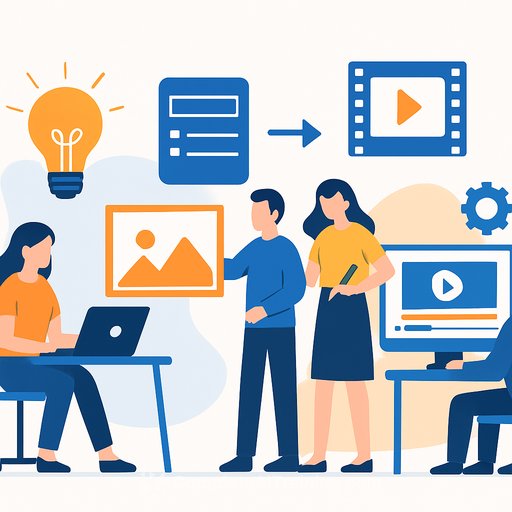
If your workflow is a patchwork of models, plugins, and file passes, this is aimed squarely at that pain. Agencies, studios, and enterprise teams are the initial focus, with agents designed to handle iterations and revisions inside one system.
Why this matters to working creatives
- Fewer context resets: The same agent tracks your brief, brand voice, and visual direction across every asset.
- Speed with guardrails: Iterate fast without losing approvals, references, or notes between versions.
- Multi-format reach: Ship cuts, captions, key art, and alt formats without juggling a dozen tools.
Early traction
Publicis Groupe Middle East and Serviceplan Group have already put Luma Agents to work across strategy, creative development, and production. Luma itself is scaling fast: the Palo Alto company raised $900 million in November to build a "supercluster" data center in Saudi Arabia, backed by Humain (a Saudi PIF subsidiary), Andreessen Horowitz, AWS, AMD Ventures, Nvidia, Amplify Partners, and Matrix Partners.
The reveal also landed on a bigger day for AI in Hollywood, with Netflix and Ben Affleck announcing a deal for Affleck's emerging AI firm InterPositive to be acquired by the streamer.
Practical ways to plug agents into your workflow
- Brief-to-board: Convert a short creative brief into scripts, shot lists, style frames, and early comps for fast internal reviews.
- Versioning at scale: Spin social cuts, verticals, and alt-language captions while preserving brand and narrative logic.
- Context-aware revisions: Feed notes once; apply them across all related assets and formats.
- Campaign continuity: Keep tone, visual grammar, and messaging consistent across channels and markets.
Pilot plan for your next campaign
- Pick one production lane: e.g., social cutdowns or key art variations.
- Codify taste: Share brand guidelines, references, and "do/don't" examples before the first prompt.
- Set approval gates: Define when humans must sign off (script lock, look lock, mix lock).
- Treat the agent like a producer: Assign tasks, deadlines, and quality bars - then review outputs, not process.
- Measure what matters: Time to first draft, revision count, asset throughput, and cost per deliverable.
Questions to ask before you roll it out wider
- How does the agent maintain project memory across text, image, video, and audio?
- Can it enforce brand rules and legal constraints across versions and markets?
- What review, change history, and audit trails exist for compliance?
- How does it integrate with your core tools (file storage, project management, edit suites)?
- What are the data handling and IP safeguards for client work?
If you've felt the drag of tool orchestration, this is a clear attempt to remove it. Keep your team focused on taste and direction - and let agents carry the logistics.
AI for Creatives covers practical workflows, tools, and training to help you ship faster without sacrificing craft.
Your membership also unlocks: