The New Luware Nimbus Companion Makes AI-Driven Customer Service More Accessible
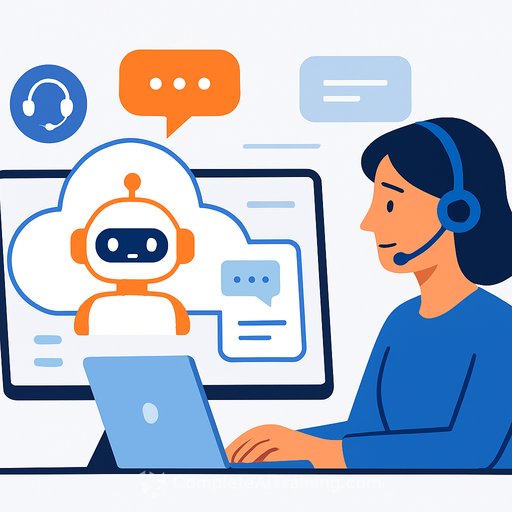
Luware announced the upcoming Luware Nimbus Companion, an upgrade that extends its native Microsoft Teams CX platform. It adds an Intelligent AI orchestration layer that routes each task to the most suitable virtual assistant. The goal is simple: keep agents focused on customers while AI handles the busywork.
Think of it as augmentation, not replacement. Routine tasks can be fully automated by the Nimbus Virtual User. The Companion steps in to support human agents with live insights, clear next steps, and organized follow-up.
What it means for support teams
- Real-time transcription and live captions reduce note-taking and keep you present on the call.
- Automatic summaries and classification speed up wrap-up and improve consistency across agents.
- Suggested tags and codes flow into your CRM, strengthening reporting and QA without extra clicks.
- AI orchestration picks the right assistant for the job, improving accuracy and reducing rework.
How the Companion and Virtual User work together
The Nimbus Virtual User automates low-complexity, repetitive requests-often end to end-without pulling an agent in. The Nimbus Companion focuses on higher-value work with agents: surfacing insights, highlighting where attention is needed, and guiding complex resolutions. Together, they create a balanced model that blends full automation with smart human oversight.
Post-call and everyday workflow support
- Real-time transcription for accuracy and accessibility.
- Concise conversation summaries for quick follow-up.
- Automated classification with suggested tags and reason codes.
- Seamless transfer of transcripts and summaries into systems like your CRM for better analytics.
What's available now-and what's next
At launch: transcription and live captioning. Coming next: performance analytics, sentiment analysis, and translation. The modular setup lets you choose only the AI Companions you need, so you can match features to your team's priorities and scale at your pace.
Why Teams-first matters
Nimbus is built natively on Microsoft Teams, which reduces context switching and speeds up adoption. If your contact center already runs on Teams, this keeps your agents in the same environment while adding AI-driven assistance where it counts. Learn more about Microsoft Teams as a collaboration hub here.
Quote from the product team
"With the Nimbus Companion, we're making AI practical and accessible for everyday communication," said Markus Weisbrod, Product Manager at Luware. "Across the industry, there's a clear shift from experimenting with AI to integrating it responsibly into daily workflows. The Nimbus Companion provides a single point of access to Luware's growing portfolio of AI agents, helping organisations use augmentation and analytics to enhance - not replace - human expertise."
Practical rollout tips
- Start with one queue: enable transcription and summaries, then compare handle time and wrap-up time before vs. after.
- Lock in taxonomy: align suggested tags and codes with your CRM fields to avoid messy reporting later.
- Define automation boundaries: hand simple tasks to the Virtual User; reserve complex paths for agents with Companion support.
- Update QA forms: include checks for AI-generated summaries and tag accuracy.
- Coach agents on live captions: use them for clarity, but confirm key details verbally to avoid assumptions.
- Review compliance: confirm consent and retention policies for recordings, transcripts, and summaries.
Bottom line
The Luware Nimbus Companion helps support teams spend more time solving problems and less time documenting them. With AI orchestration, real-time transcription, and smart post-call support, it brings order and speed to everyday operations-without adding another tool to juggle.
Upskill your team on practical AI
If you're building AI skills for customer support roles, browse job-focused training and certifications here.
Your membership also unlocks: