BETT 2026: Microsoft outlines major AI, Copilot, and classroom updates across the education stack
At BETT 2026, Microsoft shifted the conversation from abstract AI talk to concrete classroom workflows. The updates span Copilot, Microsoft 365, Teams for Education, Learning Accelerators, and Minecraft Education, with many tools available at no additional cost for Microsoft 365 education users.
The thread running through every session: AI isn't a separate product. It's built into the tools your staff already use for planning, instruction, feedback, and assessment.
Copilot for teaching: from idea to daily workflow
Microsoft introduced a new Teach module inside Microsoft 365 that centralizes lesson planning, resource creation, differentiation, and assessment. It aligns to standards from more than 35 countries and works without leaving your existing workflow.
- Lesson plan creation with curriculum and standards alignment
- Rubric generation tied to specific learning objectives
- Quiz creation through Microsoft Forms
- Automatic differentiation by grade or ability
- Reading level adjustments that keep key subject terms
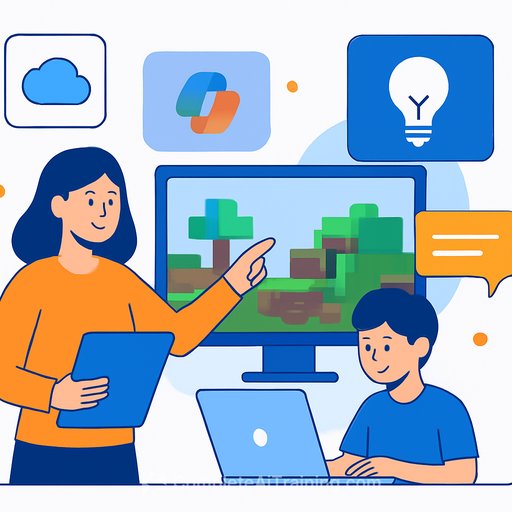
Minecraft Education lesson plan creation via Copilot enters preview in February 2026, with unit plan creation following in Spring 2026.
Study and Learn agent: independent, adaptive student support
For students, the new Study and Learn agent turns class content into practice that sticks. It applies learning science principles like retrieval practice, reflection, and adaptive pacing.
- Flashcards
- Fill-in-the-blank activities
- Matching exercises
- Quizzes and study guides
Preview starts January 2026, with expanded study guide features later in the year.
AI literacy through Minecraft Education
Microsoft is treating AI literacy as core curriculum, not an add-on. The AI Foundations certification with Minecraft Education aligns with external frameworks from UNESCO and TeachAI.
- Spot AI in everyday tools
- Understand algorithms and where bias can appear
- Know when and how to use AI responsibly
- Evaluate outputs critically instead of accepting them at face value
Ready-to-use worlds-Fantastic Fairgrounds, CyberSafe AI: Dig Deeper, and Reed Smart: AI Detective-let students explore ethics, data use, and decision-making through gameplay. Microsoft cited research showing six in ten teachers lack AI training, while 74% of students expect AI to influence their future careers-clear signals that structured AI education is overdue.
UNESCO guidance on AI in education and TeachAI resources are useful context for curriculum leads; see AI Education Research for related studies and practical guidance.
Learning Accelerators + LMS: scale without switching platforms
A new Microsoft 365 LTI brings Copilot, assignments, feedback tools, and learning activities directly into your LMS-removing the need to rely on Teams for core workflows.
- Full LMS integration for Microsoft 365 apps and Copilot
- AI-assisted assignment and rubric creation (no Teams required)
- Reading Coach for independent practice
- Reflect check-ins and progress insights for educators
Copilot embedding within LMS environments arrives in Spring 2026, so staff can create content directly inside courses.
Governance and academic integrity: assignment-level controls
Microsoft addressed AI misuse head-on with new assignment-level controls. The goal: move away from blanket bans to clear expectations tied to learning outcomes.
- Explicit guidance on when AI is permitted
- Pre-approved Copilot prompts
- Student-facing clarity on acceptable support vs. prohibited use
Previews begin in February 2026.
Availability at a glance
- January 2026: Study and Learn agent (preview)
- February 2026: Minecraft Education lesson planning via Copilot (preview)
- February 2026: Assignment-level AI use controls (preview)
- Spring 2026: Copilot embedded in LMS environments
- Spring 2026: Minecraft Education unit plan creation via Copilot
What to do next (practical steps for schools and districts)
- Confirm licensing and enable Copilot features in your tenant; prioritize pilots in departments with high planning load.
- Use the Teach module to build a standards-aligned lesson, generate a rubric, and produce differentiated versions. Time-box it to 30 minutes.
- Draft a one-page AI use policy for assignments with permitted use, sample prompts, and prohibited cases. Share it with staff and students.
- Plan a 60-90 minute PD using Minecraft Education's AI worlds; map activities to digital citizenship or computing standards, and consider the AI Learning Path for Primary School Teachers for role-based progression.
- Coordinate with your LMS admin to enable the Microsoft 365 LTI in a sandbox, then test Copilot content creation inside a live course shell.
- Set up Reading Coach for independent practice and track usage with progress insights.
If your team needs structured PD to move quickly, explore role-based programs at Complete AI Training - courses by job.
Your membership also unlocks: