Rest Assured, We Will Never AI Slop You (On Purpose)
You flagged a recent top image as "AI junk." Fair. It had that too-smooth sheen, a window line that felt off, and smoke that looked… uncanny. Here's our stance, and exactly how we work to keep your trust.
The image that raised eyebrows
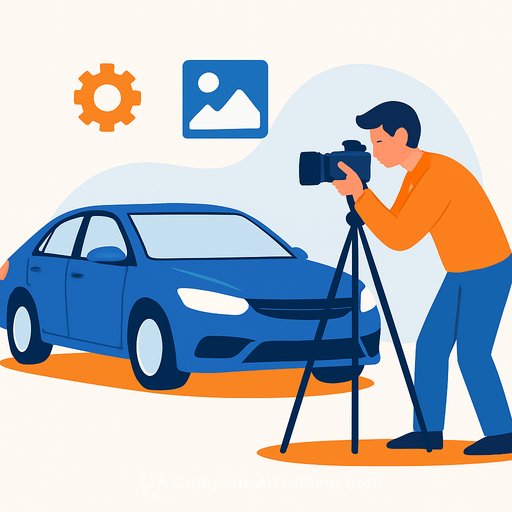
The truck image came from a stock search with "Exclude Generative AI" enabled. The original had dark diesel smoke that could confuse the story, so we inverted it to a lighter tone. That tweak made it look even more AI, which didn't help the vibe.
A reader traced the asset back to an older scrape date and a generic stock set. Translation: it wasn't created from a text prompt. The "AI look" came from stock photo smoothness plus our smoke edit.
What we do-and don't-use AI for
- We do not generate people, products, cars, or news visuals from scratch.
- We use Photoshop's Generative Expand to extend backgrounds so images fit our 1600×900 template. No prompt in most cases-just expand the sky, road, or wall.
- We use the Remove Tool to clean distractions (a hoop, a sign, a cone). It fills the gap based on the surrounding pixels.
- If we ever type a prompt, it's a guardrail: things like "do not add figures" to stop the tool from inserting random people or signs with gibberish.
- Edits never change meaning. They're the same kinds of cleanup we've long done with clone and paint-just faster and often cleaner.
- Words and journalism are human-made. Full stop.
Why this matters to PR and communications
Trust breaks on small cracks. One uncanny detail can kick off a comment thread, then the thread becomes the story. Even innocent edits read as intent if you aren't clear about your standards.
Stakeholders expect transparency. Your policy should be simple, specific, and public. Your workflow should make the "right way" the easy way.
Steal this practical policy
- Always enable "Exclude Generative AI" on stock platforms.
- Log source, license, and scrape/upload date for every asset.
- Allow background extensions and removals of distractions only. No invented people, logos, products, or text.
- Use negative prompts solely to prevent unwanted additions.
- Never fabricate or alter facts, scenes, or context.
- Keep a lightweight edit record: who edited, what changed, and why.
- Run a quick "uncanny check" before publish: hands, text on signs, reflections, edges, repeating patterns.
- Disclose assistive edits when they could affect interpretation.
- Train your team on stock filters, metadata checks, and telltale artifacts.
- Publish a clear AI-use statement and stick to it.
Our public AI-use statement: We do not generate images or articles with text-to-image or text-to-text systems. We permit assistive edits that extend backgrounds or remove distractions. If a prompt is used, it's to prevent the tool from adding elements. No edit may change the meaning of the content. If we miss something, we'll correct and disclose.
About training data and consent
We choose tools that state how their models are trained. Adobe says its generative tech is trained on Adobe Stock, licensed content, and public domain content. Check their FAQ for details: Adobe Firefly FAQ.
Also review your vendor's privacy terms and any content analysis settings your team might need to opt out of: Adobe Privacy Policy.
What you can expect from us
No AI slop. No secret prompt art. If assistive tools touch an edge of a photo, it's to make a clean crop fit or remove clutter-nothing more. If a choice could change how you read a story, we'll tell you.
Want a head start on safe AI workflows?
If you're building internal standards or training for your comms team, these resources can help: AI courses by job role.
Your membership also unlocks: