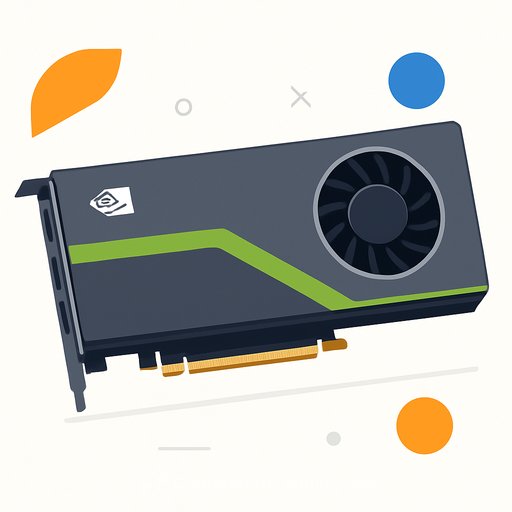
NVIDIA RTX PRO 5000 (Blackwell) with 72GB Memory: What Product Teams Can Build Next
Agentic AI moves past simple Q&A. It plans, calls tools, and keeps more state. That means desktop rigs hit VRAM limits fast.
NVIDIA just announced the RTX PRO 5000 based on the Blackwell architecture with a 72GB memory option, available for immediate shipment. For product development teams, this removes a common bottleneck and opens up bigger, more realistic local prototypes.
Why memory became the bottleneck
- Agent workflows hold longer context and multiple tool outputs at once.
- Larger multimodal models need more headroom to run without aggressive quantization.
- Batching concurrent user sessions for load testing pushes VRAM hard.
- Keeping early experiments on-device helps with privacy, iteration speed, and cost control.
What 72GB on a desktop changes
- Run larger LLMs and VLMs locally with longer context windows and fewer out-of-memory errors.
- Prototype multi-agent systems that keep plans, scratchpads, and tool traces live in memory.
- Push higher batch sizes for inference and adapter tuning (LoRA/QLoRA) to speed feedback loops.
- Work more comfortably with diffusion, video, and 3D pipelines without constant memory juggling.
Architecture and availability
The RTX PRO 5000 uses NVIDIA's latest Blackwell architecture and ships in a 72GB configuration for professional desktops. If your current 24-48GB setup keeps timing out or downscaling models, this is a straightforward upgrade path.
Learn more about NVIDIA Blackwell
Practical guidance for product development teams
- Prioritize VRAM first. Start with the memory budget your models and contexts actually need, then pick the card.
- Quantization strategy. Standardize on 8-bit or 4-bit where it meets quality targets; test latency and accuracy for your core use cases.
- Reproducible environments. Pin CUDA, drivers, and key libs in containers so every dev and CI run matches.
- Workstation readiness. Check PSU capacity, thermal design, and chassis clearance before ordering.
- Data paths. Put checkpoints and embeddings on fast NVMe; avoid paging bottlenecks that negate the GPU gains.
- Telemetry. Track VRAM, throughput, and latency in your dev builds. Catch regressions before they hit staging.
Build vs. cloud: quick math
Estimate weekly GPU hours, multiply by your current cloud rate, and compare against a workstation paid down over 18-24 months. If your team lives in prototypes and internal demos, local hardware often pays for itself while cutting iteration time.
Team setup checklist
- Target model sizes and context windows defined
- Quantization and precision policy agreed
- Container image with pinned drivers and libs
- Dataset handling plan (local vs. remote, PII rules)
- Performance budget: max latency, min tokens/sec, batch targets
- Rollout plan for dev workstations and IT support
Skill up your org
If your roadmap leans into agentic features, align your team's skills with modern LLM workflows, quantization, evaluation, and on-device prototyping. Design resources at Complete AI Training are a helpful starting point.
See AI courses by job role at Complete AI Training
Your membership also unlocks: