Compare ChatGPT, Gemini, and more side by side with this multitasking AI tool
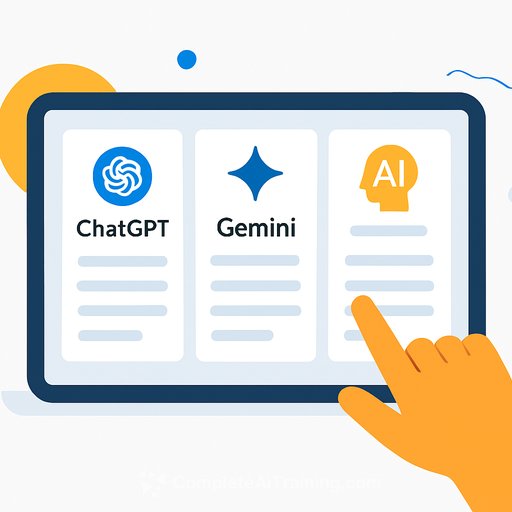
If your work lives across ChatGPT, Gemini, Llama, DeepSeek, and Perplexity, context switching kills speed. ChatPlayground AI puts 25+ popular models in one window, so you prompt once and scan responses side by side. Less tab hopping. More signal.
TL;DR
Simplify your AI workflow with a lifetime subscription to the ChatPlayground AI Unlimited Plan for $79. One hub, unlimited monthly messaging, priority support, and priority access to new features and future models.
What is ChatPlayground AI?
It's a Chrome extension that consolidates top AI models into a single interface. Type your prompt once. See answers from ChatGPT, Gemini, Llama, DeepSeek, Perplexity, and more in parallel so you can compare speed, accuracy, code quality, and style at a glance.
It also includes prompt-building help, image and PDF chat, and conversation history so you can revisit past threads and reuse what worked. If you're new to basics, explore ChatGPT resources to get more from each response.
Why it matters for general users, IT, and developers
- General: Quickly compare answers, tone, and depth-then ship the best version without rewriting the same prompt five times.
- IT/Ops: Benchmark models on policy, accuracy, and latency before rolling out a tool to your team.
- Developers: Test code suggestions across models, diff outputs, and pick the snippet that compiles cleanly.
- Product/Content: Line up variants for briefs, specs, and customer emails, and choose the clearest path forward.
How it works (simple system)
- Install the Chrome extension (see Google's guide to installing and managing extensions).
- Enter a single prompt. Add constraints like length, audience, format, and tools required.
- Review side-by-side answers. Copy the best section or blend the strongest pieces.
- Use the prompt helper to tighten instructions and reduce guesswork.
- Chat with images or PDFs, then save the conversation to build a repeatable playbook.
Key features at a glance
- 25+ AI models in one place (including ChatGPT, Gemini, Llama, DeepSeek, and Perplexity)
- Side-by-side responses from a single prompt
- Prompt engineering assistance to improve clarity and results
- Image and PDF chat for faster context handoff
- Conversation history for easy reuse and handoffs
- Unlimited monthly messaging
- Priority customer service
- Priority access to new features and future models
Practical prompts to try
- Code review: "Review this Python function for performance and readability. Suggest a faster version with comments. Include unit tests." Compare outputs and run the tests.
- Spec Q&A with docs: Upload a PDF, then ask, "Summarize core requirements, list risks, and propose acceptance criteria in table format."
- Content: "Write a 150-word product update email for non-technical stakeholders. Plain language, no jargon, bullet points first."
- Image: "Generate a minimalist app icon concept: fintech, trust-oriented colors, high contrast, export spec 1024x1024."
To sharpen results across models, study the basics of Prompt Engineering and keep a small library of reusable prompts.
Tips for more reliable answers
- Be explicit: audience, tone, length, format, constraints, and success criteria.
- Ask for reasoning or steps only when needed-extra tokens can add noise.
- For facts, require citations or a source list and cross-check anything critical.
- Avoid sharing sensitive data in prompts. Review extension permissions in Chrome settings if you're in a regulated environment.
Who this is for
If you're tired of switching tools to compare outputs-or you need a quick way to benchmark models for coding, research, or content-this keeps everything in one lane. One prompt, many answers. Decide fast and move on.
The offer
The ChatPlayground AI Unlimited Plan is available as a lifetime subscription for $79. You get unlimited monthly messaging, priority customer service, and priority access to new features and future models-so your workflow stays current without adding more tabs.
Your membership also unlocks: