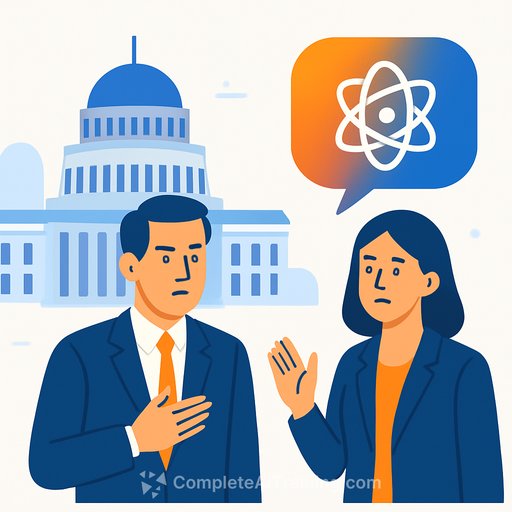
AI in government? Only two ministers say they use it
AI is changing how offices work. Inside the Beehive, the public line is different: most ministers say they don't use it in their official roles.
Only two ministers openly acknowledge official use. The rest deny it or avoid the question-even as enterprise AI tools are rolled out across ministerial offices with training and rules attached.
Who says they don't use AI
Prime Minister Christopher Luxon says he has "not used Artificial Information [sic] (AI) tools in his official capacity." That position is echoed by NZ First leader Winston Peters and senior ministers including Minister for Digitising Government Judith Collins, ACT leader David Seymour, and Science Minister Shane Reti.
- Christopher Luxon (Prime Minister)
- Winston Peters (Foreign Affairs)
- Judith Collins (Attorney-General)
- David Seymour (Regulation)
- Brooke van Velden (Internal Affairs)
- Shane Reti (Health)
- Penny Simmonds (Environment)
- Scott Simpson (Commerce)
- Matt Doocey (Mental Health)
- Karen Chhour (Children)
- Mark Patterson (Rural Communities)
- Casey Costello (Customs)
- Andrew Hoggard (Biosecurity)
- Tama Potaka (Conservation)
- Louise Upston (Social Development)
Some simply didn't respond. Others point to AI being "embedded" inside tools like Google, Word, and Outlook-making it hard to track inputs.
The exceptions: Erica Stanford and James Meager
Education and Immigration Minister Erica Stanford disclosed limited official use. She used ChatGPT once to help prepare material for a United States investment tour promoting the Active Investor Plus visa. She didn't read the text verbatim; she used it as notes while ad-libbing speeches in New York, San Francisco and Los Angeles.
Her prompts were specific: a 10-minute keynote built around Split Enz's "Six Months in a Leaky Boat," reframing distance from markets as an edge. She asked for Rocket Lab launch stats, references to education curriculum reforms, and corrected wording so housing eligibility for visa holders was framed as a personal base-not an investment product.
First-term MP and minister James Meager is more systematic. His office holds eight Parliamentary Services-paid Microsoft 365 Copilot licences to summarise correspondence and external documents. They also use Otter AI for transcribing and summarising interviews and speeches.
Behind the scenes: rollout, training, and guardrails
Despite public denials, the Department of Internal Affairs (DIA) and Parliamentary Service facilitated a Copilot rollout to ministerial offices. Licences were available from September 2025 alongside seminars on "The art of prompting."
Training is blunt: don't blindly trust outputs. Just as AI images can produce extra fingers, written content can contain errors. Staff are told to stick to Copilot as the only approved AI tool; unapproved tools like standard ChatGPT or Claude sit outside the Parliamentary network and raise data security concerns.
Minister for Building and Construction Chris Penk declined to release prompts, saying AI is now embedded in common applications and collating inputs would require substantial effort.
The rules that matter for public servants
A DIA policy dated 1 August 2025 classifies AI-generated material as official information under the Public Records Act. In short: AI outputs are records and must be managed accordingly. See the Act here: Public Records Act 2005.
The policy draws hard lines:
- Enterprise AI tools must not materially contribute to decisions that could lead to an adverse outcome for an individual (e.g., assessments, complaints).
- Any document materially produced or edited by AI must be clearly labelled as having AI input.
Ministers, including Luxon and Internal Affairs Minister Brooke van Velden, say the Cabinet Office has not provided advice on whether AI-generated material counts as official information. Commerce Minister Scott Simpson relayed similar advice from DPMC. The DIA policy, however, already treats AI outputs as records.
What this means for your office (practical steps)
- Use only approved tools (e.g., Copilot) for official work. Avoid consumer AI tools that sit outside the network and create storage/sovereignty risks.
- Label AI input. If AI materially produced or edited a document, say so in the header or footer.
- Treat prompts and outputs as records. Store them in approved systems with the source, date, and purpose.
- Keep humans in the loop for any decision that could negatively affect an individual. AI can draft and summarise; it should not decide.
- Fact-check. Verify stats, names, and policy positions. Don't paste sensitive data into prompts unless the tool is approved for that data.
- Create prompt templates for repeat tasks (briefs, speech outlines, meeting notes) and maintain them in a shared folder.
- Maintain a simple register of material AI touched. It will save time on OIA responses and audits.
- Provide targeted training. Focus on safe prompting, recordkeeping, and red-teaming outputs for errors and bias.
Helpful resources
- Microsoft 365 Copilot overview (enterprise features and controls)
- Public Records Act 2005
- Office Tools (Complete AI Training)
Bottom line
Public statements say "we don't use AI." The operational reality says "we do-under policy, training, and controls."
If you work in government, act like AI is already in the workflow: use approved tools, label AI input, protect data, and keep people accountable for decisions. That's how you get the upside without creating tomorrow's audit headache.
Your membership also unlocks: