This Tool Listens to You Type to Prove Your Writing Is Human
"Did AI write that for you?" One message like that can undercut years of trust with an editor, a client, or a colleague. We're all dealing with the same problem: readers second-guessing authorship, and teams unsure how to verify it without slowing work to a crawl.
We've seen the fallout. In May 2025, Chicago Public Media's CEO Melissa Bell apologized after a freelancer, Marco Buscaglia, used ChatGPT to write a review. Fifteen books were listed; only five existed. No disclosure. No extra fact-checking. Trust took a hit.
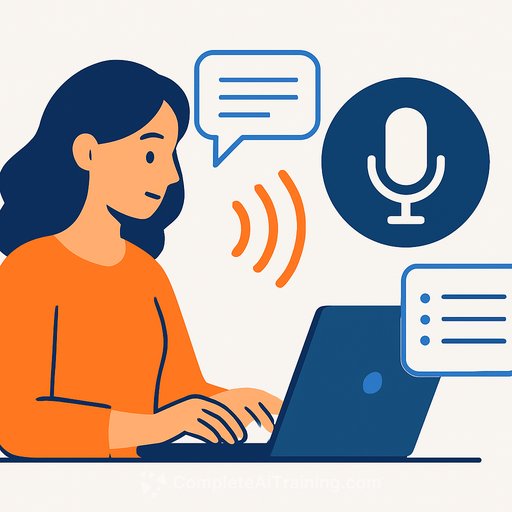
Enter OKhuman - a tool that listens for human typing and issues a stamp saying your work was written by a human. It's a small badge with a big claim: this text came from hands on a keyboard.
What OKhuman Does
- Monitors your typing while you write in tools like Google Docs, Microsoft Word, Slack, Medium, Apple Notes, and more.
- Generates a "human-written" stamp you can embed on your article or post.
- Creates a public page for each stamp with details like words written and the number of writers involved.
It's meant to be a quick signal to editors and readers: human effort went into this.
How It Claims to Verify You
According to its terms and privacy docs, OKhuman collects typing/behavior metadata, microphone input of keystroke sounds, device type and OS, and network status. The company says it processes some sensor data on-device and scrubs out human voices. It also says it doesn't record or store your text, beyond a small initial excerpt used to identify a document.
The CTO, Mohit Vora, kept the technical method close to the chest, saying it relies on "the sound of the key strokes itself." The promise: strong privacy measures, minimal signal capture, and voice removal before verification.
Getting Started (Pre-Release)
Right now, OKhuman is in a "pre-release testing program" for users in the US. You apply, agree to terms and privacy policy, then install the app.
- Sign up and wait for approval.
- Download and install the desktop app.
- Open your writing app (e.g., Google Docs) or site (e.g., LinkedIn).
- Click the OKhuman icon in your taskbar and toggle monitoring on for that app/site.
It's lightweight and stays out of the way. You write, it listens, and later you get a link to your stamp.
I Tried It on LinkedIn
I wanted proof for my network that a summary post was actually mine. Once monitoring was on, I wrote as usual - except I didn't feel "usual." I felt watched. My writing turned into a performance.
After posting, I clicked the OKhuman icon to trigger verification. The tool appended a URL to my post that confirmed a human wrote it. On the OKhuman page for that stamp, the human-written sections were highlighted in light purple. It also showed the time-on-task (13 minutes), which frankly felt slow for a quick post.
Seeing the purple highlights was sobering. The opener sounded derivative, the sort of sentence people assume is AI-written. It wasn't. It was just lazy. That's the point: the stamp didn't make the writing better; it just surfaced the effort.
Why Editors and Newsrooms Care
- Policy compliance: verify what parts were human-typed and where AI was used.
- Freelancer management: set expectations and audit deliverables without micromanaging.
- Quote verification: check human involvement in materials from PR and external contributors.
- Workflow visibility: writing is "invisible work." This makes it measurable.
Newsrooms often connect these checks to broader verification and fact-checking efforts; see Research.
As consultant Danya Henninger put it, the real value is making human work visible: who typed what, where edits happened, and how much effort went in. Still, she's clear on the limits: this won't fix AI slop by itself.
What It Gets Right
- A fast signal for readers and editors that a human did real work.
- A public, shareable stamp for pitches, portfolios, and client-proof.
- Potential leverage for rates when clients value human craft.
Trade-Offs to Consider
- Surveillance concerns: some writers won't want any background listening, even with voice scrubbing.
- Behavior change: being "observed" can make your writing stiffer or slower.
- Partial coverage: it verifies typing, not thinking. It won't catch research shortcuts or weak edits.
Who Should Try It
- Freelancers who want to signal human authorship in pitches and deliverables.
- Editors managing mixed workflows (human + AI) who need basic verification without heavy process.
- Content teams with policies requiring disclosure and proof of human effort.
OKhuman says some newsrooms are already testing it, but they haven't been named publicly. The tool is early, but the use case is obvious.
Practical Tips for Writers
- Set expectations with clients: define where you use AI and when you'll include a human stamp.
- Only toggle monitoring where needed: limit it to your draft and publishing tools.
- Document your process: pair the stamp with a one-line disclosure about your AI use, if any.
- Keep your flow: write the draft without worrying about the timer; polish after.
The Bigger Picture
AI text is cheap and everywhere. That makes credible signals valuable. OKhuman is betting that "human-made" becomes a premium label - something clients will pay extra for, and something readers will seek out.
It won't clean up every corner of the internet. But it gives writers and editors a tool to prove effort, reduce suspicion, and protect trust - with clear trade-offs. If you write for a living, that trade is worth a serious look.
Want to Build Responsible AI Habits?
If you're formalizing your AI workflow and disclosure practices, training helps. Browse courses by job at Complete AI Training to structure how you use AI without losing your voice.
Your membership also unlocks: